I have installed an old Ricoh MP 171 SPF printer/fax/copier/scanner unit into my Windows 7 32 bit system and used the PCL 6 driver. I think that this is only a printer driver and suspect that the scanner function requires a separate driver? The printer is being seen by Windows and is working flawlessly through the USB connection. I am having trouble working out how I might set this machine up to simply scan and save the scanned files to a folder to use as desired. It seems to want me to enter a network path but from my very rudimentary network knowledge the printer is not networked anyway. Any help would be appreciate
My Computer
- Computer type
- PC/Desktop
- Computer Manufacturer/Model Number
- custom build,
- OS
- Windows 7 home 32 bit
- CPU
- Processer2.20 gigahertz AMD Athlon 64
- Motherboard
- Gigabyte GA-MA78LM-S2
- Memory
- 2 GB
- Graphics Card(s)
- NVIDIA GeForce 7300 GS
- Hard Drives
- 2 - ST3250820AS Hard drive 250 GB
1 - Seagate Desktop USB Hard drive 1 TB
1 - Seagate Desktop USB Hard drive 250 GB
- Antivirus
- Norton Internet Security 2013
- Browser
- Mozilla Firefox 20.0.1

 Any suggestions please[/FONT]
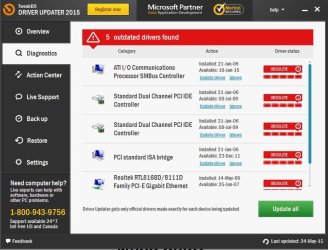
 I will run the driver update program that you sent the link for although I generally shy away from this sort of thing as I have not found them to be of any help in the past. They do not even seem to detect all the hardware that I have connected to my system but I'll try it seeing as you recommended it.