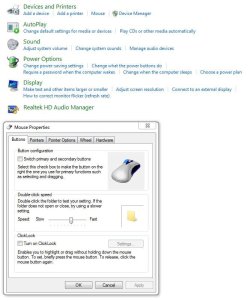
Hi everyone! From few days I have problem with right click of the mouse when I use it on shortcuts. The problem is that there is a delay which is between 1 to 3 seconds. It happends only shortcuts. When I use right click on other files (.exe, .jpg, etc.), on desktop or folders, the context menu appears without any delay.
The other problem is happening when I open my "Programs" folder which I created for my shortcuts. It contains 86 shortcuts and 1 app(Team Viewer). The problem is that every time when I open it it has also delay (3-6 sec). Other folders with larger content/files are opening and loading fine.
I think the both problems are related. I have tried a different methods to resolve my problems like:
- Defragmentating C:\, system files and pagefile (I use PerfectDisk)
- Deleting IconCache.db and making new Read-only
- Running PC in safe mode (it resolves the problem but only when I use the mode, when I boot in normal the problem appears again)
- Reducing the RAM usage (smaller resolution, disabling aero and effects, etc.)
- Reinstalling nVidia 260.99 WHQL drivers
- Disk clean up (also with CCleaner)
- Disabling network (saw a post on net)
None of them helped.
My PC is running fast and well, I haven't got any other problems with delays, lags etc.
I hope someone can help me with resolving this thing!
The other problem is happening when I open my "Programs" folder which I created for my shortcuts. It contains 86 shortcuts and 1 app(Team Viewer). The problem is that every time when I open it it has also delay (3-6 sec). Other folders with larger content/files are opening and loading fine.
I think the both problems are related. I have tried a different methods to resolve my problems like:
- Defragmentating C:\, system files and pagefile (I use PerfectDisk)
- Deleting IconCache.db and making new Read-only
- Running PC in safe mode (it resolves the problem but only when I use the mode, when I boot in normal the problem appears again)
- Reducing the RAM usage (smaller resolution, disabling aero and effects, etc.)
- Reinstalling nVidia 260.99 WHQL drivers
- Disk clean up (also with CCleaner)
- Disabling network (saw a post on net)
None of them helped.
My PC is running fast and well, I haven't got any other problems with delays, lags etc.
I hope someone can help me with resolving this thing!
My Computer
- OS
- Windows 7 Ultimate x64
- CPU
- AMD Phenom X4 9650 2.3GHz
- Motherboard
- ASUS M3N78 PRO
- Memory
- 4 GB Kingston DDR2
- Graphics Card(s)
- nVidia GeForce 9600 GT, 512 MB 256bit GDDR3
- Monitor(s) Displays
- Samsung SyncMaster T200
- Hard Drives
- Hitachi Deskstar 7200rpm 500GB
- Cooling
- 8 Fans (Scythe, Noiseblocker etc.)