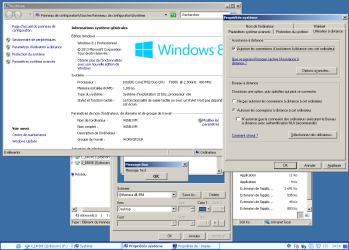
Running Windows Explorer from Windows 2000 under Windows 7

Some people do not like change.
I do not like changes to the worse, I do like changes to the better.
If you decide you do not like windows 7 file structure

Lol. I am OK with the file structure.

Regarding the alternatives, I already tried to find a suitable one, unsuccessfully.
 

My Computer My Computer

Computer type
PC/Desktop
OS
Windows 7
The bottom line is that you cannot use the Windows 2000 Explorer in Windows 7. There are multiple serious problems in doing this, only a few of which have been mentioned. Essentially you wish to replace the Windows shell and that consists of a number of DLL's which rely on other DLLs, which rely on others, etc. Few of these can be replace individually but must be part of a matched set. I once tried to update the shell32.dll in NT 4 with an updated version, but one designed for NT 4. The computer would not boot.

But let us assume that somehow you managed to install the Windows 2000 shell and the system was functional. How I cannot even imagine. You would then have a very serious problem, and one for which I see no possible solution - except one. The problem is that most modern software would not run in such an environment. The only solution would be the obvious one, revert back to the Windows 7 shell and all of it's attendant components. But all of that is academic as the chances of getting that far border on zero.

I too dislike Windows Explorer. Always have. Over the years I have used a number of alternatives, of which there are quite a few available. I am sure that many members of this forum do this as well. I suggest you do as well.

Of course you can continue to attempt the impossible.
 

My Computer My Computer

Computer type
PC/Desktop
Computer Manufacturer/Model Number
HP
OS
Windows 7 Pro 64 bit
CPU
Xeon W3520
Memory
8 GB
Graphics Card(s)
Nvidia Geforce 210
andrew129260

Over the years I have tried many Windows Explorer replacements, none of which I was entirely happy with. I have been using Free Commander and tolerating it's quirks. But somehow I never came across Multi Commander before. It looks good and will give it a try.
 

My Computer My Computer

Computer type
PC/Desktop
Computer Manufacturer/Model Number
HP
OS
Windows 7 Pro 64 bit
CPU
Xeon W3520
Memory
8 GB
Graphics Card(s)
Nvidia Geforce 210
I guess maybe my issue is, I do not see how anyone could dislike windows explorer. Yes it is my opinion, but it does what it needs to do well. Managing files. I am not sure why anyone would need more then that. I am a power user and I use windows explorer without issue. If you have tried the alternatives and do not like them there is not much you can do unfortunately.

To each his own, I just do not understand what it can and cannot do. I have looked at the list as stated by anixx, and the things mentioned in your list, (while important to others) does not make sense to me as something to complain about. I even seem to be able to do some of them, not sure why you are not able to....

I am able to see folders and icons when dragging, I can hide show desktop bar which only takes like a centimeter of space, I don't have a language bar. I disable it. I don't know if you have done so. I have use small icons and never combine set for my taskbar so it takes less space, etc.
 
Last edited:

My Computer My Computer

Computer type
PC/Desktop
Computer Manufacturer/Model Number
Custom Built
OS
Windows 10 Pro
CPU
AMD Ryzen 5 2400G Processor with Radeon RX Vega 11 Graphics
Motherboard
ASRock X470 Master SLI/AC AM4 AMD Promontory X470 SATA 6Gb/s
Memory
G.SKILL Ripjaws V Series 16GB (2 x 8GB) 288-Pin DDR4 SDRAM D
Graphics Card(s)
2047MB NVIDIA GeForce GTX 1060 6GB (EVGA)
Sound Card
Motherboard Built in
Monitor(s) Displays
Acer R240HY bidx 23.8-Inch IPS HDMI DVI VGA (1920 x 1080) Wi
Screen Resolution
1920 x 1080
Hard Drives
1TB Sandisk SSD PLUS (Main drive)
500 GB Seagate 7200 RPM (Games)
500 GB Western Digital 7200 RPM (Virtual Machines)
PSU
CORSAIR TX Series TX650M 650W 80+ Gold Modular Power Supply
Case
CORSAIR CARBIDE SPEC-02 Mid-Tower Gaming Case, Red LED Fan
Cooling
220mm, two 120mm, and four 60mm fans
Keyboard
Wired Dell keyboard
Mouse
Wireless Logitech mouse
Internet Speed
250mb down, 30mb up
Antivirus
Panda Cloud Antivirus
Browser
Chrome-ish x64
Other Info
Your awesome for reading this.
What is the base of the claim that new software will not work in such environment? I used Win95 for a long time and then Win2000 for years and never encountered with any software incompatibility. I skipped Win98 and ME and switched to Win2000 because it was more stable and looked much better than Win95. I used it for years until I switched to XP just because I needed only one function that was introduced in XP (arrange icons by grid on the desktop), in all other respects XP was worse than 2000 for me (and now I learned that this function is provided by a third-party utility Pitaschio, so there was no need for upgrade). Now I use Win7 because it came with my notebook. Unfortunately if I install Win2000 on it it will not be able to utilize all memory (it has 4 Gb plus some address space is needed for hardware such as video card). That's why I want to keep the system but use the shell from Win 2000. Another alternative is to install Win XP.

Actually under Win7 I experience troubles with software which would not be there under Win2000. For example, I used Outlook Express since Win95, and under Win7 it is not provided. I installed a custom hacked package with Outlook Express and it seems to work quite well. I am looking for a similar package with the Explorer.
 

My Computer My Computer

Computer type
PC/Desktop
OS
Windows 7
I have looked at the list as stated by anixx, and the things mentioned in your list, I seem to be able to do some of them, not sure why you are not able to....
What exactly you can that I cannot do? Maybe I overlooked something.
 

My Computer My Computer

Computer type
PC/Desktop
OS
Windows 7
Again my opinion, but it's not hard to figure out why you have so many problems with windows if you keep making unsupported hacks and dll and reg changes. Windows 7 is not xp or older, you do not need to do anything to it to perform better or anything of the sort.

Windows live mail is far better then outlook express. Have you tried it?

I am able to see folders and icons when dragging, I can hide show desktop bar which only takes like a centimeter of space, I don't have a language bar. I disable it. I don't know if you have done so. I have use small icons and never combine set for my taskbar so it takes less space, etc.
 

My Computer My Computer

Computer type
PC/Desktop
Computer Manufacturer/Model Number
Custom Built
OS
Windows 10 Pro
CPU
AMD Ryzen 5 2400G Processor with Radeon RX Vega 11 Graphics
Motherboard
ASRock X470 Master SLI/AC AM4 AMD Promontory X470 SATA 6Gb/s
Memory
G.SKILL Ripjaws V Series 16GB (2 x 8GB) 288-Pin DDR4 SDRAM D
Graphics Card(s)
2047MB NVIDIA GeForce GTX 1060 6GB (EVGA)
Sound Card
Motherboard Built in
Monitor(s) Displays
Acer R240HY bidx 23.8-Inch IPS HDMI DVI VGA (1920 x 1080) Wi
Screen Resolution
1920 x 1080
Hard Drives
1TB Sandisk SSD PLUS (Main drive)
500 GB Seagate 7200 RPM (Games)
500 GB Western Digital 7200 RPM (Virtual Machines)
PSU
CORSAIR TX Series TX650M 650W 80+ Gold Modular Power Supply
Case
CORSAIR CARBIDE SPEC-02 Mid-Tower Gaming Case, Red LED Fan
Cooling
220mm, two 120mm, and four 60mm fans
Keyboard
Wired Dell keyboard
Mouse
Wireless Logitech mouse
Internet Speed
250mb down, 30mb up
Antivirus
Panda Cloud Antivirus
Browser
Chrome-ish x64
Other Info
Your awesome for reading this.
I am able to see folders and icons when dragging
This happens to me only when using Aero, and not in the Classic theme.
I can hide show desktop bar which only takes like a centimeter of space
How do you do so? Did you employ only the standard Windows tools? I can hide it only with 7 Taskbar Tweaker.
I don't have a language bar. I disable it. I don't know if you have done so.
Then I would not know which language is active. So I have to install another indicator. Under Win XP I used the layout indicator from Win2000 which was residing in sytem tray. I took it from Win 2000 distribution along with the required dlls. Now I use Ruslat95 under Win7 but it is not perfect, it disappears when restarting Explorer and also brings instability to some programs.

I have use small icons and never combine set for my taskbar so it takes less space, etc.
I also use small icons. Before me this notebook belonged to a girl who had tray icons taking more than a half of the taskbar!
 

My Computer My Computer

Computer type
PC/Desktop
OS
Windows 7
What is the base of the claim that new software will not work in such environment?

Most modern software will not run on Windows 2000 but will require XP SP2 or SP3 as a minimum. All software has a minimum OS requirement in order to run. Unfortunately this is not always stated. When an application runs it makes numerous function calls into system DLLs to do the things that it cannot reasonably do itself. There are thousands of these functions, large numbers of which exist in the DLLs that make up the shell and those that support it. Many of those used in modern software did not exist or have been upgraded since Windows 2000. Attempting to call such a function will cause an application failure. I will add that this is not just something I have read about but something that I have had considerable personal experience with.
 

My Computer My Computer

Computer type
PC/Desktop
Computer Manufacturer/Model Number
HP
OS
Windows 7 Pro 64 bit
CPU
Xeon W3520
Memory
8 GB
Graphics Card(s)
Nvidia Geforce 210
Most modern software will not run on Windows 2000 but will require XP SP2 or SP3 as a minimum.
Is it because of .NET requirement or what? Any example?

You claim the APIs dramatically change even between service packs?!!! You know, Win 2000 received the last update in 2010, just 3 years ago. And it is essentially Win NT 5, similarly to XP. Only the shell appearance is somewhat different between them and other minor things.

But you claimed that software will not work on Win 7 with a shell from Win 2000. Do you have any evidence for this claim?
 

My Computer My Computer

Computer type
PC/Desktop
OS
Windows 7
I have already explained why modern software is unlikely to run under a Windows 2000 shell.

I don't wish to discuss this further.
 

My Computer My Computer

Computer type
PC/Desktop
Computer Manufacturer/Model Number
HP
OS
Windows 7 Pro 64 bit
CPU
Xeon W3520
Memory
8 GB
Graphics Card(s)
Nvidia Geforce 210
Does software "run under shell" at all?
 

My Computer My Computer

Computer type
PC/Desktop
OS
Windows 7
Well I managed to run Explorer.exe from Windows XP in the taskbar mode under Windows 7.

The start menu is buggy: the left part is black and "all programs" does not open. If to switch to the "Classic" mode, the start button does not work at all. Possibly this can be fixed by also replacing the shell32.dll.

Still looking for a way to run it in the file manager mode.
 

My Computer My Computer

Computer type
PC/Desktop
OS
Windows 7
why don't you just go back to the regular Windows 7 start menu, Windows XP is not supported and we told you it would not work properly, who knows maybe while trying to do this stuff you will mess up your machine abd then learn your lesson qbout messing with components in explorer
 

My Computer My Computer

Computer type
Laptop
Computer Manufacturer/Model Number
Toshiba Satellite C655-S5547
OS
Windows 7 Pro 64bit
CPU
Intel(R) Core(TM) i3-2350M CPU @ 2.30 GHZ
Memory
4.00 GB
Graphics Card(s)
Intel HD Graphiics
Sound Card
Conexant HD Audio
Monitor(s) Displays
Generic PnP Monitor
Screen Resolution
1366 x 768 x 32 bits (4294967296 colors) @ 60 Hz
Hard Drives
TI106321W0B(C:) 450GB
Keyboard
Standard PS/2 Keyboard
Mouse
Synaptics Pointing Device
Internet Speed
51.68 mb/s download and 12.08 mb/s upload as of 6/24/15
Antivirus
Webroot Secure Anywhere
Browser
IE11, Mozilla Firefox 41.1.01, and Google Chrome if I must
why don't you just go back to the regular Windows 7 start menu, Windows XP is not supported and we told you it would not work properly, who knows maybe while trying to do this stuff you will mess up your machine abd then learn your lesson qbout messing with components in explorer

I want to run the Explorer as a file manager. In the taskbar role the explorer from Win7 (with Classic Shell and 7 Taskbar Tweaker) is more or less satisfactory. But as a file manager I failed to achieve satisfactory results even with massive tweaking and hacking.
 

My Computer My Computer

Computer type
PC/Desktop
OS
Windows 7
Yet under Windows 8 using Explorer from Win XP may become necessary, because after using utilities that restore Classic look, Win8 taskbar looks wrong:
 

Attachments

  • w8classic.png
    w8classic.png
    28.4 KB · Views: 2

My Computer My Computer

Computer type
PC/Desktop
OS
Windows 7
who knows maybe while trying to do this stuff you will mess up your machine abd then learn your lesson qbout messing with components in explorer
Well in that case my system will become impossible to use, just as it is now, with this invalid so-called "Explorer". So I do not lose anything in any case.
 

My Computer My Computer

Computer type
PC/Desktop
OS
Windows 7

My Computer My Computer

Computer type
PC/Desktop
Computer Manufacturer/Model Number
Custom Built
OS
Windows 10 Pro
CPU
AMD Ryzen 5 2400G Processor with Radeon RX Vega 11 Graphics
Motherboard
ASRock X470 Master SLI/AC AM4 AMD Promontory X470 SATA 6Gb/s
Memory
G.SKILL Ripjaws V Series 16GB (2 x 8GB) 288-Pin DDR4 SDRAM D
Graphics Card(s)
2047MB NVIDIA GeForce GTX 1060 6GB (EVGA)
Sound Card
Motherboard Built in
Monitor(s) Displays
Acer R240HY bidx 23.8-Inch IPS HDMI DVI VGA (1920 x 1080) Wi
Screen Resolution
1920 x 1080
Hard Drives
1TB Sandisk SSD PLUS (Main drive)
500 GB Seagate 7200 RPM (Games)
500 GB Western Digital 7200 RPM (Virtual Machines)
PSU
CORSAIR TX Series TX650M 650W 80+ Gold Modular Power Supply
Case
CORSAIR CARBIDE SPEC-02 Mid-Tower Gaming Case, Red LED Fan
Cooling
220mm, two 120mm, and four 60mm fans
Keyboard
Wired Dell keyboard
Mouse
Wireless Logitech mouse
Internet Speed
250mb down, 30mb up
Antivirus
Panda Cloud Antivirus
Browser
Chrome-ish x64
Other Info
Your awesome for reading this.
My 2 cents here, I mostly agree that Explorer from Win7 has been severely crippled, and the one from XP is vastly superior in many aspects, for both explorer and taskbar/desktop.

But I don't think that trying to run the XP explorer.exe is going to be a good direction. It has been designed to be very OS-dependant, probably calling undocumented features all over the place (your ntdll call and the new "listview" DirectUI control in Win7 being examples of that) so that they would be difficult to run on older/newer versions. It has been just built so tightly-coupled to the OS that migrating it is difficult.

My personal solution to this are Classic Shell and 7 Taskbar Tweaker, both of those replace and fix fundamental features removed/crippled. I know using external programs is not ideal, but I don't mind them as long as they do a good job, and looking at their footprint they don't seem to cause and harm (2MB memory combined and almost no CPU usage). Combine with a few registry hacks to remove the useless libraries, disable full row selection and I now have a pretty functional explorer, running the native Win7 one.

Even if you manage to run older explorer versions on 7, there is no reason to suppose that programs will immediately have problems. Remember that by doing that, you're replacing the shell only, while still running on the whole Win7 kernel. We may argue about programs that tamper with the shell (extensions and the like) but all others, at least from the beginning, we don't have any reason to think they'll break.

 

My Computer My Computer

Computer type
Laptop
Computer Manufacturer/Model Number
Toshiba Sattelite A665-S6092
OS
Windows 7 Ultimate x64
CPU
Intel Core i7-740QM
Memory
8 GB DDR3
Graphics Card(s)
NVIDIA GeForce 330GT
Screen Resolution
1366x768
Hard Drives
Samsung 840 SSD 500GB
1TB USB3 external HD
Cooling
Coolermaster Notepal U3 notebook cooling pad
Internet Speed
3mbps ASDL
Antivirus
ClamWin 0.98.7
Browser
Opera 12.17 x86 (main), Firefox 38 (sec), IE11 (last resort)
Back
Top