Screen Orientation and Wallpaper Rotation (on Tablet PCs)

Cavaldi

New member
Member
Local time
7:46 PM
Messages
17
On Tablet PCs, screen orientation can be changed so that any side of the screen can become "the bottom" of the desktop.
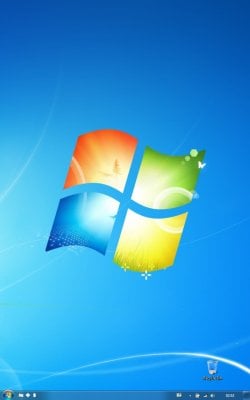
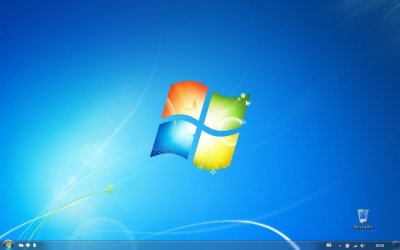
Unfortunately, the result is that a wallpaper intended for a 1200 x 800 desktop, is stretched to fill a 800 x 1200 desktop. See the effect in the attached images.
Is there any way to lock wallpapers to a physical side of a screen?
 

Attachments
  • Untitled.jpg
    Untitled.jpg
    40.8 KB · Views: 8
  • Untitled2.jpg
    Untitled2.jpg
    39.6 KB · Views: 15

My Computer My Computer

At a glance

Windows 7
OS
Windows 7

My Computer My Computer

At a glance

Windows 7 32 bitAMD 5200+ dual core2 GBNVidia GeForce 6150SE 128 MB
Computer Manufacturer/Model Number
HP Media Center
OS
Windows 7 32 bit
CPU
AMD 5200+ dual core
Memory
2 GB
Graphics Card(s)
NVidia GeForce 6150SE 128 MB
Monitor(s) Displays
CRT
Screen Resolution
1280x1024
Hard Drives
500 GB Sata internal :

SIIG USB 3.0 docking stations w/WD Caviar Black 6 Gb/s drives
Keyboard
PS/2
Mouse
PS/2 Wheel Mouse
Other Info
SIIG USB 3.0 PCIexpress card.
The software you linked to is very close to what I'm looking for. It makes it possible to define a separate wallpaper for landscape and portrait orientation.

It'll do very well until I find a utility or method to lock (or auto-rotate) a wallpaper to keep it aligned to one side of the physical screen, which is a matter of esthetics.

I appreciate you taking the time to look for a solution.
 
Last edited:

My Computer My Computer

At a glance

Windows 7
OS
Windows 7
Back
Top