Hello out there.
I recently bought a brand new computer as well as a new Monitor (Asus VN247H)
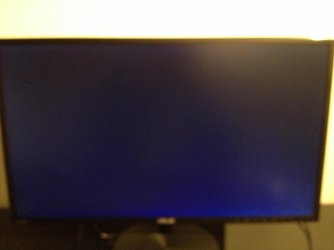
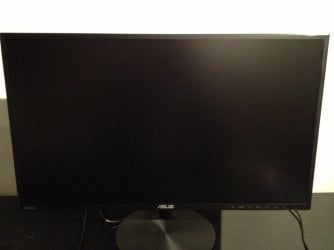
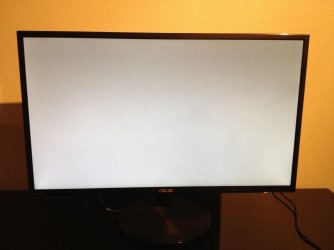
Yesterday while playing CS:GO, my screen suddenly turned gray for 2 seconds, then blue for about 5 seconds, then it turned black/looked like the screen was turned off for about 5 seconds as well. After the 5 seconds the screen worked again and I could continue playing. This happened two times to me last night.
Today when I turned on my computer, it did not boot, the screen turned blue (like yesterday,but this time it was only blue, not gray or black) and it was stuck with the blue screen. No cursor, nothing but the blue. I could not do anything, so I turned off my computer by holding down the power button. After 10 seconds i turned on my computer. This time it turned on almost properly, this time it went black with blue figures for like 2 seconds, but afterwards it booted as it should. This time i opened World Of Warcraft. After 15 minutes of gaming, the screen suddenly turned blue again for 5 seconds, then black for 5-10 seconds, and after that it worked again, although some of my "spells" were missing? Similar to what happened while I played CS:GO yesterday.
This problem is really annoying, especially since my computer is brand new. The specs is:
Processor: Intel® Core™ i5-4670k CPU @3.40GHz
Installed memory(RAM): 8GB DDR3 1600MHZ HYPER-X KINGSTON
System type: 64-bit Operating system
GPU: 2GB GTX760 MSI TWINFROZR, OVERCLOCKED DUALFAN
Harddisk: 500GB HARDDISK, 7200RPM, SATA6G
I have tried to search the web for this problem, but I was not able to find anyone who had a similar problem therefore I'm asking you guys for help since this is really annoying
Thanks in advance
Nylokke
I recently bought a brand new computer as well as a new Monitor (Asus VN247H)
Yesterday while playing CS:GO, my screen suddenly turned gray for 2 seconds, then blue for about 5 seconds, then it turned black/looked like the screen was turned off for about 5 seconds as well. After the 5 seconds the screen worked again and I could continue playing. This happened two times to me last night.
Today when I turned on my computer, it did not boot, the screen turned blue (like yesterday,but this time it was only blue, not gray or black) and it was stuck with the blue screen. No cursor, nothing but the blue. I could not do anything, so I turned off my computer by holding down the power button. After 10 seconds i turned on my computer. This time it turned on almost properly, this time it went black with blue figures for like 2 seconds, but afterwards it booted as it should. This time i opened World Of Warcraft. After 15 minutes of gaming, the screen suddenly turned blue again for 5 seconds, then black for 5-10 seconds, and after that it worked again, although some of my "spells" were missing? Similar to what happened while I played CS:GO yesterday.
This problem is really annoying, especially since my computer is brand new. The specs is:
Processor: Intel® Core™ i5-4670k CPU @3.40GHz
Installed memory(RAM): 8GB DDR3 1600MHZ HYPER-X KINGSTON
System type: 64-bit Operating system
GPU: 2GB GTX760 MSI TWINFROZR, OVERCLOCKED DUALFAN
Harddisk: 500GB HARDDISK, 7200RPM, SATA6G
I have tried to search the web for this problem, but I was not able to find anyone who had a similar problem therefore I'm asking you guys for help since this is really annoying
Thanks in advance
Nylokke
My Computer
At a glance
Windows 7 home premium 64 biti5-4670k @ 3.40GHz8GB DDR3 1600MHZ HYPER-X KINGSTON2GB GTX760 MSI TWINFROZR, OVERCLOCKED DUALFAN
- Computer type
- PC/Desktop
- Computer Manufacturer/Model Number
- Custom build
- OS
- Windows 7 home premium 64 bit
- CPU
- i5-4670k @ 3.40GHz
- Motherboard
- ASUS B85M-G
- Memory
- 8GB DDR3 1600MHZ HYPER-X KINGSTON
- Graphics Card(s)
- 2GB GTX760 MSI TWINFROZR, OVERCLOCKED DUALFAN
- Monitor(s) Displays
- Asus VN247
- Screen Resolution
- 1920x1080
- Keyboard
- Logitech G15
- Mouse
- SteelSeries Sensei
- Antivirus
- Norton