Solved Second issue: why does a copy operation take up more space?

KeyFox

New member
Local time
8:07 AM
Messages
9
I have two identical Seagate Barracuda 2 TB drives (1.81 TB usable space). One is failing, so I am trying to get the data off of it onto the other. However, when i try just a simple copy and paste, or move operation, the data winds up being around 2009 GB. What gives? Is there any way to get around this issue? I've tried RichCopy, FastCopy, Windows Backup & Restore, Acronis Disk Director to clone the disk - nothing works. The cloning fails chkdsk I assume because of the failure of the source drive. Help?
 

My Computer My Computer

Computer type
PC/Desktop
Computer Manufacturer/Model Number
Custom build
OS
Windows 7 Ultimate x64
CPU
i7-2600K
Motherboard
ASUS
Memory
16384MB
Graphics Card(s)
NVIDIA GeForce GTX 580
Hard Drives
Corsair SSD 120GB
Seagate Barracuda STD2000DM001 (2)
Antivirus
COMODO
Browser
Mozilla Firefox 19
Try copying in small chunks?
 

My Computer My Computer

Computer type
PC/Desktop
Computer Manufacturer/Model Number
Lenovo IdeaCenter 450
OS
Windows 10 Pro X64
CPU
Intel Quad Core i7-4770 @ 3.4Ghz
Memory
16.0GB PC3-12800 DDR3 SDRAM 1600 MHz
Graphics Card(s)
Intel Integrated HD Graphics
Sound Card
Realtek HD Audio
Monitor(s) Displays
HP 22" LCD
Screen Resolution
1680 x 1050
Hard Drives
250GB Samsung EVO SATA-3 SSD
2TB Seagate ST2000DM001 SATA-2
1.5TB Seagate ST3150041AS SATA
Keyboard
Dell USB
Mouse
Lenovo USB
Internet Speed
Cable via Road Runner 3MB Upload, 30MB Download
Antivirus
Windows Defender, MBAM Pro, MBAE
Browser
Seamonkey
Other Info
UEFI/GPT
PLDS DVD-RW DH16AERSH
Is it possible you have some hardlinks that are confusing windows?
 

My Computer My Computer

Computer type
PC/Desktop
Computer Manufacturer/Model Number
Apple 17" iMac MA199LL (Early 2006)
OS
Windows 8 Pro (32-bit)
CPU
1.83GHz Intel Core Duo
Memory
2GB 667MHz DDR2 SDRAM (PC2-5300) (upgrade)
Graphics Card(s)
ATI Radeon X1600 with 128MB GDDR3 memory
Monitor(s) Displays
17-inch TFT active-matrix LCD, millions of colors
Screen Resolution
1440 x 900
Hard Drives
Hitachi 320GB HDT721032SLA360 7200RPM SATA II (upgrade)
Keyboard
Microsoft Wired Keyboard 600
Mouse
Microsoft Basic Optical Mouse v2.0
Internet Speed
4 Mbps
Antivirus
Microsoft Security Essentials
Browser
Google Chrome
Other Info
WEI:
Base Score: 3.9 Processor: 4.4 Memory 4.7
Graphics: 3.9 Gaming Graphics: 4.1 Primary HD: 5.9
I'm currently trying copying in smaller bits and to different drives before then copying to the replacement drive. I don't know about any hardlinks?
 

My Computer My Computer

Computer type
PC/Desktop
Computer Manufacturer/Model Number
Custom build
OS
Windows 7 Ultimate x64
CPU
i7-2600K
Motherboard
ASUS
Memory
16384MB
Graphics Card(s)
NVIDIA GeForce GTX 580
Hard Drives
Corsair SSD 120GB
Seagate Barracuda STD2000DM001 (2)
Antivirus
COMODO
Browser
Mozilla Firefox 19
Is by any chance any disk formated in FAT32? With such a large drive, cluster size effect on tons of small files will cause a big waste of space, no matter of how do you copy them. If so, try reformatting in NTFS.
 

My Computer My Computer

Computer type
Laptop
Computer Manufacturer/Model Number
Toshiba Sattelite A665-S6092
OS
Windows 7 Ultimate x64
CPU
Intel Core i7-740QM
Memory
8 GB DDR3
Graphics Card(s)
NVIDIA GeForce 330GT
Screen Resolution
1366x768
Hard Drives
Samsung 840 SSD 500GB
1TB USB3 external HD
Cooling
Coolermaster Notepal U3 notebook cooling pad
Internet Speed
3mbps ASDL
Antivirus
ClamWin 0.98.7
Browser
Opera 12.17 x86 (main), Firefox 38 (sec), IE11 (last resort)
Was there data already on the drive before you started copying to it ?

Did you take that into account ?
 

My Computer My Computer

Computer type
PC/Desktop
Computer Manufacturer/Model Number
Skylake Special #666
OS
Windows 10 Pro x64
CPU
Intel Core i7 6700K
Motherboard
Asus Sabertooth Z170 Mark 1
Memory
GSkill TridentZ RGB 16GB 3600 16-16-16-36
Graphics Card(s)
EVGA GTX 980 Ti SC x2
Sound Card
Realtek High Definition
Monitor(s) Displays
AOC G2460PG
Screen Resolution
1920 x 1080 144Hz
Hard Drives
Samsung 860 Pro 256GB, Seagate Barracuda 4TB x2
PSU
EVGA 1000 P2, EVGA White Custom Braided Cables
Case
Corsair Vengeance C70 Gunmetal Black
Cooling
Corsair H100i v2, Corsair ML120 x2, Thermal Grizzly Kryonaut
Keyboard
Logitech G910 Orion Spectrum
Mouse
Logitech G700s
Internet Speed
Verizon Fios Quantum Gateway 75/75
Antivirus
Windows Defender, Malwarebytes Free 3.8.3
Browser
Chrome
Other Info
Corsair SP120 x4, LG Blu-ray Drive, Durabrand HT-395 100 Watt Dolby Digital Amp, Corsair H2100 Wireless 7.1 Headset
There was no data on the second drive, it is a replacement and empty. Both are NTFS. Cloning the drive failed, presumably due to bad clusters on the original drive. I did a chkdsk /f /r on the original drive which ran out of space during the process and failed with an error. I am attempting to copy the folder in which the failure occurred to the new drive and doing a chkdsk on it to see if it will clean up the clusters.
 

My Computer My Computer

Computer type
PC/Desktop
Computer Manufacturer/Model Number
Custom build
OS
Windows 7 Ultimate x64
CPU
i7-2600K
Motherboard
ASUS
Memory
16384MB
Graphics Card(s)
NVIDIA GeForce GTX 580
Hard Drives
Corsair SSD 120GB
Seagate Barracuda STD2000DM001 (2)
Antivirus
COMODO
Browser
Mozilla Firefox 19
Is by any chance any disk formated in FAT32? With such a large drive, cluster size effect on tons of small files will cause a big waste of space, no matter of how do you copy them. If so, try reformatting in NTFS.

Check the cluster size on new drive. If not the same, i.e. larger on new driive, small files WILL chew up more space. Also, I did a test..... I took a large folder, copied it to my desktop, changed properties to compress folder and all sub dirs. Then, moved it to my external drive. Original on desktop was 1.07GB and .76GB compressed, but when I moved it to external, it created it as UN-compressed and orig size of 1.07GB. Do you have any compressed folder/files you are trying to clone? Could be an answer....

Tomcat...
:huh:
 

My Computer My Computer

Computer type
PC/Desktop
Computer Manufacturer/Model Number
Dell Inspiron 560
OS
Windows 7 Ultimate x64
CPU
dual core @3.20ghz
Memory
4GB
Sound Card
Realtek hd & intel hdmi
Monitor(s) Displays
Dell 21.5"
Screen Resolution
1920x1080 (running 1600x900)
Hard Drives
internal 500GB
ext buffalo hd-pntu3 1TB
Keyboard
Dell wireless
Mouse
Dell wireless
Internet Speed
50/25
Antivirus
MSE & SAS
Browser
Chrome
Other Info
Canon Pixma MX410 Printer
Altec Speakers l-center boom-r
Cluster size was the same, but yes, apparently compression was on. Thank you, I never would have thought to look for that! Solved!
 

My Computer My Computer

Computer type
PC/Desktop
Computer Manufacturer/Model Number
Custom build
OS
Windows 7 Ultimate x64
CPU
i7-2600K
Motherboard
ASUS
Memory
16384MB
Graphics Card(s)
NVIDIA GeForce GTX 580
Hard Drives
Corsair SSD 120GB
Seagate Barracuda STD2000DM001 (2)
Antivirus
COMODO
Browser
Mozilla Firefox 19
Never compress data, make sure compression is turned off on all your machines.
 

My Computer My Computer

Computer type
PC/Desktop
Computer Manufacturer/Model Number
Skylake Special #666
OS
Windows 10 Pro x64
CPU
Intel Core i7 6700K
Motherboard
Asus Sabertooth Z170 Mark 1
Memory
GSkill TridentZ RGB 16GB 3600 16-16-16-36
Graphics Card(s)
EVGA GTX 980 Ti SC x2
Sound Card
Realtek High Definition
Monitor(s) Displays
AOC G2460PG
Screen Resolution
1920 x 1080 144Hz
Hard Drives
Samsung 860 Pro 256GB, Seagate Barracuda 4TB x2
PSU
EVGA 1000 P2, EVGA White Custom Braided Cables
Case
Corsair Vengeance C70 Gunmetal Black
Cooling
Corsair H100i v2, Corsair ML120 x2, Thermal Grizzly Kryonaut
Keyboard
Logitech G910 Orion Spectrum
Mouse
Logitech G700s
Internet Speed
Verizon Fios Quantum Gateway 75/75
Antivirus
Windows Defender, Malwarebytes Free 3.8.3
Browser
Chrome
Other Info
Corsair SP120 x4, LG Blu-ray Drive, Durabrand HT-395 100 Watt Dolby Digital Amp, Corsair H2100 Wireless 7.1 Headset
Hi there
OT but you might be able to "Rescue" the "failing disk.

If it's an EXTERNAL disk sometimes the electronics that converts the SATA===>USB connection gets hosed up and you are told often incorrectly that the disk is defective.

You can often "Rescue" these disks.

a) convert them to "Internal drives".
1) open the external case and remove the disk -- disconnect the physical disk from the electronics USB connector.
You'll see now a "Bog standard" SATA disk drive.
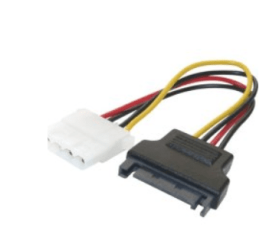
2) Connect to a spare SATA connector on your MOBO. - Note if you don't have enough SATA power connectors but plenty of the old 4 pin IDE connectors you can get very cheaply an IDE==>SATA power adapter -- screenshot enc.

3) Re-format the disk (FULL) -- and you should be good to go with a "New Disk".

b) If it's an INTERNAL disk.

The chances are that it probably is broken -- however swap the drive to another SATA slot and re-format (full) again -- or IMO a better solution try testing it with a SATA==>USB adapter and re-format via your computers USB port.

Many times disks can be "repaired" this way. In my experience disks rarely go "Partly defective". They either break or work and it's quite rare believe it or not for HDD's to go bust --not impossible but doesn't happen nearly as often as one might think.

In any case whatever you do - or whatever the state of your HDD's ALWAYS--ALWAYS have plenty of backup for important data. This can't be repeated often enough. --The OS can always be re-installed - but user data can me a NIGHTMARE to retrieve --even if it's possible -- I'd hate for example to have to re-rip 5,000 old CD's again !!!!!.

Cheers
jimbo
 

Attachments

  • power.png
    power.png
    19.3 KB · Views: 2

My Computer My Computer

Computer type
PC/Desktop
Computer Manufacturer/Model Number
Custom built, several laptops HP/ASUS
OS
Linux CENTOS 7 / various Windows OS'es and servers
CPU
Intel i7 Intel i5
Memory
8GB, 16GB
Graphics Card(s)
On Motherboard
Sound Card
Realtek HD audio
Monitor(s) Displays
Apple Cinema display, Samsung LCD
Screen Resolution
1920 X 1080
Hard Drives
4 X 1TB SATA
Mouse
Toshiba wireless laser
Internet Speed
> 20MB up
Back
Top