

Previously the Control Panel -> Network and Sharing Center -> 'See full map' function would correctly map my LAN. Recently I upgraded my wireless router, and now 'See full map' reports 'Windows cannot discover any computer or device'.
My previous setup:
* ActionTec M1000 acting as modem/router/DHCP server (IP 192.168.0.1)
* LinkSys WRT54G2 acting as access point (IP 192.168.0.2)
* Primary wired PC (IP via DCHP)
* Various wireless devices (IP via DHCP)
My current setup:
* ActionTec M1000 acting as modem in transparent bridge mode (no IP)
* D-Link DIR-601 acting as router/DHCP server (IP 192.168.0.1)
* Primary wired PC (IP via DCHP)
* Various wireless devices (IP via DHCP)
Internet connectivity and media sharing work properly among wired and wireless devices on the network. In Windows Explorer -> Network, I can see all the devices on the network (expect of course the modem).
Anyone have a clue why 'See full map' has stopped working?
My previous setup:
* ActionTec M1000 acting as modem/router/DHCP server (IP 192.168.0.1)
* LinkSys WRT54G2 acting as access point (IP 192.168.0.2)
* Primary wired PC (IP via DCHP)
* Various wireless devices (IP via DHCP)
My current setup:
* ActionTec M1000 acting as modem in transparent bridge mode (no IP)
* D-Link DIR-601 acting as router/DHCP server (IP 192.168.0.1)
* Primary wired PC (IP via DCHP)
* Various wireless devices (IP via DHCP)
Internet connectivity and media sharing work properly among wired and wireless devices on the network. In Windows Explorer -> Network, I can see all the devices on the network (expect of course the modem).
Anyone have a clue why 'See full map' has stopped working?
Attachments
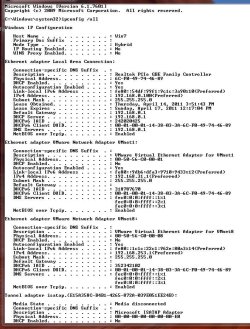
Last edited:
My Computer
- Computer type
- PC/Desktop
- Computer Manufacturer/Model Number
- Custom Build
- OS
- Windows 7 Home Premium 64-Bit OEM
- CPU
- Intel Core i5-760
- Motherboard
- GigaByte GA-H55M-UD2H
- Memory
- Kingston HyperX KHX1333 (8GB)
- Graphics Card(s)
- Sapphire Radeon HD4550 512 MB DDR3
- Sound Card
- On-board
- Monitor(s) Displays
- Samsung SyncMaster 2233
- Screen Resolution
- 1920 x 1080
- Hard Drives
- (1) Crucial M500 120 GD SSD
(3) WDC Cavier Black 1000 GB HDD
- Keyboard
- Microsoft Wireless Sculpt Ergonomic Keyboard
- Mouse
- Microsoft Wireless Mobile Mouse 4000
