After a hard disk crash I upgraded to outlook 2010 prof plus. (from 2007). I used the original pst-file from crashed computer (Vista home and Outlook 2007) and moved it to a clean install of Win7 and outlook.
No old sent items show up, all new sent items stores perfectly in folder sent items.
I use POP and outlook connector for Hotmail. I have used the repair tool on the .pst file, errors were repaired.
I have started with cleanviews.
I used "use existing pst.file" when setting up outlook 2010 for the first time.
I have tried tips from different forums, like filter and different view settings
Archive is holding older emails only.
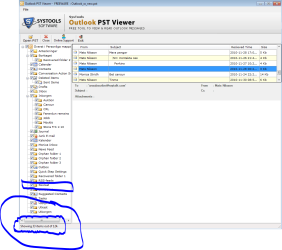
Is there maybe a way to see inside the PST if sent items are there?
Can anyone please direct me to my sent items?
No old sent items show up, all new sent items stores perfectly in folder sent items.
I use POP and outlook connector for Hotmail. I have used the repair tool on the .pst file, errors were repaired.
I have started with cleanviews.
I used "use existing pst.file" when setting up outlook 2010 for the first time.
I have tried tips from different forums, like filter and different view settings
Archive is holding older emails only.
Is there maybe a way to see inside the PST if sent items are there?
Can anyone please direct me to my sent items?
My Computer
At a glance
win 7 prof 64 Service pack 1 (7601)x64 E5200
- Computer Manufacturer/Model Number
- Fujitsu Amilo PI3745A
- OS
- win 7 prof 64 Service pack 1 (7601)
- CPU
- x64 E5200
- Hard Drives
- 2 x 1 tB