Setting up a new boot drive ---

ejolesch

New member
Local time
3:36 AM
Messages
2
I currently have a 40GB SSD drive as my boot drive. I want to replace it with a larger SSD, probably 80GB.

Are there any problems with plugging the 80GB in, copying all of the files over from the 40GB and then setting it to be the boot drive. After its completed I will remove the 40GB from my system...

Thanks
Elliot
 

My Computer

Computer Manufacturer/Model Number
Home Built
OS
Windows 7 Enterprise
CPU
Intel I5 750
Motherboard
Gigabyte GA-P55A-UD3
Memory
4 GB
Graphics Card(s)
BFG Tech GeForce GTX 260
Hard Drives
40 GB Intel X25-V SATA SSD
1.5 TB Seagate
PSU
Corsair TX650W
Case
Cooler Master CM 690II Advanced
Cooling
Cooler Master Hyper N520
I currently have a 40GB SSD drive as my boot drive. I want to replace it with a larger SSD, probably 80GB.

Are there any problems with plugging the 80GB in, copying all of the files over from the 40GB and then setting it to be the boot drive. After its completed I will remove the 40GB from my system...

Thanks
Elliot

Isnt that simple Elliot. You can make an image and restore the image but a pure copy wouldnt account for the MBR.

Ken
 

My Computer

Computer Manufacturer/Model Number
HP Pavillion dv-7 1005 Tx
OS
Win 8 Release candidate 8400
CPU
[email protected]
Memory
4 gigs
Graphics Card(s)
Nvidia 9600M
Sound Card
HD built-in
Monitor(s) Displays
17" Wxga
Screen Resolution
1440x900
Cooling
none
Internet Speed
45Mb down 5Mb up
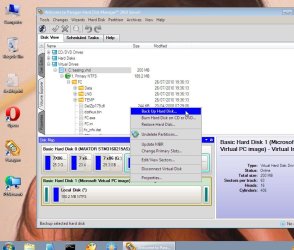
You don't want to copy the files over. You will want to clone the drive using any number of methods...one being Macrium Reflect Free Edition. Then you can unplug the 40 GB and move the 80 GB to the primary SATA slot.
 

My Computer

OS
Windows 7 Ultimate x64 SP1
CPU
Intel Core i7-2600
Motherboard
Gigabyte GA-P67A-UD3P-B3
Memory
12 GB Patriot Extreme DDR3-1333
Graphics Card(s)
Nvidia GTX 470
Monitor(s) Displays
Dell UltraSharp 2209WA
Hard Drives
OCZ Agility3 240 GB, WD5001AALS, WD7501AALS
PSU
OCZ ModStream 700W
Case
CoolerMaster HAF 912 Advanced
Cooling
CoolerMaster Hyper 212 Plus
You could install both drives in your system with the 40G as the boot drive then use cloning software to clone the 40G to the 80G. Once the cloning is complete you could then make the 80G the boot drive.

Cloning is similar to imaging but instead of writing the image to a file it is written directly to another drive. It's easier than a backup/restore process.

I've used Acronis True Image to clone drives in the past. It's a commercial product that is currently offered for $30. Maybe someone else knows of free cloning software.
 

My Computer

Computer type
PC/Desktop
Computer Manufacturer/Model Number
Home Built desktop, Dell G15 5511 Gaming laptop,MS Surface Pro 7 tablet
OS
W10 Pro desktop, W11 laptop, W11 Pro tablet (all 64-bit)
CPU
3.7Ghz 8700K i7, i7-11800H, i7-1065G7
Motherboard
ASUS TUF Z370-Pro Gaming in desktop
Memory
16G desktop, 16G laptop, 4G tablet
Graphics Card(s)
AMD Radeon RX580, RTX 3060, Intel Iris Plus
Sound Card
High Definition Audio (Built-in to mobo)
Monitor(s) Displays
Samsung U32J59 32" (2x), 15.6", 12"
Screen Resolution
3840x2160, 3840x2160, 1920x1080, 2160x1440
Hard Drives
500G SSD for OS; 2T, 10T & 15T HDDs for Data on Desktop, 1TB SSD laptop, 128G SSD tablet.
PSU
Corsair CX 750M
Case
Antec 100
Cooling
CM 212+
Keyboard
IBM Model M - used continuously since 1986
Mouse
Microsoft Pro IntelliMouse
Internet Speed
400M down 8M up
Antivirus
Windows Defender
Browser
FireFox
Other Info
Built my first computer (8Mhz 8088cpu, 640K RAM, 20MB HDD, 2 360K floppy drives) in 1985 and have been building them for myself, relatives and friends ever since.

My Computer

Computer Manufacturer/Model Number
* BFK Customs *
OS
W 7 64-bit Ultimate
CPU
Intel Q9550 Yorkfield
Motherboard
ASUS P5Q Pro
Memory
8GB Dominator 8500C5D
Graphics Card(s)
ATI : XFX 5870
Sound Card
Realtek HD Audio 7-1
Monitor(s) Displays
1x 47" LCD HDMI & 3x 26" LCD HDMI
Screen Resolution
1920x1080P & 1920x1200
Hard Drives
1x 80GB Intel X25-M G2 SSD : 1x 500GB & 1x 640GB WD Caviar Black(s)
PSU
Corsair 620HX
Case
Cooler Master RC-690
Cooling
Tuniq Tower 120, 2x 140mm and 3x 120mm case fans
Keyboard
Microsoft 500
Mouse
Razer Diamondback 3G
Internet Speed
14 Mb/s
Other Info
1x Koutech 3Gb/s SATA HDD Hot Swap Rack

My Computers

System One System Two

  • Computer type
    PC/Desktop
    OS
    7 X64
    CPU
    i5 8400
    Motherboard
    gigabyte b365m ds3h
    Memory
    2x8gb 3200mhz
    Hard Drives
    various
    PSU
    pure power 11 400w cm
    Case
    Coolermaster
    Cooling
    cryorig m9i
  • Computer type
    PC/Desktop
    OS
    7x64
    CPU
    g5400
    Motherboard
    ga b365m ds3h
    Memory
    8gb ddr4 2400
    PSU
    xfx pro 450w
Back
Top