
- Local time
- 12:13 PM
- Messages
- 182
I need to test the bandwidth capability of a Router for troubleshooting reasons. It appears the Router is chocking on higher bandwidth downloads as this was suggested for me to try this. I never had need to do this before and have little idea other than the basic re-cabling connections.
Situation;
Two Towers, both running Win 7 Pro; I'll call the WAN side PC A, the LAN side PC B
MB's have the same AMD 970 chipset, one tower has a AMD FX8350, the other has a AMD FX6300
Router is a TP-Link TL-WDM3600 (Gigabyte) running openwrt firmware
Both are in the same room (for convenience) with 6' Cat5 (or 5e) cables.
Other than setting 'Network Properties' of the PC B to Auto, what addresses do I set PC A to?
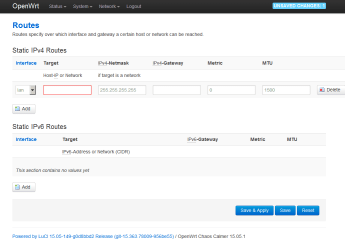
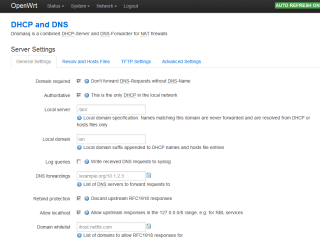
What and where do I change in the Router as to addresses and DHCP settings?
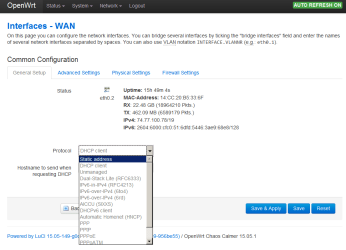
Should this be a DHCP Client or a Static address?
What else do I have to address oin the Router?
Lastly; am I accessing each PC via a web browser or just by 'Explorer' like I would normally?
Situation;
Two Towers, both running Win 7 Pro; I'll call the WAN side PC A, the LAN side PC B
MB's have the same AMD 970 chipset, one tower has a AMD FX8350, the other has a AMD FX6300
Router is a TP-Link TL-WDM3600 (Gigabyte) running openwrt firmware
Both are in the same room (for convenience) with 6' Cat5 (or 5e) cables.
Other than setting 'Network Properties' of the PC B to Auto, what addresses do I set PC A to?
What and where do I change in the Router as to addresses and DHCP settings?
Should this be a DHCP Client or a Static address?
What else do I have to address oin the Router?
Lastly; am I accessing each PC via a web browser or just by 'Explorer' like I would normally?
Attachments

My Computers
-
At a glance
Win7 x64AMD- Computer type
- Laptop
- Computer Manufacturer/Model Number
- Toshiba
- OS
- Win7 x64
- CPU
- AMD
-
At a glance
Win 7 Pro x64AMD FX-835016GBnVidia GeForce 1060- Computer type
- PC/Desktop
- System Manufacturer/Model Number
- AMD based MB
- OS
- Win 7 Pro x64
- CPU
- AMD FX-8350
- Motherboard
- Gigabyte GA-970A-D3P
- Memory
- 16GB
- Graphics Card(s)
- nVidia GeForce 1060
- Monitor(s) Displays
- 25"
- Screen Resolution
- 1920x1200
- Hard Drives
- two SSD;
two 4TB HDD
- PSU
- 700watt Seasonic
- Internet Speed
- 300MB up & down
- Browser
- Firefox
- Other Info
- BD Recorder

