
- Local time
- 4:40 AM
- Messages
- 512
WinOwl, hi again. I'm forgetting that most PC users don't have their machines with the case sides removed and lying on the floor beside their desks, where they can get at the innards with a minimum of fuss. You don't need to take photos. Just download the free version of a small app called 'Speccy' from here: Download Speccy | Find your computer specs, free! then install and run it on each machine. It's perfectly safe and won't cause any problems. It will do a full analysis of all of your hardware, including the name and brand of your motherboard. Then ask Speccy for a report, select the text versions and post them here, so we can see exactly what hardware options you have. Note also, it may not be impossible to replace the innards of your old W7 tower with newer components.
Afterthought edit: Click on my last post at bottom left where it says 'My Computer'. I got this information from Speccy just a coupla days ago.
Afterthought edit: Click on my last post at bottom left where it says 'My Computer'. I got this information from Speccy just a coupla days ago.
My Computer
At a glance
Win7 Ultimate SP1Intel Core i5 9400 Coffee Lake 14nm16G DDR4NVidia GeForce GTX 960
- Computer type
- PC/Desktop
- Computer Manufacturer/Model Number
- My build
- OS
- Win7 Ultimate SP1
- CPU
- Intel Core i5 9400 Coffee Lake 14nm
- Motherboard
- Asus Prime H310M-E R2.0 (LGA1151)
- Memory
- 16G DDR4
- Graphics Card(s)
- NVidia GeForce GTX 960
- Sound Card
- Realtek High Definition Audio (mobo)
- Monitor(s) Displays
- Asus PA248 24" 16:10 format
- Screen Resolution
- 1920x1200@59Hz
- Hard Drives
- 1863GB Seagate ST2000DM
3726GB Seagate ST4000DM
1863GB Seagate ST2000DM
6TB Seagate
465GB NVMe Samsung SSD 970
- PSU
- 750G2
- Case
- Tower
- Cooling
- Standard
- Keyboard
- USB
- Mouse
- USB
- Internet Speed
- 920Mbs/480Mbs
- Antivirus
- Malwarebytes
- Browser
- Firefox

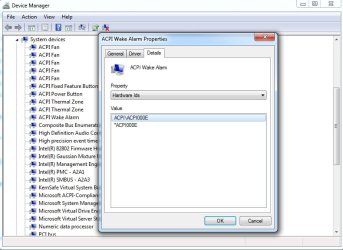
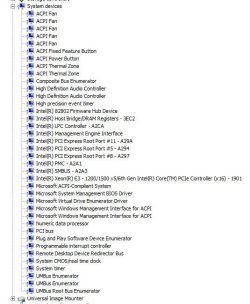
 , I'd already ordered this KVM switch:
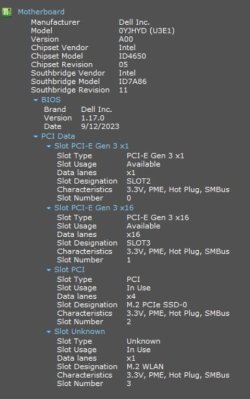


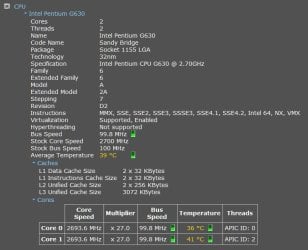
 ). My monitor is an HP Compaq LA2205wg.

