
AarDVark101
New member
- Local time
- 5:12 PM
- Messages
- 2
This is driving me crazy and i don't know why it is happening ... It appears to me that it is because i've installed IE9 through WU. But when reverting to IE8, i get the same glitches/errors.
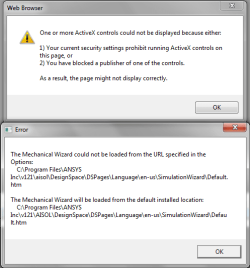
ie. In a software called ANSYS Workbench 12.1 (worked with it for like 4 month without any problem), and now it gives me an ActiveX error (see ANSYS.png)
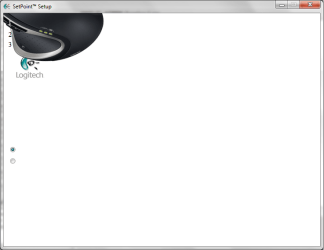
Also, i bought a new mouse from logitech and wanted to install their SetPoint software and the setup menu is, well i can't know what i'm doing... pressed Enter and crossed my finger to finally get a successfull installation... (see Logitech.png)
Same kind of glitch to activate an Autodesk software, now in that situation , pressing Enter and pray won't make it work! (see Activation.png)
If those error/glitches ring any bell to you guy i would really appreciate you help!
Steps already done:
Set ActiveX settings in Internet Options to it's lowest,
goto HKEY_CURRENT_USER>software>microsoft>windows>currentversion>internetsettings>zones>0 and set the value 1200 to 0 (do not prompt for activeX)
Thanks again for your help!
ie. In a software called ANSYS Workbench 12.1 (worked with it for like 4 month without any problem), and now it gives me an ActiveX error (see ANSYS.png)
Also, i bought a new mouse from logitech and wanted to install their SetPoint software and the setup menu is, well i can't know what i'm doing... pressed Enter and crossed my finger to finally get a successfull installation... (see Logitech.png)
Same kind of glitch to activate an Autodesk software, now in that situation , pressing Enter and pray won't make it work! (see Activation.png)
If those error/glitches ring any bell to you guy i would really appreciate you help!
Steps already done:
Set ActiveX settings in Internet Options to it's lowest,
goto HKEY_CURRENT_USER>software>microsoft>windows>currentversion>internetsettings>zones>0 and set the value 1200 to 0 (do not prompt for activeX)
Thanks again for your help!
Attachments
My Computer
- Computer Manufacturer/Model Number
- Gateway FX P7902 Notebook
- OS
- Windows 7 Professional x64
- CPU
- Intel Core 2 Quad Q9000 @ 2.00Ghz
- Motherboard
- Gateway Godzilla-N10 PM45
- Memory
- Samsung 8.00 GB DDR3 @ 533 MHz
- Graphics Card(s)
- nVidia GeForce GTX 260M - 1.00 Gb
- Screen Resolution
- 1440x900
- Hard Drives
- Western Digital Scorpio Blue 2x500 GB @ 5400 rpm
- Mouse
- Logitech Marathon Mouse M705
- Internet Speed
- 18 Mbps