Hi all, I wonder if anybody can help explain how I should have Windows Live Mail set up?
I installed Windows7 Pro in July and I have tried about four other email services, non of which I could get working correctly, I settled on WLM as it seemed simple but I still have problems with it.
My ISP is Tiscali, which is now TalkTalk.
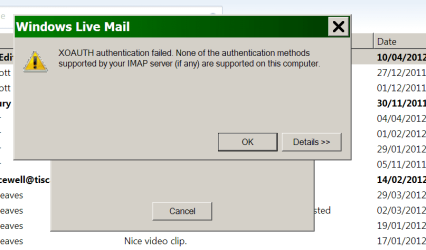
I do send and receive emails, & I have no prob receiving mails from lets say Travel Agents or other sites which I have registered with, but many of my close friends tell me they have sent emails, and I don't get them.
I have found a thread on this site with instructions on how to check the settings but they are a little different to mine, as I think I will have the latest version of WL mail.
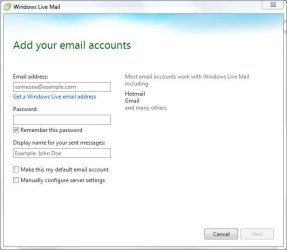
On the drop down menu from the Blue button top Left, I click, Options > Email Accounts, in there I see my Tiscali Mail > and a VeriSign Internet Service??? with a port number of 389 ??
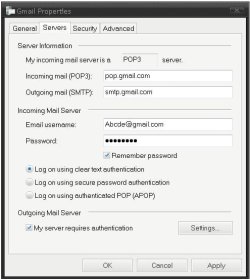
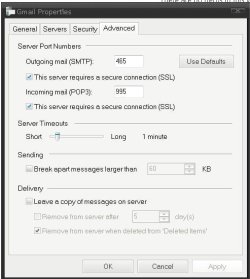
When I click on the properties, on the General Tab > Services and Advanced Tabs all are set correct.
Back to the menu, and the Mail Button, on the General Tab the top three squares are unchecked, the next three are all checked > In the ( If my PC is not connected box) I have “ Do not connect ” Under > Default messaging programs > the “This application is the default mail handler” button is Greyed out.
All the other tabs seem ok.
If anybody can see something amiss I will be most grateful, regards Robert.
I installed Windows7 Pro in July and I have tried about four other email services, non of which I could get working correctly, I settled on WLM as it seemed simple but I still have problems with it.
My ISP is Tiscali, which is now TalkTalk.
I do send and receive emails, & I have no prob receiving mails from lets say Travel Agents or other sites which I have registered with, but many of my close friends tell me they have sent emails, and I don't get them.
I have found a thread on this site with instructions on how to check the settings but they are a little different to mine, as I think I will have the latest version of WL mail.
On the drop down menu from the Blue button top Left, I click, Options > Email Accounts, in there I see my Tiscali Mail > and a VeriSign Internet Service??? with a port number of 389 ??
When I click on the properties, on the General Tab > Services and Advanced Tabs all are set correct.
Back to the menu, and the Mail Button, on the General Tab the top three squares are unchecked, the next three are all checked > In the ( If my PC is not connected box) I have “ Do not connect ” Under > Default messaging programs > the “This application is the default mail handler” button is Greyed out.
All the other tabs seem ok.
If anybody can see something amiss I will be most grateful, regards Robert.
My Computer
- Computer type
- PC/Desktop
- Computer Manufacturer/Model Number
- Local built machine
- OS
- Windows7 Pro SP1 64 bit
- CPU
- Intel i3 550
- Motherboard
- Gigabyte GAH55M-S2H
- Memory
- Slot A0' 4096Mb x Slot A2' 4096Mb Kingston ddr3
- Graphics Card(s)
- Palit Ge Force GTS450
- Sound Card
- Realtek HD Audio
- Monitor(s) Displays
- Samsung SyncMaster [Monitor] (22.0"vis, s/n H9XQ
- Screen Resolution
- 1680 X 1050
- Hard Drives
- 1 x 256 Gb SSD Win7 op system
1 x 500 Gb Storage drive
1 x Tb Gb Photo storage drive
- PSU
- ATX 750w
- Case
- Local shop supplied
- Cooling
- Artic Cooling Freezer7 Pro
- Keyboard
- Dell
- Mouse
- M' Soft Intli mouse
- Internet Speed
- 34 down and 12 up
- Antivirus
- Avast free + Comodo free firewall
- Browser
- Chrome
- Other Info
- Power Unit 750 w
Brother B & W laser printer


 hope they ore ok.