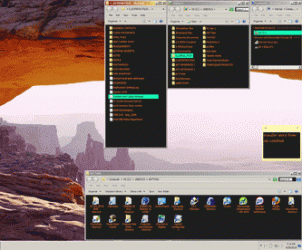
ShellFolderFix - Manage folder window positions/size

Missed the UI

K1Starr, do you have your system set to open a new window every time you navigate into (i.e., double click) a folder?

I think tweaker's response is based on his having set his system (as I have) to open new folders in the same window.

Hope this helps.

-Noel

Thanks Noel. I had missed an adequate apreciation for the User Interface module (ShellFolderFixUI.exe). After reading Tweaker's response, I found the option, corrected it, and life is as it should be.
 

My Computer

Computer Manufacturer/Model Number
HP Pavilion DV8408
OS
Windows 7
CPU
AMD Tuion II Ultra Mobile M600 dual core 2.4 GHz
Thanks for the offer but I'm all good :)
 

My Computer

OS
w7-64, w2k
Is it possible to make this app only open new windows to the old position - not existing windows?
 

My Computer

OS
Windows 7 Pro
I've had a minor glitch when booting up Win7 for a couple of weeks and finally traced it to ShellFolderFix which is normally in my Startup folder. Basically, every time ShellFolderFix is run, even if I shut it down and run it again, I get Windows Explorer open up at the Windows\System32\Recovery folder. There's only one file in there, reAgent.xml and I can rename that and it affects nothing. My system is dual boot XP/7 if that makes a difference. Everything else seems to work OK.

EDIT
Forget it, it was a byproduct indirectly of using the Startup folder because I didn't have ShellFolderFix's 'Start Automatically at logon' ticked and the option below, 'Restore Previous at logon' was greyed out but ticked so I couldn't deselect it unless the 'Start Auto...' one was also ticked. Perhaps something here changed with the last Shellfolder Fix update, because I never had any problems with the previous version using the Startup folder.
 
Last edited:

My Computer

OS
Windows 7
I didn't have ShellFolderFix's 'Start Automatically at logon' ticked and the option below, 'Restore Previous at logon' was greyed out but ticked so I couldn't deselect it unless the 'Start Auto...' one was also ticked. Perhaps something here changed with the last Shellfolder Fix update, because I never had any problems with the previous version using the Startup folder.

Hmm, I didn't change anything relating to that so probably just coincidence. The Restore option is greyed out if it doesn't have Auto enabled (ie. if it doesn't find its shortcut in the startup folder) because the Restore option is ignored unless
the app is started from that shortcut (which has a /autostart command line param).

What you described could happen if the shortcut has a different name, or for some other reason it failed to find the shortcut, but can be worked around like you did.

As for why the recovery folder popped up every time, even if you closed it, I don't know. That does sound odd because it should only have restored windows that actually were previously open, but if you got everything working like you want we'll just pretend that it never happend ;)
 

My Computer

OS
w7-64, w2k
I get an error message: "Could not determine the data path because environement variable "APPDATA" was not found. Is there a fix so that I can try the ShellFolderFix?

New install of Windows 7 on new HP 6730b Laptop.
 

My Computer

OS
windows 7
That's pretty strange, that environment var is set by the OS. I can try an alternative solution that you can try, did you download the installer or one of the zip packages (if so which)?
 

My Computer

OS
w7-64, w2k
Would it be possible to also dictate which folders show the navigation pane or not? If you show it in one Explorer window, it shows up everywhere.
 

My Computer

OS
Windows 7 64 bit Ultimate
Would it be possible to also dictate which folders show the navigation pane or not? If you show it in one Explorer window, it shows up everywhere.
Yeah, Tweaker, if you find out how to do this, I'd like to know. People often ask me if I can add a button to Classic Shell to toggle the navigation pane. I did some Spying++, but couldn't find any clues. Maybe you can figure it out?
 

My Computer

Computer Manufacturer/Model Number
Me :) I build all my PCs
OS
Windows 7 Home 64, Vista Ultimate 64
Would it be possible to also dictate which folders show the navigation pane or not? If you show it in one Explorer window, it shows up everywhere.

It's on my wishlist, but I don't know if it's going to be possible.

Yeah, Tweaker, if you find out how to do this, I'd like to know. People often ask me if I can add a button to Classic Shell to toggle the navigation pane. I did some Spying++, but couldn't find any clues. Maybe you can figure it out?

Sure, if I find anything I'll let you know. So far I just looked around a bit spy++ like you, and also found nothing (aside of the menu command messages for view list/details/etc). I'm not all too optimistic that I'll find anything useful as it seems to be buried deep inside. I'm secretly hoping that MS patch in "correct" behavior soon so I won't have to deal with it :)
 

My Computer

OS
w7-64, w2k
Thanks for this excellent app. It will save me a great deal of time.
Is it possible to set up a folder to one's liking and then have it applied to all subfolders?
Reason I ask is that I have roughly 400 sub-folders in 'The Music' and many dozens within 'The Pictures' and it's now gonna take me ages to configure each one separately.
 

My Computer

Computer type
PC/Desktop
Computer Manufacturer/Model Number
Inspiron 620
OS
Windows 7 Home Premium Edition (64-bit) Service Pack 1 (Build 7601)
CPU
Intel(R) Core(TM) i5-2320 CPU @ 3.00GHz
Motherboard
Dell
Memory
8175 MB
Graphics Card(s)
NVIDIA GeForce GT 530
Sound Card
PreSonus Audiobox USB Audio
Monitor(s) Displays
2x; Dell U2312HM DVI | BenQ E2200HD D-SUB
Screen Resolution
1920 x 1080
Hard Drives
C: 931.5GB | F: 931.4GB | H: 931.5GB | I: 931.5GB | J: 465.7GB
PSU
Dell
Case
Dell Standard
Cooling
Dell Standard
Keyboard
Dell Standard
Mouse
Logitech M325
Internet Speed
16Mb/s
Antivirus
Avast
Browser
Chrome, Firefox, Safari, IE
Is it possible to set up a folder to one's liking and then have it applied to all subfolders?

You can only set a global default, but that will apply to all folders (that are not previously in the database) and not limited to certain subfolders.

To avoid any misundestandings, this app only affects the size and position of windows, so if you set up your Pictures folders to display thumbnails, preview pane etc. and your Music folders to something else, this is not something that is affected or remembered by ShellFolderFix.
 

My Computer

OS
w7-64, w2k
Great Work, Many Thanks!!!

tweaker - Thank you, you did a great job!!! Call me old fashion but I like to see my stuff and conveniently drag and drop so when I got this new computer I was dismayed at this Windows 7 problem. With the exception of the Computer window (I like to keep in the upper right corner) your ap works great and a huge help. If you sold this I would pay immediately. I'll give you this girl if you like;), (sorry she's not rigged.) Thanks again, great service. :D
 

Attachments

  • windows-desk.gif
    windows-desk.gif
    31.7 KB · Views: 21
  • sar-fac-mult.jpg
    sar-fac-mult.jpg
    17.4 KB · Views: 21

My Computer

Computer Manufacturer/Model Number
Asus G73JH
OS
Windows Home 64 Bit
CPU
i7 720 1.6
Motherboard
Asus
Memory
6GB
Graphics Card(s)
ATI 5870
Hard Drives
500GB
It Works on Vista Business

Just wanted to add here that it works on Vista Business (Panasonic Y7 Ultra lite). On Both Windows 7 and Vista if you check the restore previous option you get the Computer window, so in short a complete solution. It also keeps the icon sizes so far. Yeah! Great job tweaker, and many thanks!:D
 

My Computer

Computer Manufacturer/Model Number
Asus G73JH
OS
Windows Home 64 Bit
CPU
i7 720 1.6
Motherboard
Asus
Memory
6GB
Graphics Card(s)
ATI 5870
Hard Drives
500GB
I want to suggest a feature: like sizer of brianapps, i want to set some default sizes to apply to the windows (right click on windows border)...
 

My Computer

OS
Windows 7
The program doesn't seem to work for me, not in the way it should at least. For Save/Restore workspace and when it starts at Windows start it restores folders at random positions on the desktop (sometimes with weird sizes), but when I open and close the program without restarting Windows it seems to restore the folders just right. I tried both 64 and 32-bit versions (without installer), also tried the /portable switch - no luck, except that 32-bit version works more strange: with the first using of Load Workspace option it restores folders at random places, and when I click Load Workspace again it does nothing but flashing folder buttons on taskabar. I can provide more details, including the database file and screenshots if it helps solving the problem. Just tell me if I should post them here or send directly to you. I have Polish version of Windows 7, could that be a reason for the problem? (However, none of the opened folder titles contained polish national characters when I performed the tests).

It probably doesn't matter, but just in case it does: I tried previous version of the program, it was 1.1.0 IIRC, and that version couldn't detect the folder windows at all. When I clicked Save Workspace it displayed message that there were no windows in the workspace to remember (I had opened folder windows at the time of course).
 

My Computer

Computer Manufacturer/Model Number
Acer Extensa 5635ZG
OS
Windows 7 - 64, Windows XP
CPU
Pentium T4300
Memory
2GB

My Computer

OS
home: Windows 7 x64 • work: OS X 10.12
CPU
home: 3.0 GHz x4 • work: 2 GHz x2
Memory
home: 8 GB • work: 16 GB
Back
Top