dcalliances
New member
- Local time
- 5:22 AM
- Messages
- 4
Hi guys
I need an input in regards to short cut for Screen Orientation. I have a touchpad running on Windows 7 Home Premium.
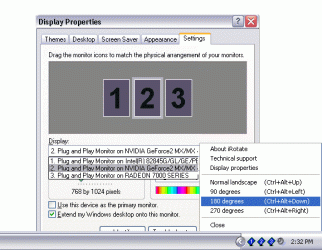
The screen orientation can be changed by pressing Ctrl - Alt - Up button (normal) and Ctrl - Alt - Down (90 degrees).
I want to have an icon on task bar or short cut that I can just press and rotate this. Preferably on the task bar cause if it's a short cut what I found the location of short cut always change between landscape / portrait.
Is there program within Windows that can control this behaviour or any small program that can handle this.
I am appreciated your feedback
Thanks
I need an input in regards to short cut for Screen Orientation. I have a touchpad running on Windows 7 Home Premium.
The screen orientation can be changed by pressing Ctrl - Alt - Up button (normal) and Ctrl - Alt - Down (90 degrees).
I want to have an icon on task bar or short cut that I can just press and rotate this. Preferably on the task bar cause if it's a short cut what I found the location of short cut always change between landscape / portrait.
Is there program within Windows that can control this behaviour or any small program that can handle this.
I am appreciated your feedback
Thanks
My Computer
- OS
- 32