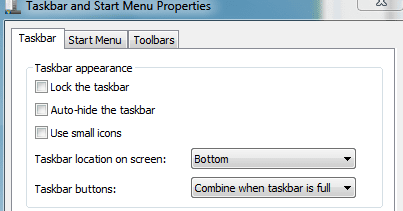
I see that the show desktop button is on the right. I have 4 windows open from my external hard drive in folders. When I click show desktop, all 4 windows disappear & if I click it right away again, it all goes back up.
But if I click show desktop, then forget about it & go to an Internet Explorer window & close out the internet window to go back to my 4 folders, it's gone. Below on my taskbar I have a big yellow folder & when I click that I see 4 folders pop up. I have to click each folder to bring it up again, is there no option to open all folders??
Btw, there is an option to close all folders but not to open. Thanks.
But if I click show desktop, then forget about it & go to an Internet Explorer window & close out the internet window to go back to my 4 folders, it's gone. Below on my taskbar I have a big yellow folder & when I click that I see 4 folders pop up. I have to click each folder to bring it up again, is there no option to open all folders??
Btw, there is an option to close all folders but not to open. Thanks.
My Computer
- OS
- Windows 7