- Local time
- 10:46 PM
- Messages
- 6,060
Nice job Doug 
My Computer
At a glance
Windows 7 Professional 64 bit
- OS
- Windows 7 Professional 64 bit



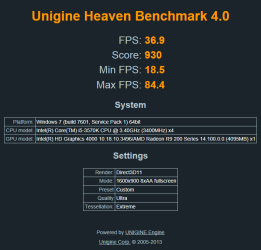
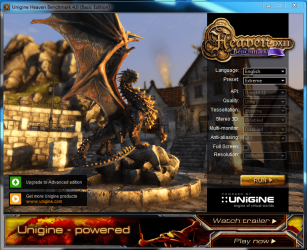
Hi NoN, we need you to run it on the "Extreme" preset to be added to the leaderboard mate.


The iGPU load line and max memory have absolutely no effect on your discrete graphics card(The r9 270x). It only effects the integrated graphics(the intel HD graphics 4000), hence the i in iGPU(Integrated graphics processing unit). You can actually possibly get a slightly higher CPU OC if you disable the integrated graphics, not all motherboards have the option, but worth it if you can.
Also, the best software for overclocking your GPU, no matter the manufacturer is MSI Afterburner. I believe the latest and best version right now is 3.0.0 beta 19. Most people in the graphics overclocking community will highly recommend this software. It's what I use and i'm in the #15 position with my 7950. It's best to start out OC'ing just your core at about 20mhz at a time until you hit the wall where it freezes up, then back up 20 and start going up 5 at a time, once you hit that wall, go up 1 at a time until you hit a wall, then back up 2 or 3. Then you can start OC'ing your memory at about 50mhz at a time until you get texture corruption, then just back up about 20-30mhz and congrats, you just hit the max OC for your graphics card. You can play around with the core and memory voltage to try and get a better OC, but it'll be only about 10-50mhz max unless your specific card can handle a big voltage jump. Best to leave memory voltage alone since memory only plays a very small role in your FPS when it's OC.
Good luck and have fun.
 !
!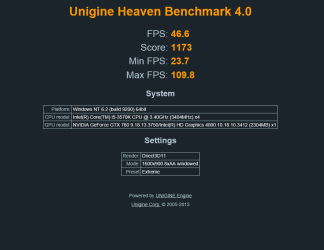

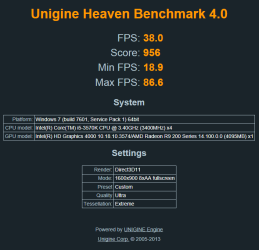
Yep, lol. The new settings got a 100pt gain in firestrike but only 2 here


Yes Doug, We all get to the point where we have reached the max our card will do. After that you know what to expect. Then it isn't much fun to get the numbers you got last time. It takes all the fun out of it when you hit your max.