- Local time
- 7:29 PM
- Messages
- 6,060
Yes Paul, another 660TI will give you great scores.
One day eh Steve

My Computer
At a glance
Windows 7 Professional 64 bit
- OS
- Windows 7 Professional 64 bit

Yes Paul, another 660TI will give you great scores.
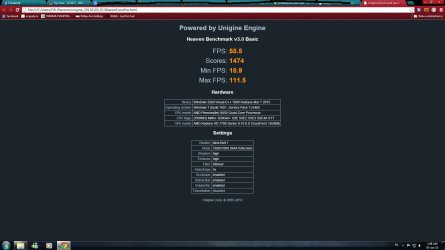
I think I got the settings the same.
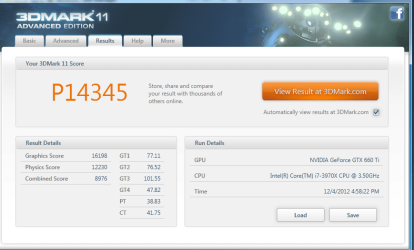
Yeah, looks good to me, Nice score.
Now you just need to test them out in SLI in 3D Mark 11Your CPU will score very well in that test too!


This thread sure seems kind of pointless to me when posters run the benchmarks at different settings that significantly affect the performance and score like tessellation, AA, anisotropy, and resolutions. There may be nothing you can do about your screen resolution, but you can certainly all set tessellation, AA and anisotropy to the max to make the scores have some meaning in comparison.
 LOL
LOL
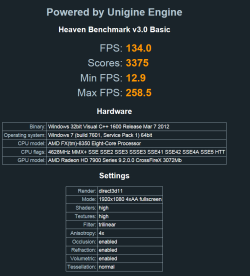
No doubtNice scores, Tommy. Well done, and better since it made Gene feel better. But, seriously, I think that's the way they should all be done.
This thread sure seems kind of pointless to me when posters run the benchmarks at different settings that significantly affect the performance and score like tessellation, AA, anisotropy, and resolutions. There may be nothing you can do about your screen resolution, but you can certainly all set tessellation, AA and anisotropy to the max to make the scores have some meaning in comparison.
Ask and ye shall recieve

True all benchmarks should be with identical settings to be meaningful. Of course I don't know squat about this stuff, lol. If I can see a video play all is well.This thread sure seems kind of pointless to me when posters run the benchmarks at different settings that significantly affect the performance and score like tessellation, AA, anisotropy, and resolutions. There may be nothing you can do about your screen resolution, but you can certainly all set tessellation, AA and anisotropy to the max to make the scores have some meaning in comparison.
This thread sure seems kind of pointless to me when posters run the benchmarks at different settings that significantly affect the performance and score like tessellation, AA, anisotropy, and resolutions. There may be nothing you can do about your screen resolution, but you can certainly all set tessellation, AA and anisotropy to the max to make the scores have some meaning in comparison.


Imageshack - uniginet.png
not sure if the picture will display due to hd.
and i know this thread is for Unigine only. but check out my 3dmark score
NVIDIA GeForce GTX 680 video card benchmark result - Intel Core i7-2600K Processor,ASUSTeK COMPUTER INC. P8P67 PRO score: P17328 3DMarks
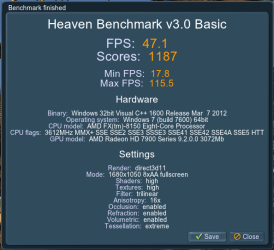
Hi guys this is my score and i don't even know if it is good..
I recently installed 2xHD 7770.Is it any good?