Slow bootup (Win7 64bit)

revya

New member
Local time
1:09 PM
Messages
11
Issue:
After reformat, it's been taking my laptop 10-15 minutes to boot.

What I've done so far:
- Brought it to tech support, and they've determined it wasn't a hardware issue.
- Updated all device drivers

What's happening:
Instead of the usual Microsoft Windows message with the Windows logo, the boot screen is always this

Oi1NW.jpg


and it's been like that no matter how much I restart.

Thank you very much for your time!
 
Last edited by a moderator:

My Computer

Computer Manufacturer/Model Number
Samsung
OS
Windows 7 x64
Motherboard
Intel HM77 Express
Memory
6GB
Graphics Card(s)
NVIDIA GeForce GT 620M
Sound Card
Realtek HD Audio
Can you put the system specs inti your profile (CPU, Graphics, HD, etc.). That would help. The logo matter could be a graphics problem.

Have you tried to boot in safe mode and how long does that take.
 

My Computer

Computer Manufacturer/Model Number
HP, Dell, Gateway, Toshiba - 4 laptops and 2 desktops
OS
Vista, Windows7, Mint Mate, Zorin, Windows 8
CPU
from 1.6GHz Duo to i7
Monitor(s) Displays
2x HP w2207
Hard Drives
5x HDD, 7x SSD, 12x Externals
Keyboard
with trackball - no mices
Mouse
Trackball mice
Internet Speed
DSL 6000
I've updated System Specs with as much information as I know. Would it help to know that the bootup time was fine before I reformatted it?

Trying safe mode now. Will post results.
EDIT1: Safe Mode took about 8-10 minutes to boot.
EDIT2: Will check back in about 8 hours.
 

My Computer

Computer Manufacturer/Model Number
Samsung
OS
Windows 7 x64
Motherboard
Intel HM77 Express
Memory
6GB
Graphics Card(s)
NVIDIA GeForce GT 620M
Sound Card
Realtek HD Audio
Check in msconfig > Boot tab whether Safe Boot is checked. If yes, uncheck it.
 

My Computer

Computer Manufacturer/Model Number
HP, Dell, Gateway, Toshiba - 4 laptops and 2 desktops
OS
Vista, Windows7, Mint Mate, Zorin, Windows 8
CPU
from 1.6GHz Duo to i7
Monitor(s) Displays
2x HP w2207
Hard Drives
5x HDD, 7x SSD, 12x Externals
Keyboard
with trackball - no mices
Mouse
Trackball mice
Internet Speed
DSL 6000
It's unchecked. I'm on normal boot.
 

My Computer

Computer Manufacturer/Model Number
Samsung
OS
Windows 7 x64
Motherboard
Intel HM77 Express
Memory
6GB
Graphics Card(s)
NVIDIA GeForce GT 620M
Sound Card
Realtek HD Audio

My Computer

Computer Manufacturer/Model Number
HP, Dell, Gateway, Toshiba - 4 laptops and 2 desktops
OS
Vista, Windows7, Mint Mate, Zorin, Windows 8
CPU
from 1.6GHz Duo to i7
Monitor(s) Displays
2x HP w2207
Hard Drives
5x HDD, 7x SSD, 12x Externals
Keyboard
with trackball - no mices
Mouse
Trackball mice
Internet Speed
DSL 6000
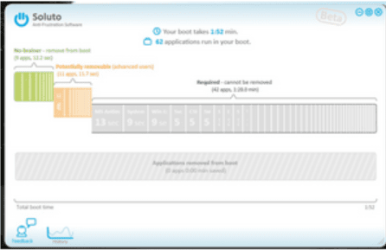
Just installed Soluto. What do I do with it? Sorry for this question, just have to make sure what I'm doing XD
 

My Computer

Computer Manufacturer/Model Number
Samsung
OS
Windows 7 x64
Motherboard
Intel HM77 Express
Memory
6GB
Graphics Card(s)
NVIDIA GeForce GT 620M
Sound Card
Realtek HD Audio
If you reboot, you'll see. It will appear on the bottom left of the screen.
 

My Computer

Computer Manufacturer/Model Number
HP, Dell, Gateway, Toshiba - 4 laptops and 2 desktops
OS
Vista, Windows7, Mint Mate, Zorin, Windows 8
CPU
from 1.6GHz Duo to i7
Monitor(s) Displays
2x HP w2207
Hard Drives
5x HDD, 7x SSD, 12x Externals
Keyboard
with trackball - no mices
Mouse
Trackball mice
Internet Speed
DSL 6000
I'm not sure I get it. It's there, and it opens up on my browser when I double click it. Which information do I need?
 
Last edited:

My Computer

Computer Manufacturer/Model Number
Samsung
OS
Windows 7 x64
Motherboard
Intel HM77 Express
Memory
6GB
Graphics Card(s)
NVIDIA GeForce GT 620M
Sound Card
Realtek HD Audio
bumping this for visibility
 

My Computer

Computer Manufacturer/Model Number
Samsung
OS
Windows 7 x64
Motherboard
Intel HM77 Express
Memory
6GB
Graphics Card(s)
NVIDIA GeForce GT 620M
Sound Card
Realtek HD Audio
You have to look for this window. Don't remember the details how to get there since I have not used it for a while.
 

Attachments

  • 2012-12-13_1111.png
    2012-12-13_1111.png
    15.7 KB · Views: 19

My Computer

Computer Manufacturer/Model Number
HP, Dell, Gateway, Toshiba - 4 laptops and 2 desktops
OS
Vista, Windows7, Mint Mate, Zorin, Windows 8
CPU
from 1.6GHz Duo to i7
Monitor(s) Displays
2x HP w2207
Hard Drives
5x HDD, 7x SSD, 12x Externals
Keyboard
with trackball - no mices
Mouse
Trackball mice
Internet Speed
DSL 6000
attachment.php


attachment.php


Well, this is convenient.
 

My Computer

Computer Manufacturer/Model Number
Samsung
OS
Windows 7 x64
Motherboard
Intel HM77 Express
Memory
6GB
Graphics Card(s)
NVIDIA GeForce GT 620M
Sound Card
Realtek HD Audio
Drivers are updated, check.
All important and optional updates, check.

Will try the two other options you listed as soon as possible, thank you.
 

My Computer

Computer Manufacturer/Model Number
Samsung
OS
Windows 7 x64
Motherboard
Intel HM77 Express
Memory
6GB
Graphics Card(s)
NVIDIA GeForce GT 620M
Sound Card
Realtek HD Audio
If those fail, I have looked up a fix which has also worked for this in the past:

Type CMD into Start Search box, right click result to Run as Administrator.

If you are using English WIn7 type: bcdedit /set {current} locale en-US

If you're using another language replace en-US with it.

Exit CMD screen and restart PC. It should have Win7 animation.

If not try: bcdboot %WinDir% /l en-US
 
your screen shot looks like windows vista.......


never seen that happen with win7
 

My Computer

Computer Manufacturer/Model Number
5555555555
OS
Window 7 Home Premium 64 SP_1
CPU
AMD Phenom II X4 925 36 °C
Motherboard
Gigabyte Technology Co., Ltd. GA-990FXA-UD7 (Socket M2)
Memory
8.00 GB Dual-Channel DDR3 @ 669MHz (8-8-8-24)
Graphics Card(s)
AMD Radeon HD 7800 Series
Sound Card
on bored Realtek High Definition Audio
Monitor(s) Displays
Hanns.G HH201 (1600x900@60Hz)
Hard Drives
466GB Western Digital WDC WD5000AADS-11M2B2 ATA Device (SATA) 31 °C
932GB Seagate ST31000524AS ATA Device (SATA) 29 °C
932GB Seagate ST31000524AS ATA Device (SATA)
PSU
......
Case
............
Cooling
..............
Tried bcdboot, didn't work.
 

My Computer

Computer Manufacturer/Model Number
Samsung
OS
Windows 7 x64
Motherboard
Intel HM77 Express
Memory
6GB
Graphics Card(s)
NVIDIA GeForce GT 620M
Sound Card
Realtek HD Audio
Have tried the start up repair as Greg suggested? Have you tried a sfc /scannow?
 

My Computer

Computer type
Laptop
Computer Manufacturer/Model Number
MSI GE72VR Apache Pro-416
OS
Windows 10x64 Build 1709
CPU
Intel i7 7700HQ Kaby Lake
Motherboard
Micro-Star Intl. MS-179B (U3C1)
Memory
16 GB DDR4 @2400
Graphics Card(s)
Nvidia Geforce GTX 1060
Screen Resolution
1920x1080 120Hz
Hard Drives
256 GB Nvme M.2 SSD

1TB HDD@7200
Cooling
Cooler Blast 4
Keyboard
Steel Series
Antivirus
Bit Defender Free
Browser
Edge
If those don't work then it may require Repair Install or Clean Reinstall - Factory OEM Windows 7 (same steps for retail). I have had to reinstall for this problem most times in past when other fixes didn't work.

Remember that getting a perfect reinstall following the steps in the tutorial above is actually better than getting a new PC since most come loaded with strangling bloatware.
 
I'll try all of these once the winter break begins. I can't risk anything at the moment, since I have so much requirements to finish on this laptop.

Will check back in about a few days, and thank you very much for all the responses thus far.
 

My Computer

Computer Manufacturer/Model Number
Samsung
OS
Windows 7 x64
Motherboard
Intel HM77 Express
Memory
6GB
Graphics Card(s)
NVIDIA GeForce GT 620M
Sound Card
Realtek HD Audio
Back
Top