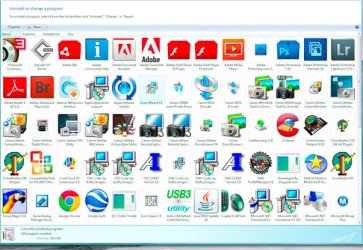
I have just finished updating my Vista x64 Ultimate to Windows 7 x64 Professional. I am in the process of reinstalling all my software and I have observed something usual.
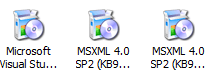
In Vista when I use Control Panel>Programs and Features, most icons represent the installed programs. In Windows 7 many, but not all, are showing a generic icon for programs that Vista recognized correctly.
Is this a known issue or can I do something to get the program icons back?
In Vista when I use Control Panel>Programs and Features, most icons represent the installed programs. In Windows 7 many, but not all, are showing a generic icon for programs that Vista recognized correctly.
Is this a known issue or can I do something to get the program icons back?
My Computer
- Computer Manufacturer/Model Number
- Custom Build
- OS
- Window 7x64 Professional
- CPU
- Intel (R) Core (TM) 2 Quad CPU Q9550 @ 2.83GHz
- Motherboard
- Gigabyte EP45-UD3R
- Memory
- 8 GB
- Graphics Card(s)
- Nvidia GeForce GTS 250
- Monitor(s) Displays
- NEC MultiSync PA 241W
- Screen Resolution
- 1920x1200
- Hard Drives
- C:/ Windows 7 Professional x64 OS
D:/ Partition on C:/ with Vista Ultimate x64 OS
E:/ 1TB-1
F:/ 1TB-2
G:/ Photos (2TB)
H:/ Photos2 (2TB)
J:/ WD My Book External (2TB)
K:/ WD My Book External (2TB)
- PSU
- 850 W.
- Keyboard
- Logitech LX 700
- Mouse
- Wireless (Came as package with LX 700)
- Internet Speed
- Verizon FiOS 30mbs up 25mbs down
- Other Info
- USB3 expansion Cards (2) connected to WD external drives (2) and Lexor USB 3 CF/SD card reader.