Some questions about triple booting 7/Vista/XP

Mr Og

New member
Local time
9:31 AM
Messages
6
Hi everyone, I have been dual booting Windows 7 and XP for several months now, everything is working great thanks to your excellent guide:
http://www.sevenforums.com/tutorials/8057-dual-boot-installation-windows-7-xp.html

But now I want to add a Vista partition. Usually, I do some reading and try to do everything by myself, but the last time I fiddled with the partitions, I corrupted the MBR and lost a lot of important data, so now I thought that it's better to be safe than sorry.

The questions:
1. Can I just follow this guide:
http://www.sevenforums.com/tutorials/5166-dual-boot-installation-windows-7-vista.html
to install Vista when both XP and 7 are already installed?
2. Is there a chance I can damage the other partitions by installing Vista?
3. Is there anything else I need to know before I begin?

Now for some info:
I have a 1TB HDD composed of 2 500GB HDDs in RAID 0.
I have several partitions. NTFS, FAT32 and even exFAT. I will install Vista on a 45GB NTFS partition I will create.
I'm dual booting Windows 7 Ultimate X64 and XP Pro SP3 X86.
My system has an Athlon II x3 435 CPU with 4GB of RAM.

Thanks in advance for any help!
 

My Computer My Computer

At a glance

Windows 7 Ultimate X64
OS
Windows 7 Ultimate X64
It is standard practice to load operating systems in chronological order so installing vista last may cause the other operating systems to cease booting.

The result will depend on where the actual boot files are currently held - can you post a screenshot of your current configuration, to enable us to see exactly what may need to be altered
 

My Computers My Computers

  • At a glance

    Windows 11 Pro x64 [Latest Release and Releas...Ryzen 9 5950X, 3.8 - 5.2 MHz64GB [2 x 32GB] DDR4 3200MHz4GB NVIDIA GEFORCE GTX 1650 Ti
    Computer type
    PC/Desktop
    Computer Manufacturer/Model Number
    ChillBlast - Custom to my design
    OS
    Windows 11 Pro x64 [Latest Release and Release Preview]
    CPU
    Ryzen 9 5950X, 3.8 - 5.2 MHz
    Motherboard
    Asus Prime X570-Pro
    Memory
    64GB [2 x 32GB] DDR4 3200MHz
    Graphics Card(s)
    4GB NVIDIA GEFORCE GTX 1650 Ti
    Sound Card
    On-board SPDIF to 5.1 System + HDMI [5.1 system]
    Monitor(s) Displays
    32" UHD 32 Bit HDR Monitor + 43" UHD 4K 32Bit HDR TV
    Screen Resolution
    2 x 3840 x 2160 @60Hz
    Hard Drives
    1TB M2 SSD OS, 500GB Fast Access SSD, 2 x 8TB Data + Various Externals from 1TB to 4TB, 10TB NAS
    PSU
    NZXT C750 80 PLUS Gold 750W Modular PSU
    Case
    Workstation Case [Matt Black]
    Cooling
    NZXT Kraken X63 280mm CPU Cooler +2x Quiet Case fans
    Keyboard
    Logitech Wireless MX Keys & K400 + others
    Mouse
    Logitech Wireless MX Master 3S
    Internet Speed
    920 MB Down 50 MB Up
    Antivirus
    BitDefender Total Security Pro
    Browser
    Chrome (always run latest Non-Beta)
    Other Info
    Also run ...
    Laptop - Quad 8GB - Windows 10 Pro x64
    Nexus 7 Android tablet x2
    Samsung 10.2" tablet
    Blackview TAB 8 4G Android Tablet c/w Keyboard
    Wacom Intuos Pro Medium Pen Pad
    Wacom Intuos Pro Small Pen Pad
    Wacom Expresskeys Remote
    Loopdeck+ Graphics Controller
    Shuttle Pro v2 Control
  • At a glance

    Windows 11 Pro x64 Latest RPIntel I7 10750H 5.0GHz32GB [2x16GB] DDR4 2933 MHznVidia GTX1650Ti 4 GB GDDR6
    Computer type
    Laptop
    System Manufacturer/Model Number
    Dell XPS 17 10750H
    OS
    Windows 11 Pro x64 Latest RP
    CPU
    Intel I7 10750H 5.0GHz
    Motherboard
    Dell XPS
    Memory
    32GB [2x16GB] DDR4 2933 MHz
    Graphics Card(s)
    nVidia GTX1650Ti 4 GB GDDR6
    Sound Card
    Stock [Realtek] 4 Speaker
    Monitor(s) Displays
    17" IPS UHD+ Infinity Edge Touchscreen
    Screen Resolution
    3840 x 2400
    Hard Drives
    2TB M2 NVMe, 4TB External + various 500GB & 1TB External NVMe (also have access to spinner HDD from
    PSU
    Stock
    Case
    Stock XPS Aluminium & Carbon Fibre
    Cooling
    Stock - Active Fan Control
    Keyboard
    Backlit + Various Logitech
    Mouse
    Stock Track Pad + Logitech MX Trackball
    Internet Speed
    72 MB Down 18MB Up
    Browser
    Chrome
    Other Info
    Also run ...
    Laptop - Quad 8GB - Windows 10 Pro x64
    Nexus 7 Android tablet x2
    10.2" tablet
    Sony Z3 Android Smartphone
    Wacom Intuos Pro Medium Pen Pad
    Wacom Intuos Pro Small Pen Pad
    Wacom Expresskeys Remote
    Loopdeck+ Graphics Controller
    Shuttle Pro v2 Control Pad
    10TB NAS
Welcome to SF!

Go ahead and install Vista in the new partition you created. If it ruins the XP boot loader, no worries. It's easy to repair.

EDIT: Sorry, I missed Nigel's post.
 

My Computer My Computer

At a glance

Windows 7 Professional x64Intel i7 2600K OC'd @ 4620 MHz16GB GSkill Sniper 2133 Mhz (4x4GB)EVGA GeForce GTX 480 SuperClocked+
Computer Manufacturer/Model Number
Custom
OS
Windows 7 Professional x64
CPU
Intel i7 2600K OC'd @ 4620 MHz
Motherboard
Asus P8Z68-V Pro
Memory
16GB GSkill Sniper 2133 Mhz (4x4GB)
Graphics Card(s)
EVGA GeForce GTX 480 SuperClocked+
Sound Card
Realtek High Definition Audio
Monitor(s) Displays
2x Acer S273HLbmii 27"
Screen Resolution
2 x 1920x1080
Hard Drives
64GB Crucial M4 SSD

Storage: Hitachi 1TB 5400RPM, Samsung 1.5TB 5400RPM
PSU
Corsair HW Series 750w (modular)
Case
Cooler Master HAF 932 Advanced Blue Edition
Cooling
CM Hyper 212+ CPU cooler, 3x 230mm + 1x 140mm case fans
Keyboard
Logitech MK320 (wireless)
Mouse
Logitech MK320 (wireless)
Internet Speed
30 Mb/s : 2 Mb/s
Good advice given above.

Why do you need Vista as well?
 

My Computer My Computer

At a glance

ME/XP/Vista/Win7
OS
ME/XP/Vista/Win7
Wow, lightning fast replies!
can you post a screenshot of your current configuration, to enable us to see exactly what may need to be altered
I'm not sure what you mean exactly, you want my bcdedit command output? my bootmgr file location? Disk Management panel screenshot?
Anyway, as per Jonathan_King and theog's suggestion, I'll try to install Vista first and if there will be problems afterwards I will provide whatever configuration you'll require, if that's OK with you.

Jonathan_King: Thank you for the warm welcome :) I will do as you suggested and will report back.
[edit]
Why do you need Vista as well?
It's a long story... Nothing to do with running a specific application(s) though.
 

My Computer My Computer

At a glance

Windows 7 Ultimate X64
OS
Windows 7 Ultimate X64
I have run into problems. I'm trying to install Vista x64 and I need to load my RAID drivers to do so, but while installing them I get this message:

"To continue installation, use the Load Driver option to install 32-bit and signed 64-bit drivers. Installing an unsigned 64-bit device driver is not supported and might result in an unusable Windows Installation."

I read that I can press F8 while booting the DVD and choose "Disable Driver Signature Enforcement", but I did that and the error message persists.

Moreover, I'm afraid that even if I'll get Vista to install and then after the first reboot I'll get a BSOD (it has happened when I installed XP until I found the correct driver and from what I read, there's a good chance that it'll happen with vista as well), I wouldn't know how to boot Windows 7 (or XP) again, and this is the ONLY computer I have access to - I will NOT be able to surf the web and ask for help If I botch it up.
What should I do? I'll appreciate any advice.

More info:
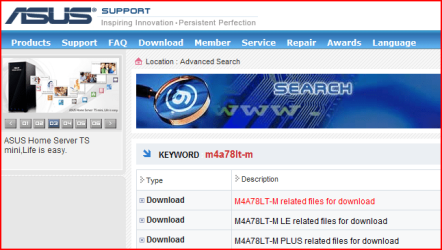
My mobo is an ASUS M4A78LT-M and thus has an AMD/ATI Raid controller. I believe there are no singed drivers for my RAID controller.
I have created store backup by running the command "bcdedit /export <filename>" and backed it up on a USB flash drive (as well as on my HDD).
 

My Computer My Computer

At a glance

Windows 7 Ultimate X64
OS
Windows 7 Ultimate X64
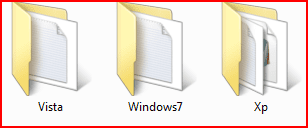
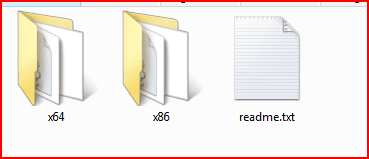
From what I see on Asus web site, the F6 Sata Controller driver disk covers Win XP,Vista, Win7.

Capture1.PNG
Capture.PNG
 

My Computer My Computer

At a glance

ME/XP/Vista/Win7
OS
ME/XP/Vista/Win7
Yes, it does. However it simply does not work for my motherboard (does not show on the list unless the "hide ..." checkmark is unchecked), and aside from that, it is unsigned.
As I said:
I believe there are no singed drivers for my RAID controller.
(I tried all drivers I could find)
 

My Computer My Computer

At a glance

Windows 7 Ultimate X64
OS
Windows 7 Ultimate X64
Make sure you download the latest drivers.
You may need to unhide in setup.
 

My Computer My Computer

At a glance

ME/XP/Vista/Win7
OS
ME/XP/Vista/Win7
I did download the latest drivers, both from ASUS and ATI, none show up and if I unhide and try to install them, I get the same error message (I assume it means they are all unsigned).

I think I'll try to experiment some Live CD Linux or that ASUS Express Gate to get some internet connectivity regardless of Windows. If I'll succeed, I'll try installing the 32 bit drivers instead of the x64. Hopefully I won't do any damage that isn't fixable...
 

My Computer My Computer

At a glance

Windows 7 Ultimate X64
OS
Windows 7 Ultimate X64
If you have a spare HD, do a test with Vista first. Good luck & hope all goes well.
 

My Computer My Computer

At a glance

ME/XP/Vista/Win7
OS
ME/XP/Vista/Win7
I did not have a spare HDD but I did download and burn Knoppix and made sure I could access the internet with it.

So I chose the x86 RAID drivers and even though it's a x64 OS, I could see my partitions, afterwards I got an error, I don't remember the exact wording but it was something like: "Windows could not determine if this computer contains a valid system volume" followed by a restart of the install wizard. A quick google found that the blame was in my USB flash drive which was configured in BIOS to boot first. After that, all went smoothly - Vista installed and seems to work fine, it added itself to the Windows 7 boot manager along with XP and all 3 OSs work fine, the only problem I have now is that suddenly Windows 7 thinks that it is not genuine for some reason... But that's something completely different, I'll handle it myself.

Thanks again for the help. Great forum.
Og
 

My Computer My Computer

At a glance

Windows 7 Ultimate X64
OS
Windows 7 Ultimate X64
That is good news, you are welcome.

Why did you use x86 drivers, not the x64?

Capture.PNG
Capture2.PNG
 

My Computer My Computer

At a glance

ME/XP/Vista/Win7
OS
ME/XP/Vista/Win7
Back
Top