
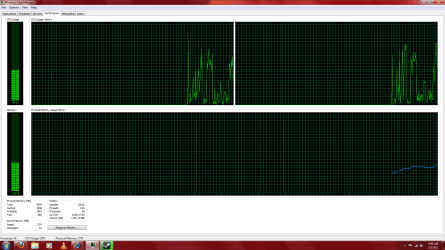
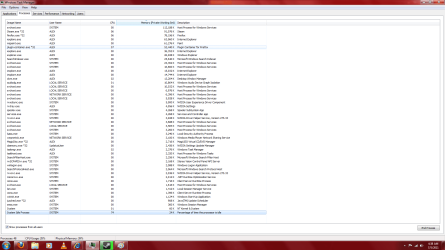
Ok, i had recently had Windows 7 Ultimate x86, but i knew my computer could have 64 bit because it had before, but the disk was scratched, and for some reason, the 32 bit was the only option i could install, but back to the point. I just got done re installing x64, i wanted that extra Gb of ram i couldnt use on 32 bit. I just realized, after finally installing my Internet Driver(Netgear WG311v3, its a pain on windows 7), and getting flash, putting all my files onto my computer, that someone was eating up my cpu. just opening everything i had up, it was running at 100% CPU, and while i was watching a video, my computer overheated. I thought it was .NET precompiling, so i disabled that and it didn't fix. I had to exit Firefox, and steam just to get it down to 5%, which isnt bad, but it isnt what i was hoping for. i could do nothing on 32 bit and have it at 0-1%, so obviously something is wrong here. I also noticed its eating up an unusally large amount of my memory, that gb i wanted to use in 64 bit is being used up by nothing! can someone help me, ill post some pics.
EDIT: its not so bad with my CPU now, i think it was windows update. but i am concerned about the gig of ram just being wasted. whats using it? how can i figure it out?
EDIT: its not so bad with my CPU now, i think it was windows update. but i am concerned about the gig of ram just being wasted. whats using it? how can i figure it out?
Attachments

Last edited:
My Computer
At a glance
Windows 7 Ultimate x64AMD Athlon x64 2.60 GHz4 GbnVidia GeForce 9600 GT
- Computer Manufacturer/Model Number
- Me/Dad
- OS
- Windows 7 Ultimate x64
- CPU
- AMD Athlon x64 2.60 GHz
- Motherboard
- Asus
- Memory
- 4 Gb
- Graphics Card(s)
- nVidia GeForce 9600 GT
- Sound Card
- None
- Monitor(s) Displays
- Acer X233H 23in.
- Hard Drives
- Hitachi 500 Gb HDD
- PSU
- Unknown
- Case
- Unknown
- Cooling
- Butterfly shaped cooler


