Sound Not Working

Zerio01

New member
Local time
10:05 PM
Messages
8
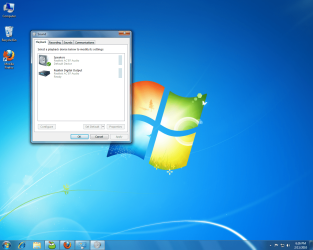
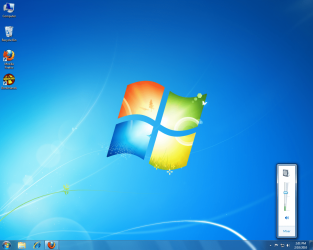
I have just recently installed Windows 7 64-Bit on my computer and there's no sound. The drivers that were installed on it through Windows Update is: Realtek AC'97 Audio. Whenever I play a song or something you will see the green bar move up and and down but no sound is produced through my speakers.
 

Attachments

  • Untitled.png
    Untitled.png
    375.4 KB · Views: 97

My Computer

OS
Windows 7 64-Bit
Hi Zerio01,

Can you please post a screenshot of this window: Control Panel > All Control Panel Items > Sound

Please also fill out the rest of your system specs (see lower left corner of this post) - that will also help us a lot. Thanks!

Walker
Windows Outreach Team
 

My Computer

Computer Manufacturer/Model Number
HP Pavilion dm3 (netbook) *** 27" iMac (Dual-Boot)
OS
Windows 7 Home Premium (64-bit) *** Windows XP SP3 (32-bit), OSX 10.6
CPU
AMD Athlon Neo X2 1.6GHz *** Intel Core i7 Quad Core 2.8GHz
Memory
4.00 GB *** 4.00 GB
Graphics Card(s)
ATI Radeon HD 3200, 384MB *** ATI Radeon HD 4850, 1GB
Sound Card
ATI High Definition Audio *** ATI High Definition Audio
Monitor(s) Displays
LG Flatron W2053TX
Screen Resolution
1600 x 900 (monitor), 1266 x 768 (laptop) *** 2560 x 1440
Hard Drives
300 GB SATA (internal), 500 GB HP SimpleSave (external) *** 1 TB SATA (internal), 160 GB LaCie (external)
Mouse
Logitech Cordless Optical Mouse for Notebooks
Internet Speed
Broadband
Heres the screenshot:
 

Attachments

  • Untitled.png
    Untitled.png
    334.2 KB · Views: 93

My Computer

OS
Windows 7 64-Bit
I have just recently installed Windows 7 64-Bit on my computer and there's no sound. The drivers that were installed on it through Windows Update is: Realtek AC'97 Audio. Whenever I play a song or something you will see the green bar move up and and down but no sound is produced through my speakers.


Since your symptoms are the same, might try the fix I suggested to another poster that worked for him.

In the playback window (posted in your last screen shot) select the Digital Output then select "Set Default" then select "Apply', then re-select the speaker output select Set Default and Apply.

Under the configure button make sure you're set to the right speaker setup, stereo?

Under the properties button you can run a test.

Ap

 

My Computer

Computer Manufacturer/Model Number
Assembled in my workshop
OS
Windows 7 Home Premium
CPU
Intel Core 2 Duo @ 3.00gHz
Motherboard
Gigabyte GA-P35-S3G
Memory
4 GB
Graphics Card(s)
ATI Radeon HD 2600 XT
Sound Card
RME 24/96 Card, Realtek Internal Audio PreSonus FireStudio
Monitor(s) Displays
Acer 1917 (x2)
Screen Resolution
1280 x 1024 on both monitors
Hard Drives
Three 250GB Seagate SATA Barracuda 7200rpm
PSU
Rosewill 500-watt
Case
Rosewill mid-tower
Cooling
Noctua NH-U9B (CPU), PwrSupply fan + single large case Fan
Keyboard
Macally w/2/USB ports.
Mouse
Trackman Wheel
Other Info
Event 20/20 bas studio monitors, Yamaha sub.
Rackmount Korg/Roland/Yamaha synthesizers,
Cubase MIDI/audio recording. Sony Soundforge audio/mastering software. CD Architect Mastering. RME & Presonus audio interfaces.
I have just recently installed Windows 7 64-Bit on my computer and there's no sound. The drivers that were installed on it through Windows Update is: Realtek AC'97 Audio. Whenever I play a song or something you will see the green bar move up and and down but no sound is produced through my speakers.


Since your symptoms are the same, might try the fix I suggested to another poster that worked for him.

In the playback window (posted in your last screen shot) select the Digital Output then select "Set Default" then select "Apply', then re-select the speaker output select Set Default and Apply.

Under the configure button make sure you're set to the right speaker setup, stereo?


Under the properties button you can run a test.

Ap
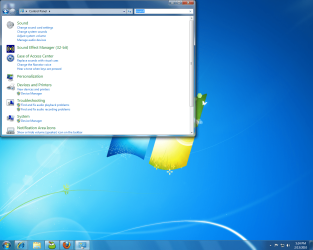
Unfortunately that didnt work for me. I wonder if this is the problem because in Control Panel, I see an icon that says "Sound Effect Manager 32-bit" even though I'm running Windows 7 64-bit.
 

Attachments

  • Untitled.png
    Untitled.png
    279.1 KB · Views: 44

My Computer

OS
Windows 7 64-Bit
I just figured out what the problem was. It was so simple and all you needed was just some common sense and logic. When I had Windows Vista installed on my computer, the drivers for my sound card were installed on it and the wire for the speaker control panel was hooked up to the sound card. Now that I have Windows 7 installed and the drivers for my sound card are not installed, I forgot to hook up the speaker control panel wire to the onboard audio port. Thanks for all the help anyways it was very much appreciated.
 

My Computer

OS
Windows 7 64-Bit
Hi Zerio01,

However simple the solution, I'm glad you were able to get it resolved! Please let us know if there's anything else we can do for you in the future.

Cheers,

Walker
Windows Outreach Team
 

My Computer

Computer Manufacturer/Model Number
HP Pavilion dm3 (netbook) *** 27" iMac (Dual-Boot)
OS
Windows 7 Home Premium (64-bit) *** Windows XP SP3 (32-bit), OSX 10.6
CPU
AMD Athlon Neo X2 1.6GHz *** Intel Core i7 Quad Core 2.8GHz
Memory
4.00 GB *** 4.00 GB
Graphics Card(s)
ATI Radeon HD 3200, 384MB *** ATI Radeon HD 4850, 1GB
Sound Card
ATI High Definition Audio *** ATI High Definition Audio
Monitor(s) Displays
LG Flatron W2053TX
Screen Resolution
1600 x 900 (monitor), 1266 x 768 (laptop) *** 2560 x 1440
Hard Drives
300 GB SATA (internal), 500 GB HP SimpleSave (external) *** 1 TB SATA (internal), 160 GB LaCie (external)
Mouse
Logitech Cordless Optical Mouse for Notebooks
Internet Speed
Broadband
Back
Top