Hello,
Sr. Citizen now, so will blame my ignorance on old age.
Would appreciate some help with this, please:
Copied a Folder ("Misc.") from my PC with a bunch of "stuff" in it to an external HD, called K
It shows up their just fine on this external HD.
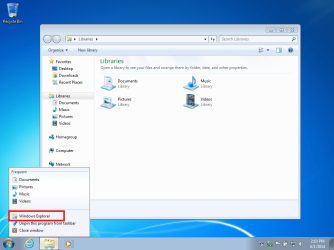
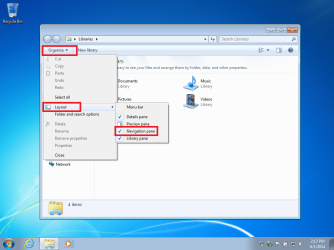
Previously, I could display the contents of this Folder, called Misc., as well as a listing of everything already on the HD . If I remember right, it showed up as a sparate "pane".
Left hand pane showed contents of external HD, the right hand the contents of the just downloaded "Misc." Folder
I could then drag anything from the "Misc." Folder right to some existing Folder on this external HD.
Made things very simple.
Now, I can either show the contents of the "Misc." Folder, OR the contents of what's on the HD already, BUT not both, together. I used to be able to, but just cannot figure out how to display both views again.
simultaneously.
How do I do it, please ? Not too sharp with this, so much detail would be very appreciated.
Much thanks,
Bob
Sr. Citizen now, so will blame my ignorance on old age.
Would appreciate some help with this, please:
Copied a Folder ("Misc.") from my PC with a bunch of "stuff" in it to an external HD, called K
It shows up their just fine on this external HD.
Previously, I could display the contents of this Folder, called Misc., as well as a listing of everything already on the HD . If I remember right, it showed up as a sparate "pane".
Left hand pane showed contents of external HD, the right hand the contents of the just downloaded "Misc." Folder
I could then drag anything from the "Misc." Folder right to some existing Folder on this external HD.
Made things very simple.
Now, I can either show the contents of the "Misc." Folder, OR the contents of what's on the HD already, BUT not both, together. I used to be able to, but just cannot figure out how to display both views again.
simultaneously.
How do I do it, please ? Not too sharp with this, so much detail would be very appreciated.
Much thanks,
Bob
My Computer
- OS
- Windows 7 64bit