SSD Health

r00ploi

New member
VIP
Local time
8:39 PM
Messages
269
Hi

I have downloaded Crystal Disk Information and it showing my SSD Drive as 99% healthy the drive is only a few weeks old is this something I should be concerned about?
 

Attachments

  • ssd drive health.jpg
    ssd drive health.jpg
    437.2 KB · Views: 113

My Computer

Computer type
Laptop
Computer Manufacturer/Model Number
HP
OS
Windows 7
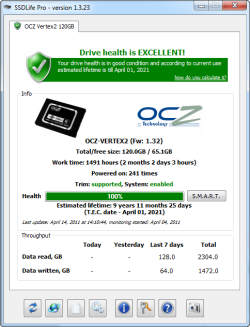
Since we are talking health; see another doc and get a second opinion.

SSDLife

To answer your question, you don't have anything to be worried about. But I would not be doing any benching on the SSD if your OS is installed on it because you will not like what you see. The time to bench an SSD is prior to installing the OS and putting it to work.
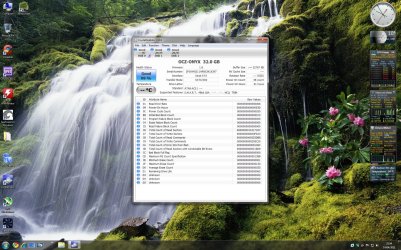
 

Attachments

  • 4-14-2011 2-11-14 PM.png
    4-14-2011 2-11-14 PM.png
    22.3 KB · Views: 48

My Computer

Computer Manufacturer/Model Number
My Build
OS
win7 Ult 64
CPU
i7 3930K & 3960X
Motherboard
ASUS P9X79 Deluxe
Memory
16GB G-Skill 2133MHz
Graphics Card(s)
Sapphire HD 7970
Sound Card
On-board
Monitor(s) Displays
ASUS 27 inch
Screen Resolution
1920X1080
Hard Drives
Crucial M4 256GB, 1.5TB WD Black for Data/Images
PSU
Corsair AX1200
Case
NZXT 810
Cooling
Custom Loop, Swiftech HDBlock
Keyboard
Mionix
Mouse
Mionix
Internet Speed
Cable
Hi

Thanks for your reply

SSD Life also shows the health of the drive at 99%
 

Attachments

  • ssd drive.jpg
    ssd drive.jpg
    330.4 KB · Views: 85

My Computer

Computer type
Laptop
Computer Manufacturer/Model Number
HP
OS
Windows 7
Back
Top