Stablilizing desktop icons

durango1

New member
Power User
VIP
Local time
11:57 AM
Messages
119
I have dual monitors, i am using displayfusion pro and once in a while my icons on the main monitor will flicker as i open or close a browser or local window. I am running at 60hz right now.

mon 1 is HP 2311 wide LCD and AMD radeon HD7670 running at 1920 x 1080
mon 2 is HP W2072a LED same AMD running at 1600 x 900

Any ideas..
 

My Computer

Computer type
PC/Desktop
Computer Manufacturer/Model Number
HP Pav HPE h9-1110t
OS
Windows 7 Professional 64bit
CPU
Core i7
Memory
12GB
Graphics Card(s)
AMD Radeon HD7670 1GB
Hard Drives
160GB Main OS only Solid State
500GB Secondary
160GB Slave SCSI with interface board and cable
1 TB external HD
Cooling
Air
Mouse
Razor Mamba
Try running both monitors at same resolution.
 

My Computer

Computer type
PC/Desktop
Computer Manufacturer/Model Number
Custom Bulid/Self made
OS
Windows 11 x64
CPU
i5 2500K @ 3.3 GHz
Motherboard
ASUS P8 Z77 V pro
Memory
16 GB DDR 3 @ 1600Mhz
Graphics Card(s)
MSI 1050TI 4GB OC version
Sound Card
On Board (Realtek HD audio)
Monitor(s) Displays
Samsung 22" LCD
Screen Resolution
1920*1080
Hard Drives
Seagate 1 TB, WD 1TB, Seagate 2 TB ( I use a lot of space)
PSU
coolermaster 750 W
Case
Coolermaster HAF912
Cooling
Coolermaster hyper 212 EVO
Keyboard
Samsung
Mouse
Dell Wireless
Internet Speed
Wireless 50 Mbps
Antivirus
AVG 2016 Internet Security
Browser
Google Chrome
thanks for the reply, i assumed it would be better to take mon 1 down to meet mon 2 res rather than stress out mon2 for the larger res..

But i am typing on mon1 now that they are both 1600x900 and this mon1 is cloudy, i can still read it but the letters look almost fuzzy and not sharp at all.

Any suggestions?

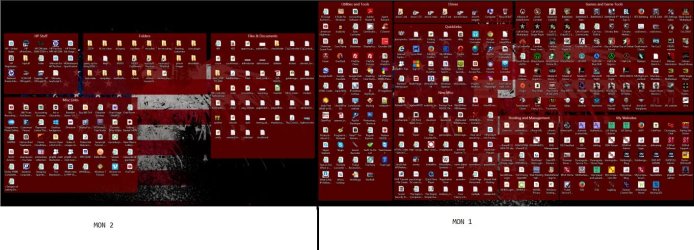
UPDATE: i had heard one time somewhere that there was a way to increase mem for just icons nothing else, and that could be isolated but i could be wrong. I am using fences by stardock and its a great tool for me so i do have alot of icons on the page..

here is a screenshot of my monitors.
 

Attachments

  • monsample.jpg
    monsample.jpg
    131.9 KB · Views: 1

My Computer

Computer type
PC/Desktop
Computer Manufacturer/Model Number
HP Pav HPE h9-1110t
OS
Windows 7 Professional 64bit
CPU
Core i7
Memory
12GB
Graphics Card(s)
AMD Radeon HD7670 1GB
Hard Drives
160GB Main OS only Solid State
500GB Secondary
160GB Slave SCSI with interface board and cable
1 TB external HD
Cooling
Air
Mouse
Razor Mamba
Try to uninstall and do a clean install of the latest drivers for your graphic card.

Use Driver Sweeper to remove the old bits of the old drivers.
 

My Computer

Computer type
PC/Desktop
Computer Manufacturer/Model Number
Custom Bulid/Self made
OS
Windows 11 x64
CPU
i5 2500K @ 3.3 GHz
Motherboard
ASUS P8 Z77 V pro
Memory
16 GB DDR 3 @ 1600Mhz
Graphics Card(s)
MSI 1050TI 4GB OC version
Sound Card
On Board (Realtek HD audio)
Monitor(s) Displays
Samsung 22" LCD
Screen Resolution
1920*1080
Hard Drives
Seagate 1 TB, WD 1TB, Seagate 2 TB ( I use a lot of space)
PSU
coolermaster 750 W
Case
Coolermaster HAF912
Cooling
Coolermaster hyper 212 EVO
Keyboard
Samsung
Mouse
Dell Wireless
Internet Speed
Wireless 50 Mbps
Antivirus
AVG 2016 Internet Security
Browser
Google Chrome
Back
Top