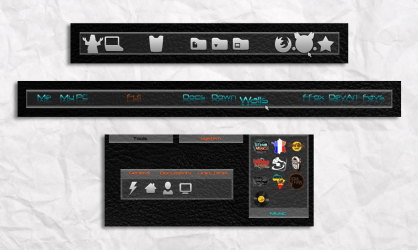
there is a simpler way to open the backgrounds (zoomer folder)
that is to click the configure dock docklet and click style/color link then in next page click change background link.
Then at the bottom of the next page click open backgrounds folder link.
The folder you want is called zoomers. copy and paste or cut the folder you want to add.
To see the new addition close the objectdock windows then reclick the configure docklet then click change background and you should see the new background.
it seems more complicated explaining it than it actually is in practice
that is to click the configure dock docklet and click style/color link then in next page click change background link.
Then at the bottom of the next page click open backgrounds folder link.
The folder you want is called zoomers. copy and paste or cut the folder you want to add.
To see the new addition close the objectdock windows then reclick the configure docklet then click change background and you should see the new background.
it seems more complicated explaining it than it actually is in practice
My Computer
- Computer Manufacturer/Model Number
- Hewlett packard/p6512uk
- OS
- Microsoft Windows 7 Home Premium 64-bit 7600
- CPU
- IIx4 amd athelon 635 processor
- Motherboard
- FOXCONN 2AA9
- Memory
- 2x2gb
- Graphics Card(s)
- ati radeon HD 5450
- Sound Card
- (1) Realtek High Definition Audio (2) AMD High Definition
- Monitor(s) Displays
- samsung lcd tv 32"
- Screen Resolution
- 1360x 768
- Hard Drives
- (1) WDC WD10 01FAES-60Z2A0 SATA Disk Device (2) Maxtor OneTouch USB Device (3) ST310003 33AS USB Device (4) WD My Book 1111 USB Device
- PSU
- ?
- Cooling
- air!
- Keyboard
- wireless hp
- Mouse
- wireless Hp,optical
- Internet Speed
- 1.10mb/s
- Antivirus
- MSE
- Browser
- Firefox