
Hi all,i recently had an 0xc000007b error with a headset software.I tried everything on the internet to solve problem including uninstalling and installing .net framework, visual c++ (all versions), some .dll s both in system32 and syswow64,reinstalling drivers and some other things that i cannot remember right now.After those countless things my perfectly working fast and sound laptop slowed like an 10 year old pc im having issues both at boot and in normal use.Before this incident my windows was booting apprx 1 min.But now it takes 450 to 500sec to open.Im suspecting a virus or a malware has got into my computer.Meanwhile im posting this im running scans with both bitdefender 2014 and malwarebytes
.My pc specs are
Intel i7-3630QM 2.40
8Gb ddr3 ram
Nvidia GTX670 2Gb
Windows 7 64 bit
And Here is the event log of the latest boot
Günlük Adı: Microsoft-Windows-Diagnostics-Performance/Operational
Kaynak: Microsoft-Windows-Diagnostics-Performance
Tarih: 12.08.2014 14:40:32
Olay Kimliği: 100
Görev Kategorisi:Önyükleme Performansı İzleme
Düzey: Önemli
Anahtar sözcükler:Olay Günlüğü
Kullanıcı: LOCAL SERVICE
Bilgisayar: Roland-PC
Açıklama:
Windows başlatıldı:
Açılış Süresi : 445341ms
IsDegradation : true
Olay Saati (UTC) : 2014-08-12T11:32:39.656000300Z
Olay Xml'si:
<Event xmlns="http://schemas.microsoft.com/win/2004/08/events/event">
<System>
<Provider Name="Microsoft-Windows-Diagnostics-Performance" Guid="{CFC18EC0-96B1-4EBA-961B-622CAEE05B0A}" />
<EventID>100</EventID>
<Version>2</Version>
<Level>1</Level>
<Task>4002</Task>
<Opcode>34</Opcode>
<Keywords>0x8000000000010000</Keywords>
<TimeCreated SystemTime="2014-08-12T11:40:32.002344400Z" />
<EventRecordID>1786</EventRecordID>
<Correlation ActivityID="{03305C60-F800-0004-853E-8D1F21B6CF01}" />
<Execution ProcessID="2552" ThreadID="5016" />
<Channel>Microsoft-Windows-Diagnostics-Performance/Operational</Channel>
<Computer>Roland-PC</Computer>
<Security UserID="S-1-5-19" />
</System>
<EventData>
<Data Name="BootTsVersion">2</Data>
<Data Name="BootStartTime">2014-08-12T11:32:39.656000300Z</Data>
<Data Name="BootEndTime">2014-08-12T11:40:25.211956000Z</Data>
<Data Name="SystemBootInstance">589</Data>
<Data Name="UserBootInstance">562</Data>
<Data Name="BootTime">445341</Data>
<Data Name="MainPathBootTime">168872</Data>
<Data Name="BootKernelInitTime">24</Data>
<Data Name="BootDriverInitTime">5887</Data>
<Data Name="BootDevicesInitTime">1301</Data>
<Data Name="BootPrefetchInitTime">0</Data>
<Data Name="BootPrefetchBytes">0</Data>
<Data Name="BootAutoChkTime">0</Data>
<Data Name="BootSmssInitTime">90422</Data>
<Data Name="BootCriticalServicesInitTime">8785</Data>
<Data Name="BootUserProfileProcessingTime">3375</Data>
<Data Name="BootMachineProfileProcessingTime">5696</Data>
<Data Name="BootExplorerInitTime">22166</Data>
<Data Name="BootNumStartupApps">24</Data>
<Data Name="BootPostBootTime">276469</Data>
<Data Name="BootIsRebootAfterInstall">false</Data>
<Data Name="BootRootCauseStepImprovementBits">0</Data>
<Data Name="BootRootCauseGradualImprovementBits">0</Data>
<Data Name="BootRootCauseStepDegradationBits">0</Data>
<Data Name="BootRootCauseGradualDegradationBits">1048576</Data>
<Data Name="BootIsDegradation">true</Data>
<Data Name="BootIsStepDegradation">false</Data>
<Data Name="BootIsGradualDegradation">true</Data>
<Data Name="BootImprovementDelta">0</Data>
<Data Name="BootDegradationDelta">109904</Data>
<Data Name="BootIsRootCauseIdentified">false</Data>
<Data Name="OSLoaderDuration">3163</Data>
<Data Name="BootPNPInitStartTimeMS">24</Data>
<Data Name="BootPNPInitDuration">1800</Data>
<Data Name="OtherKernelInitDuration">3925</Data>
<Data Name="SystemPNPInitStartTimeMS">5356</Data>
<Data Name="SystemPNPInitDuration">5387</Data>
<Data Name="SessionInitStartTimeMS">11114</Data>
<Data Name="Session0InitDuration">78098</Data>
<Data Name="Session1InitDuration">482</Data>
<Data Name="SessionInitOtherDuration">11841</Data>
<Data Name="WinLogonStartTimeMS">101536</Data>
<Data Name="OtherLogonInitActivityDuration">36098</Data>
<Data Name="UserLogonWaitDuration">20214</Data>
</EventData>
</Event>
And Here what it looks like inside of Diagnostic Performance.I kinda brooked my windows Please help me fix this problem.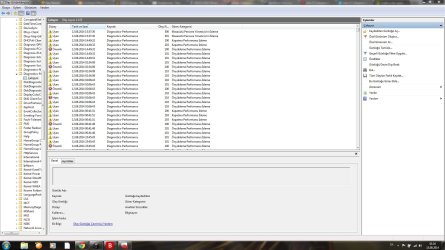
.My pc specs are
Intel i7-3630QM 2.40
8Gb ddr3 ram
Nvidia GTX670 2Gb
Windows 7 64 bit
And Here is the event log of the latest boot
Günlük Adı: Microsoft-Windows-Diagnostics-Performance/Operational
Kaynak: Microsoft-Windows-Diagnostics-Performance
Tarih: 12.08.2014 14:40:32
Olay Kimliği: 100
Görev Kategorisi:Önyükleme Performansı İzleme
Düzey: Önemli
Anahtar sözcükler:Olay Günlüğü
Kullanıcı: LOCAL SERVICE
Bilgisayar: Roland-PC
Açıklama:
Windows başlatıldı:
Açılış Süresi : 445341ms
IsDegradation : true
Olay Saati (UTC) : 2014-08-12T11:32:39.656000300Z
Olay Xml'si:
<Event xmlns="http://schemas.microsoft.com/win/2004/08/events/event">
<System>
<Provider Name="Microsoft-Windows-Diagnostics-Performance" Guid="{CFC18EC0-96B1-4EBA-961B-622CAEE05B0A}" />
<EventID>100</EventID>
<Version>2</Version>
<Level>1</Level>
<Task>4002</Task>
<Opcode>34</Opcode>
<Keywords>0x8000000000010000</Keywords>
<TimeCreated SystemTime="2014-08-12T11:40:32.002344400Z" />
<EventRecordID>1786</EventRecordID>
<Correlation ActivityID="{03305C60-F800-0004-853E-8D1F21B6CF01}" />
<Execution ProcessID="2552" ThreadID="5016" />
<Channel>Microsoft-Windows-Diagnostics-Performance/Operational</Channel>
<Computer>Roland-PC</Computer>
<Security UserID="S-1-5-19" />
</System>
<EventData>
<Data Name="BootTsVersion">2</Data>
<Data Name="BootStartTime">2014-08-12T11:32:39.656000300Z</Data>
<Data Name="BootEndTime">2014-08-12T11:40:25.211956000Z</Data>
<Data Name="SystemBootInstance">589</Data>
<Data Name="UserBootInstance">562</Data>
<Data Name="BootTime">445341</Data>
<Data Name="MainPathBootTime">168872</Data>
<Data Name="BootKernelInitTime">24</Data>
<Data Name="BootDriverInitTime">5887</Data>
<Data Name="BootDevicesInitTime">1301</Data>
<Data Name="BootPrefetchInitTime">0</Data>
<Data Name="BootPrefetchBytes">0</Data>
<Data Name="BootAutoChkTime">0</Data>
<Data Name="BootSmssInitTime">90422</Data>
<Data Name="BootCriticalServicesInitTime">8785</Data>
<Data Name="BootUserProfileProcessingTime">3375</Data>
<Data Name="BootMachineProfileProcessingTime">5696</Data>
<Data Name="BootExplorerInitTime">22166</Data>
<Data Name="BootNumStartupApps">24</Data>
<Data Name="BootPostBootTime">276469</Data>
<Data Name="BootIsRebootAfterInstall">false</Data>
<Data Name="BootRootCauseStepImprovementBits">0</Data>
<Data Name="BootRootCauseGradualImprovementBits">0</Data>
<Data Name="BootRootCauseStepDegradationBits">0</Data>
<Data Name="BootRootCauseGradualDegradationBits">1048576</Data>
<Data Name="BootIsDegradation">true</Data>
<Data Name="BootIsStepDegradation">false</Data>
<Data Name="BootIsGradualDegradation">true</Data>
<Data Name="BootImprovementDelta">0</Data>
<Data Name="BootDegradationDelta">109904</Data>
<Data Name="BootIsRootCauseIdentified">false</Data>
<Data Name="OSLoaderDuration">3163</Data>
<Data Name="BootPNPInitStartTimeMS">24</Data>
<Data Name="BootPNPInitDuration">1800</Data>
<Data Name="OtherKernelInitDuration">3925</Data>
<Data Name="SystemPNPInitStartTimeMS">5356</Data>
<Data Name="SystemPNPInitDuration">5387</Data>
<Data Name="SessionInitStartTimeMS">11114</Data>
<Data Name="Session0InitDuration">78098</Data>
<Data Name="Session1InitDuration">482</Data>
<Data Name="SessionInitOtherDuration">11841</Data>
<Data Name="WinLogonStartTimeMS">101536</Data>
<Data Name="OtherLogonInitActivityDuration">36098</Data>
<Data Name="UserLogonWaitDuration">20214</Data>
</EventData>
</Event>
And Here what it looks like inside of Diagnostic Performance.I kinda brooked my windows
Please help me fix this problem.My Computer
At a glance
Windows 7 Ultimate x64Intel i7-3630 2.40Ghz8Gb DDR3Nvidia GTX 670 2Gb
- Computer type
- Laptop
- OS
- Windows 7 Ultimate x64
- CPU
- Intel i7-3630 2.40Ghz
- Motherboard
- Asus
- Memory
- 8Gb DDR3
- Graphics Card(s)
- Nvidia GTX 670 2Gb
- Hard Drives
- Samsung 750Gb
- Antivirus
- Bitdefender 2014
- Browser
- Chrome