Solved Steam games broken

bobland

Not a Power User
Power User
Local time
7:14 PM
Messages
247
Location
Boise
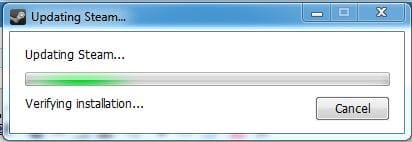
I've been playing Portal 2 and Saints 3 for the past month with no problem. Portal 2 is from the original release date. Recently, I can't get these games to work. On a reboot, Steam does this endless update. Eventually, it finishes. I open steam and it updates again. When it finishes it may or may not connect to steam. When it does, if I select Portal 2 if immediately fails with no explanation. If I start Saints 3 it starts up to the message stating autosave then fails. I get a message saying I should delete appcache. I do this and go thru the whole routing again.

Results? Same. Nothing.

I've put a ticket in but have not heard for a week. I'm hoping someone has experienced this or something similar and may have a solution. I'm not very reluctant to buy any game that uses steam if this is what to expect.

Personally, I'm getting a little tired of this requirement to go online to play a non-online game. But that's just the opinion of a get-off-my-lawn-cranky-old-guy.
 

My Computer

Computer type
PC/Desktop
Computer Manufacturer/Model Number
Crafted by Hand
OS
Windows 7 Professional SP1 64 bit Retail
CPU
Intel i7-4790K
Motherboard
ASRock Z97 Extreme6
Memory
2 x 4GB G.Skill RipJaws 13800
Graphics Card(s)
MSI GTX 970 Gaming
Sound Card
Focusrite Scarlett 2i2
Monitor(s) Displays
BenQ 3200
Screen Resolution
1440p
Hard Drives
Corsair 250GB SSD
WD RED 2 TB SATA
WD 500GB Green SATA
WD 1TB Black SATA x2
PSU
Corsair CMPSU 750TX
Case
Cooler Master 932 HAF
Cooling
Noctua NH-D14
Keyboard
Roccat Ryos MK
Mouse
Roccat Kone XTD
Internet Speed
20 Mb - CenturyLink
Antivirus
Security Essentials
Browser
FireFox Latest
Other Info
Moving to Windows 10
I've been playing Portal 2 and Saints 3 for the past month with no problem. Portal 2 is from the original release date. Recently, I can't get these games to work. On a reboot, Steam does this endless update. Eventually, it finishes. I open steam and it updates again. When it finishes it may or may not connect to steam. When it does, if I select Portal 2 if immediately fails with no explanation. If I start Saints 3 it starts up to the message stating autosave then fails. I get a message saying I should delete appcache. I do this and go thru the whole routing again.

Results? Same. Nothing.

I've put a ticket in but have not heard for a week. I'm hoping someone has experienced this or something similar and may have a solution. I'm not very reluctant to buy any game that uses steam if this is what to expect.

Personally, I'm getting a little tired of this requirement to go online to play a non-online game. But that's just the opinion of a get-off-my-lawn-cranky-old-guy.

Right click on game click on local files then click verify integrity of game cache after it does it's thing it should be ok again to play
 

My Computer

Computer type
PC/Desktop
Computer Manufacturer/Model Number
CoreI7-6700K MrFingerIII Special Builds
OS
Windows 10 Home Premium 64bit sp1
CPU
Intel I7-6700K @ 4.6 Ghz 1.344 volts everyday OC
Motherboard
Asrock Fatality K6 Z170 Socket 1151
Memory
32GB G-Skill TridentZ 3200mhz 16-18-18-38 DDR4
Graphics Card(s)
Sli Gigabyte Windforce GTX 980 G1
Sound Card
AC97 Creative Rage Tactic 3D Headphones Bluetooth
Monitor(s) Displays
27" Asus ROG Swift PG278Q G-Sync 48" Vizio Smart HD TV
Screen Resolution
2560x1440p 27"- 48" Currently Gaming at 2560x1440p Res 2K
Hard Drives
250GB Samsung Evo840SSD Seagate baracuda 500 GB WD Mybook 500Gb 1TB Seagate Barracuda
PSU
HX1050w Corsair Silver 80plus certified crosfire/sli
Case
Enthod Pro Full Tower
Cooling
Corsair H110i GT 280 mm High Performance WaterBlock
Keyboard
Logitech wireless keyboard
Mouse
Logitech wireless mouse
Internet Speed
Cox Cable 100+ mb
Antivirus
WebRoot Spysweeper with Antivirus
Browser
IE-10, Chrome, Opera
Other Info
My Other Rig is a AMD FX8320E @4.6Ghz 16GB Ballistic Sport Ram
Mobo Asrock Fatality 990FX 120GB OCZ SSD 1TB Seagate Barracuda Corsair H75 Cooling PSU Corsair CX750
GPU GTX Gigabyte 970G1
I tried a few variations of what you suggest. None worked. Steam did the whole update process. Portal 2 stopped immediately.
 

My Computer

Computer type
PC/Desktop
Computer Manufacturer/Model Number
Crafted by Hand
OS
Windows 7 Professional SP1 64 bit Retail
CPU
Intel i7-4790K
Motherboard
ASRock Z97 Extreme6
Memory
2 x 4GB G.Skill RipJaws 13800
Graphics Card(s)
MSI GTX 970 Gaming
Sound Card
Focusrite Scarlett 2i2
Monitor(s) Displays
BenQ 3200
Screen Resolution
1440p
Hard Drives
Corsair 250GB SSD
WD RED 2 TB SATA
WD 500GB Green SATA
WD 1TB Black SATA x2
PSU
Corsair CMPSU 750TX
Case
Cooler Master 932 HAF
Cooling
Noctua NH-D14
Keyboard
Roccat Ryos MK
Mouse
Roccat Kone XTD
Internet Speed
20 Mb - CenturyLink
Antivirus
Security Essentials
Browser
FireFox Latest
Other Info
Moving to Windows 10
If verifying cache integrity doesn't work there are a couple of things you can try depending on whether it is Steam or the games that's the issue.

If it's Steam, I'd try moving your appdata folder to your desktop, then uninstall Steam and run a registry cleaner like CCleaner. After it's finished reinstall Steam, delete everything but your Steam.exe file in the Steam Folder, put the Steamapps folder back in with Steam.exe, and then run the Steam.exe. It will update for a bit and everything should run fine after that.

For some reason, simply putting your Steamapps folder in a fresh install of Steam without deleting the other files and running the exe the way I described doesn't work very well. So be sure to follow those steps and not simply attempt to drag and drop Steamapps into the fresh install. It may work fine, but it can cause issues. It's best to just spend the extra couple of minutes it takes to delete the Steam folder contents and run the exe after putting Steamapps back.

If it's the games, try uninstalling the games, running a registry cleaner [I use CCleaner] and reinstalling them. Sometimes corrupted registry keys cause problems and need to be cleaned out before a game will reinstall properly.
 

My Computer

Computer type
PC/Desktop
Computer Manufacturer/Model Number
Home built
OS
Windows 7 Home premium
CPU
I7 3770 3.4
Motherboard
Republic of Gamers Maximus V
Memory
Corsair Vengance ddr3 8gb x2 1600 [@ 2400]
Graphics Card(s)
AMD 7970 6GB x3 [currently x2 until x3 is actually useful]
Sound Card
N/A
Monitor(s) Displays
Visio 47" 3D/Acer 27" 3D
Screen Resolution
1920x1080 120mhz Passive 3D
Hard Drives
Samsung 830 series SSD 512gb x2
Seagate 2tb x2
Segate 750 Gb
PSU
1500w
Case
Coolermaster
Cooling
Noctua D14
Keyboard
Logitech g10
Mouse
Naga Razer
Internet Speed
30mb Cable
Antivirus
Like I'd tell.
Browser
Waterfox mostly.
I tried a few variations of what you suggest. None worked. Steam did the whole update process. Portal 2 stopped immediately.

Yeah I'm not sure what's going on here, but I think Steam did an update and strange things are happening.

I went to play Bioshock Infinite and noticed it was downloading a new DLC for the game. After the DLC finished when I went to start the game I would get a quick blurp like the game was starting and then nothing...

Anyway restarting both PC and Steam seems to have fixed it for me.

For the most part Steam is pretty reliable but every now and then they have an update that seems to throw things for a loop.
 

My Computer

Computer type
PC/Desktop
Computer Manufacturer/Model Number
Custom built by me.
OS
Windows 10 Pro
CPU
Intel Core i7-4770K (3.5Ghz)
Motherboard
Gigabyte G1 Sniper 5 (F10 Bios)
Memory
32 gig Corsair Dominator Platinum (4x8Gig)
Graphics Card(s)
Sapphire Tri-X R9 Fury
Sound Card
Soundblaster ZXR
Monitor(s) Displays
NEC PA242W 24" LCD Monitor
Screen Resolution
1920 x 1200
Hard Drives
Primary - Samsung 850 Pro (512gig), Samsung 840 Pro (256gig), 2TB WD Caviar Black.
PSU
EVGA Supernova 1000 G2
Case
Cooler Master HAF X
Cooling
Corsair H100i with Corsair Air Series SP120 Quiet Fans
Keyboard
Logitech Wireless Wave
Mouse
Logitech Performance MX
Internet Speed
High Speed Cable
Antivirus
Norton Security
Browser
IE11
Other Info
Memory Timings - 1866MHz @ 9-9-9-27-1T @ 1.5 volts
Are you signed up for Beta Participation with Steam?

If so, you might want to turn that option off.

Go to the Steam library and click on the "Steam" option on the upper left, in the drop down list go to 'settings' and make sure 'Beta Participation' is unchecked. When done, restart Steam. If you're using a beta driver it should roll back to the previous stable driver.

Unless you don't mind troubleshooting and sending in error reports, there's no good reason to use Beta Participation. Steam is a lot more reliable and less prone to issues if you're not opted into Beta testing.
 

My Computer

Computer type
PC/Desktop
Computer Manufacturer/Model Number
Home built
OS
Windows 7 Home premium
CPU
I7 3770 3.4
Motherboard
Republic of Gamers Maximus V
Memory
Corsair Vengance ddr3 8gb x2 1600 [@ 2400]
Graphics Card(s)
AMD 7970 6GB x3 [currently x2 until x3 is actually useful]
Sound Card
N/A
Monitor(s) Displays
Visio 47" 3D/Acer 27" 3D
Screen Resolution
1920x1080 120mhz Passive 3D
Hard Drives
Samsung 830 series SSD 512gb x2
Seagate 2tb x2
Segate 750 Gb
PSU
1500w
Case
Coolermaster
Cooling
Noctua D14
Keyboard
Logitech g10
Mouse
Naga Razer
Internet Speed
30mb Cable
Antivirus
Like I'd tell.
Browser
Waterfox mostly.
I renamed the original folder and reinstalled Steam, with the SteamApps moved to the desktop. All that happens is the endless "Updating..." cycle. I noticed that it goes into a new message "Extracting Package..." but immediately closes and there is no further updating anywhere.

I've tried clicking the Steam.exe, SteamTmp.exe, both games in the Steam menu option of the Start menu but nothing works other than the endless updating.
 

My Computer

Computer type
PC/Desktop
Computer Manufacturer/Model Number
Crafted by Hand
OS
Windows 7 Professional SP1 64 bit Retail
CPU
Intel i7-4790K
Motherboard
ASRock Z97 Extreme6
Memory
2 x 4GB G.Skill RipJaws 13800
Graphics Card(s)
MSI GTX 970 Gaming
Sound Card
Focusrite Scarlett 2i2
Monitor(s) Displays
BenQ 3200
Screen Resolution
1440p
Hard Drives
Corsair 250GB SSD
WD RED 2 TB SATA
WD 500GB Green SATA
WD 1TB Black SATA x2
PSU
Corsair CMPSU 750TX
Case
Cooler Master 932 HAF
Cooling
Noctua NH-D14
Keyboard
Roccat Ryos MK
Mouse
Roccat Kone XTD
Internet Speed
20 Mb - CenturyLink
Antivirus
Security Essentials
Browser
FireFox Latest
Other Info
Moving to Windows 10

My Computer

Computer type
PC/Desktop
Computer Manufacturer/Model Number
Custom built by me.
OS
Windows 10 Pro
CPU
Intel Core i7-4770K (3.5Ghz)
Motherboard
Gigabyte G1 Sniper 5 (F10 Bios)
Memory
32 gig Corsair Dominator Platinum (4x8Gig)
Graphics Card(s)
Sapphire Tri-X R9 Fury
Sound Card
Soundblaster ZXR
Monitor(s) Displays
NEC PA242W 24" LCD Monitor
Screen Resolution
1920 x 1200
Hard Drives
Primary - Samsung 850 Pro (512gig), Samsung 840 Pro (256gig), 2TB WD Caviar Black.
PSU
EVGA Supernova 1000 G2
Case
Cooler Master HAF X
Cooling
Corsair H100i with Corsair Air Series SP120 Quiet Fans
Keyboard
Logitech Wireless Wave
Mouse
Logitech Performance MX
Internet Speed
High Speed Cable
Antivirus
Norton Security
Browser
IE11
Other Info
Memory Timings - 1866MHz @ 9-9-9-27-1T @ 1.5 volts
Tried that a number of times and even rebooted but did not change a thing. I noticed on the Steam discussion boards that a number of people are having problems with Steam. Perhaps, I just need to focus elsewhere for a while.
 

My Computer

Computer type
PC/Desktop
Computer Manufacturer/Model Number
Crafted by Hand
OS
Windows 7 Professional SP1 64 bit Retail
CPU
Intel i7-4790K
Motherboard
ASRock Z97 Extreme6
Memory
2 x 4GB G.Skill RipJaws 13800
Graphics Card(s)
MSI GTX 970 Gaming
Sound Card
Focusrite Scarlett 2i2
Monitor(s) Displays
BenQ 3200
Screen Resolution
1440p
Hard Drives
Corsair 250GB SSD
WD RED 2 TB SATA
WD 500GB Green SATA
WD 1TB Black SATA x2
PSU
Corsair CMPSU 750TX
Case
Cooler Master 932 HAF
Cooling
Noctua NH-D14
Keyboard
Roccat Ryos MK
Mouse
Roccat Kone XTD
Internet Speed
20 Mb - CenturyLink
Antivirus
Security Essentials
Browser
FireFox Latest
Other Info
Moving to Windows 10
Tried that a number of times and even rebooted but did not change a thing. I noticed on the Steam discussion boards that a number of people are having problems with Steam. Perhaps, I just need to focus elsewhere for a while.

As I said, every time Steam does an update something goes awry for a moment. Anyway I'm having no problems here... thankfully.

Yeah I still get the verification screen....

Steam validation screen.JPG

but I pretty much ignore it as everything else just works
 

My Computer

Computer type
PC/Desktop
Computer Manufacturer/Model Number
Custom built by me.
OS
Windows 10 Pro
CPU
Intel Core i7-4770K (3.5Ghz)
Motherboard
Gigabyte G1 Sniper 5 (F10 Bios)
Memory
32 gig Corsair Dominator Platinum (4x8Gig)
Graphics Card(s)
Sapphire Tri-X R9 Fury
Sound Card
Soundblaster ZXR
Monitor(s) Displays
NEC PA242W 24" LCD Monitor
Screen Resolution
1920 x 1200
Hard Drives
Primary - Samsung 850 Pro (512gig), Samsung 840 Pro (256gig), 2TB WD Caviar Black.
PSU
EVGA Supernova 1000 G2
Case
Cooler Master HAF X
Cooling
Corsair H100i with Corsair Air Series SP120 Quiet Fans
Keyboard
Logitech Wireless Wave
Mouse
Logitech Performance MX
Internet Speed
High Speed Cable
Antivirus
Norton Security
Browser
IE11
Other Info
Memory Timings - 1866MHz @ 9-9-9-27-1T @ 1.5 volts

Tried that a number of times and even rebooted but did not change a thing. I noticed on the Steam discussion boards that a number of people are having problems with Steam. Perhaps, I just need to focus elsewhere for a while.

As I said, every time Steam does an update something goes awry for a moment. Anyway I'm having no problems here... thankfully.

Yeah I still get the verification screen....

View attachment 279400

but I pretty much ignore it as everything else just works

You know, the joke is people never follow their own advice :o

Well after following step 2 here (under Windows), which is the link I posted above, I was FINALLY able fix the contestant Steam update issue.
If you're having this issue, do give the fix a try.

Oh, and follow your advice... you might find it even works for you :)
 

My Computer

Computer type
PC/Desktop
Computer Manufacturer/Model Number
Custom built by me.
OS
Windows 10 Pro
CPU
Intel Core i7-4770K (3.5Ghz)
Motherboard
Gigabyte G1 Sniper 5 (F10 Bios)
Memory
32 gig Corsair Dominator Platinum (4x8Gig)
Graphics Card(s)
Sapphire Tri-X R9 Fury
Sound Card
Soundblaster ZXR
Monitor(s) Displays
NEC PA242W 24" LCD Monitor
Screen Resolution
1920 x 1200
Hard Drives
Primary - Samsung 850 Pro (512gig), Samsung 840 Pro (256gig), 2TB WD Caviar Black.
PSU
EVGA Supernova 1000 G2
Case
Cooler Master HAF X
Cooling
Corsair H100i with Corsair Air Series SP120 Quiet Fans
Keyboard
Logitech Wireless Wave
Mouse
Logitech Performance MX
Internet Speed
High Speed Cable
Antivirus
Norton Security
Browser
IE11
Other Info
Memory Timings - 1866MHz @ 9-9-9-27-1T @ 1.5 volts
I recently switched ISPs. In the process, I also got a new modem, a Motorola SBG6580, which the installer tech said he carries in the truck. This is a primarily wireless modem. After the install, I got a 50 Mbps + speed. Unfortunately, my wife's computer, which is the really important one because she works at home and I just fool around, only got sub 3 Mbps. I called tech support and they made did some channel switching. She then got 12 Mbps but mine dropped to 1.5. Frustrated, I put all the wires back in and found we both got 50 again. Rechecked Amazon and found many users reporting problems with wireless.

The point of this is after I put the wires in, I reinstalled Steam and for the first time in over 22 days it installed correctly. I had to reinstall Portal 2 but got that and Saints 3 up and running. The Steam tech support had suggested using a wire to the modem a few times but this is difficult because the original ISPs wireless modem was further away then any cable I had so I wrongly assumed it wouldn't make a difference.

Funny how a simple thing like that made all the difference.
 

My Computer

Computer type
PC/Desktop
Computer Manufacturer/Model Number
Crafted by Hand
OS
Windows 7 Professional SP1 64 bit Retail
CPU
Intel i7-4790K
Motherboard
ASRock Z97 Extreme6
Memory
2 x 4GB G.Skill RipJaws 13800
Graphics Card(s)
MSI GTX 970 Gaming
Sound Card
Focusrite Scarlett 2i2
Monitor(s) Displays
BenQ 3200
Screen Resolution
1440p
Hard Drives
Corsair 250GB SSD
WD RED 2 TB SATA
WD 500GB Green SATA
WD 1TB Black SATA x2
PSU
Corsair CMPSU 750TX
Case
Cooler Master 932 HAF
Cooling
Noctua NH-D14
Keyboard
Roccat Ryos MK
Mouse
Roccat Kone XTD
Internet Speed
20 Mb - CenturyLink
Antivirus
Security Essentials
Browser
FireFox Latest
Other Info
Moving to Windows 10
Back
Top