How to Format Text in a Sticky Note in Windows 7 and Windows 8
Information
This will show you how to format text, add bullets to make a list, or change the text size of Sticky Notes by using keyboard shortcuts in Windows 7 and Windows 8.
Sticky Notes is not available in the Windows 7 Starter and Home Basic editions.
Sticky Notes is not available in the Windows 7 Starter and Home Basic editions.
Tip
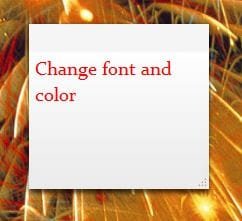
Sticky Notes uses the Segoe Print font by default. While you cannot change the font in Sticky Notes, you could copy and paste text with a different font from other programs (ex: WordPad) into a Sticky Note to have that text and font in a Sticky Note.
Here's How:
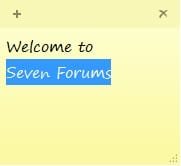
1. While modifying or creating a Sticky Note, highlight the text that you want to change the format of. (See screenshot below)
2. Use one of the keyboard shortcuts below to change the format of the highlighted text for how you want it to be.
Ctrl+B | Bold text
Ctrl+I | Italic text
Ctrl+T | Strikethrough
Ctrl+U | Underlined text
Ctrl+Shift+L | Bulleted ( press once ) or Numbered ( press twice ) list
Ctrl+Shift+> | Increased text size
Ctrl+Shift+< | Decreased text size
Ctrl+A | Select all
Ctrl+Shift+A | Toggles all caps
Ctrl+L | Left aligns text
Ctrl+R | Right aligns text
Ctrl+E | Centers text
Ctrl+Shift+L | Small Alpha list (3rd), Capital Alpha list (4th), small roman (5th), Capital roman (6th)
Ctrl+Scroll Wheel | Increase/Decrease text size
Ctrl+1 | Single-space lines
Ctrl+2 | Double-space lines
Ctrl+5 | Set 1.5-line spacing
Ctrl+= | Subscript
Ctrl+Shift++ | Superscript
Ctrl+Z | Undo
Ctrl+Y | Redo
Ctrl+X | Cut
Ctrl+C | Copy
Ctrl+V | Paste
Ctrl+N | New sticky note
That's it,
Shawn
Related Tutorials
- How to Create and Delete Sticky Notes in Windows 7 and Windows 8
- How to Change the Color of a Sticky Note in Windows 7 and Windows 8
- How to Backup and Restore Sticky Notes in Windows 7 and Windows 8
- How to Change the Default Font in Sticky Notes in Windows 7 and Windows 8
- How to Enable or Disable Sticky Notes Delete Confirmation in Windows 7 and Windows 8
Last edited: