Still got problems

Try running HijackThis

Careful! Don't undo anything just yet - most of what it finds is stuff you need.

Attach a copy of the log here. :)
 

My Computer

Computer Manufacturer/Model Number
Self
OS
Main - Windows 7 Pro SP1 64-Bit; 2nd - Windows Server 2008 R2
CPU
Main - Core i7 2600K; 2nd - Core i7 920
Motherboard
Main - Asus P8Z68-V Pro/Gen3; 2nd - Gigabyte GA-EX58-UDR3
Memory
Main - 16GB Corsair Vengeance; 2nd - 12GB Corsair Vengeance
Graphics Card(s)
Main - XFX Radeon 6870 1GB; 2nd - XFX Radeon 4870 1GB
Sound Card
Both: Onboard Realtek Azalia
Monitor(s) Displays
Main - Hann 25" + I-INC 25" + Acer 23"; 2nd - Upgrading Soon
Screen Resolution
Main - 1920x1080 (All Three Monitors); 2nd - Upgrading Soon
Hard Drives
Main - (1) Crucial M4 128GB (Boot)
Main - (1) Seagate 2TB 64MB Cache (Data)
Main - (1) Seagate 2TB 64MB Cache (Data Backup)
2nd - (1) Intel X25-M SSD 80GB (Boot)
2nd - (3) Seagate 1TB 32MB Cache (Data Backup)
2nd - (1) Seagate 320GB (Because)
PSU
Main - OCZ 600W Modular; 2nd - OCZ 600W
Case
Main - Thermaltake Element G; 2nd - NZXT something or other
Cooling
Main - Corsair H80; 2nd - Prolimatech Megahalems
Keyboard
Main - Razer Reclusa; 2nd - Old MS Keyboard
Mouse
Main - Logitech MX Revolution; 2nd - Old MS Mouse
Internet Speed
20Mbps Time-Warner Cable
My computer is being realllyy weird right now. It's taking me several minutes to get to seven forums and it takes 30+ seconds to launch a program. It seems the more I put it to sleep mode the stranger it acts.

Do what profdlp has suggested,,,,

But in addition, do the following....

disable hibernate

I would also delete pagefile.sys
Download both reg files in that tutorial
Double click the Enable Clear Paging File at Shutdown

The shutdown may take a moment as it deletes the pargefile.sys

Then shutdown and let system sit for 5 min.
then power back on
The startup may seem slow due to creating the Pagefile.sys again

Check C:\ for hiberfil.sys and if it still exists delete it.
You may have to Show Hidden Files to see it

Then
Double click the Disable Clear Paging File at Shutdown


The reason for this is that sometimes, the pagefile and hiberfil can get corrupted data in them and cause issues
 

My Computer

Computer Manufacturer/Model Number
Self Built
OS
Win 7 Ultimate 32bit
CPU
C2D E6600 2.4Ghz
Motherboard
Intel D965WH
Memory
4G Kingston KHX5400D2
Graphics Card(s)
EVGA GTX 570 HD SC (012-P3-1573-KR)
Sound Card
On-Board
Monitor(s) Displays
Samsung 226BW
Screen Resolution
1680 x 1050
Hard Drives
2 x 250 Seagate Barracuda
2 x 500 Seagate Barracuda (Raid1)
PSU
Corsair TX750W
Case
In-Win C589
Cooling
Stock Intel Cooling

My Computer

Computer Manufacturer/Model Number
Dell XPS 8100
OS
Windows 7 Home Premium 64-bit
CPU
Intel Core i7 860 @ 2.80GHz
Motherboard
Dell Inc. 0T568R
Memory
8.0GB Dual-Channel DDR3 @ 529MHz 4-7-7-20
Graphics Card(s)
ATI Radeon HD 5770
Sound Card
Realtek High Definition Audio
Monitor(s) Displays
3 Widescreen HD Monitors
Screen Resolution
1600x800
Hard Drives
1000GB Seagate ST31000528AS (SCSI)
1500GB Western Digital WDC WD1001FALS-00J7B1 (SCSI)
PSU
750W
Case
-
Cooling
Fans
Keyboard
Logitech Illuminated Keyboard
Mouse
Logitech MX
Internet Speed
6MBS-15MBS Upload
Other Info
Laptop (Dell Studio 1537)
Intel Mobile Core 2 Duo T6400 @ 2.00GHz
4.0GB Dual-Channel DDR2
Tepid gave some great advice. It's well worth doing.

As for the HijackThis! log, other than the usual bloat that legitimate programs like to jam in there, I didn't spot anything fishy. (Disclaimer: I've been extremely busy today and didn't get a chance to super-scrutinize it. Another pair of eyes looking it over would be nice.) :)
 

My Computer

Computer Manufacturer/Model Number
Self
OS
Main - Windows 7 Pro SP1 64-Bit; 2nd - Windows Server 2008 R2
CPU
Main - Core i7 2600K; 2nd - Core i7 920
Motherboard
Main - Asus P8Z68-V Pro/Gen3; 2nd - Gigabyte GA-EX58-UDR3
Memory
Main - 16GB Corsair Vengeance; 2nd - 12GB Corsair Vengeance
Graphics Card(s)
Main - XFX Radeon 6870 1GB; 2nd - XFX Radeon 4870 1GB
Sound Card
Both: Onboard Realtek Azalia
Monitor(s) Displays
Main - Hann 25" + I-INC 25" + Acer 23"; 2nd - Upgrading Soon
Screen Resolution
Main - 1920x1080 (All Three Monitors); 2nd - Upgrading Soon
Hard Drives
Main - (1) Crucial M4 128GB (Boot)
Main - (1) Seagate 2TB 64MB Cache (Data)
Main - (1) Seagate 2TB 64MB Cache (Data Backup)
2nd - (1) Intel X25-M SSD 80GB (Boot)
2nd - (3) Seagate 1TB 32MB Cache (Data Backup)
2nd - (1) Seagate 320GB (Because)
PSU
Main - OCZ 600W Modular; 2nd - OCZ 600W
Case
Main - Thermaltake Element G; 2nd - NZXT something or other
Cooling
Main - Corsair H80; 2nd - Prolimatech Megahalems
Keyboard
Main - Razer Reclusa; 2nd - Old MS Keyboard
Mouse
Main - Logitech MX Revolution; 2nd - Old MS Mouse
Internet Speed
20Mbps Time-Warner Cable
As mentioned earlier, check your CPU and GPU temps, this could be a heat problem. Also, if you have access to another power supply I would try swapping it out.

Then again, I wonder what MSE will find. When it finishes I would run Superantispyware (or equivalent) as well.
 

My Computer

Computer type
PC/Desktop
Computer Manufacturer/Model Number
Custom Build
OS
Windows 7 Home Premium 64 bit SP1
CPU
Intel i7 4790k
Motherboard
MSI Z97-G55 SLI
Memory
16 GB Corsair 2400 MHz DDR3
Graphics Card(s)
Visiontek Radeon R9 285
Sound Card
None
Monitor(s) Displays
Gateway FHX2402L
Screen Resolution
1920 X 1080
Hard Drives
Samsung 840 EVO 500GB
PSU
Corsair 750 TX
Case
Fractal Design
Cooling
Stock fans
Keyboard
Logitech K800
Mouse
Logitech M510
Internet Speed
60.88 Mbps download 10.47 Mbps upload (Speedtest.net)
Antivirus
Norton
Browser
Opera
Other Info
First Computer used: A Commodore Pet of course
Love using Manjaro KDE Linux 64 bit and Windows 7/10 64 bit
My CPU temps are anywhere from 100-140, not sure about GPU - how do I check?

MSE and Malware Bytes don't find anything.
 
Last edited:

My Computer

Computer Manufacturer/Model Number
Dell XPS 8100
OS
Windows 7 Home Premium 64-bit
CPU
Intel Core i7 860 @ 2.80GHz
Motherboard
Dell Inc. 0T568R
Memory
8.0GB Dual-Channel DDR3 @ 529MHz 4-7-7-20
Graphics Card(s)
ATI Radeon HD 5770
Sound Card
Realtek High Definition Audio
Monitor(s) Displays
3 Widescreen HD Monitors
Screen Resolution
1600x800
Hard Drives
1000GB Seagate ST31000528AS (SCSI)
1500GB Western Digital WDC WD1001FALS-00J7B1 (SCSI)
PSU
750W
Case
-
Cooling
Fans
Keyboard
Logitech Illuminated Keyboard
Mouse
Logitech MX
Internet Speed
6MBS-15MBS Upload
Other Info
Laptop (Dell Studio 1537)
Intel Mobile Core 2 Duo T6400 @ 2.00GHz
4.0GB Dual-Channel DDR2
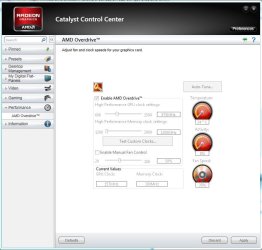
To check GPU temp go to catalyst control centre. I assume you mean CPU from 100 to 140.
 

Attachments

  • GPU Temp.JPG
    GPU Temp.JPG
    57.6 KB · Views: 3

My Computer

Computer type
PC/Desktop
Computer Manufacturer/Model Number
Custom Build
OS
Windows 7 Home Premium 64 bit SP1
CPU
Intel i7 4790k
Motherboard
MSI Z97-G55 SLI
Memory
16 GB Corsair 2400 MHz DDR3
Graphics Card(s)
Visiontek Radeon R9 285
Sound Card
None
Monitor(s) Displays
Gateway FHX2402L
Screen Resolution
1920 X 1080
Hard Drives
Samsung 840 EVO 500GB
PSU
Corsair 750 TX
Case
Fractal Design
Cooling
Stock fans
Keyboard
Logitech K800
Mouse
Logitech M510
Internet Speed
60.88 Mbps download 10.47 Mbps upload (Speedtest.net)
Antivirus
Norton
Browser
Opera
Other Info
First Computer used: A Commodore Pet of course
Love using Manjaro KDE Linux 64 bit and Windows 7/10 64 bit
To check GPU temp go to catalyst control centre. I assume you mean CPU from 100 to 140.

CCC was causing BSOD's on my system and I had to uninstall it. Any other way to check GPU Temp?
 

My Computer

Computer Manufacturer/Model Number
Dell XPS 8100
OS
Windows 7 Home Premium 64-bit
CPU
Intel Core i7 860 @ 2.80GHz
Motherboard
Dell Inc. 0T568R
Memory
8.0GB Dual-Channel DDR3 @ 529MHz 4-7-7-20
Graphics Card(s)
ATI Radeon HD 5770
Sound Card
Realtek High Definition Audio
Monitor(s) Displays
3 Widescreen HD Monitors
Screen Resolution
1600x800
Hard Drives
1000GB Seagate ST31000528AS (SCSI)
1500GB Western Digital WDC WD1001FALS-00J7B1 (SCSI)
PSU
750W
Case
-
Cooling
Fans
Keyboard
Logitech Illuminated Keyboard
Mouse
Logitech MX
Internet Speed
6MBS-15MBS Upload
Other Info
Laptop (Dell Studio 1537)
Intel Mobile Core 2 Duo T6400 @ 2.00GHz
4.0GB Dual-Channel DDR2
My computer is being realllyy weird right now. It's taking me several minutes to get to seven forums and it takes 30+ seconds to launch a program. It seems the more I put it to sleep mode the stranger it acts.

Do what profdlp has suggested,,,,

But in addition, do the following....

disable hibernate

I would also delete pagefile.sys
Download both reg files in that tutorial
Double click the Enable Clear Paging File at Shutdown

The shutdown may take a moment as it deletes the pargefile.sys

Then shutdown and let system sit for 5 min.
then power back on
The startup may seem slow due to creating the Pagefile.sys again

Check C:\ for hiberfil.sys and if it still exists delete it.
You may have to Show Hidden Files to see it

Then
Double click the Disable Clear Paging File at Shutdown


The reason for this is that sometimes, the pagefile and hiberfil can get corrupted data in them and cause issues

Just did this, now to wait and see if anything changed.
 

My Computer

Computer Manufacturer/Model Number
Dell XPS 8100
OS
Windows 7 Home Premium 64-bit
CPU
Intel Core i7 860 @ 2.80GHz
Motherboard
Dell Inc. 0T568R
Memory
8.0GB Dual-Channel DDR3 @ 529MHz 4-7-7-20
Graphics Card(s)
ATI Radeon HD 5770
Sound Card
Realtek High Definition Audio
Monitor(s) Displays
3 Widescreen HD Monitors
Screen Resolution
1600x800
Hard Drives
1000GB Seagate ST31000528AS (SCSI)
1500GB Western Digital WDC WD1001FALS-00J7B1 (SCSI)
PSU
750W
Case
-
Cooling
Fans
Keyboard
Logitech Illuminated Keyboard
Mouse
Logitech MX
Internet Speed
6MBS-15MBS Upload
Other Info
Laptop (Dell Studio 1537)
Intel Mobile Core 2 Duo T6400 @ 2.00GHz
4.0GB Dual-Channel DDR2

My Computer

Computer Manufacturer/Model Number
Self
OS
Main - Windows 7 Pro SP1 64-Bit; 2nd - Windows Server 2008 R2
CPU
Main - Core i7 2600K; 2nd - Core i7 920
Motherboard
Main - Asus P8Z68-V Pro/Gen3; 2nd - Gigabyte GA-EX58-UDR3
Memory
Main - 16GB Corsair Vengeance; 2nd - 12GB Corsair Vengeance
Graphics Card(s)
Main - XFX Radeon 6870 1GB; 2nd - XFX Radeon 4870 1GB
Sound Card
Both: Onboard Realtek Azalia
Monitor(s) Displays
Main - Hann 25" + I-INC 25" + Acer 23"; 2nd - Upgrading Soon
Screen Resolution
Main - 1920x1080 (All Three Monitors); 2nd - Upgrading Soon
Hard Drives
Main - (1) Crucial M4 128GB (Boot)
Main - (1) Seagate 2TB 64MB Cache (Data)
Main - (1) Seagate 2TB 64MB Cache (Data Backup)
2nd - (1) Intel X25-M SSD 80GB (Boot)
2nd - (3) Seagate 1TB 32MB Cache (Data Backup)
2nd - (1) Seagate 320GB (Because)
PSU
Main - OCZ 600W Modular; 2nd - OCZ 600W
Case
Main - Thermaltake Element G; 2nd - NZXT something or other
Cooling
Main - Corsair H80; 2nd - Prolimatech Megahalems
Keyboard
Main - Razer Reclusa; 2nd - Old MS Keyboard
Mouse
Main - Logitech MX Revolution; 2nd - Old MS Mouse
Internet Speed
20Mbps Time-Warner Cable
[/QUOTE]
CCC was causing BSOD's on my system and I had to uninstall it. Any other way to check GPU Temp?[/QUOTE]


This sounds odd. Have you tried uninstalling all your AMD software and reinstalling with the latest version. Are you still using the AMD driver or just what Windows 7 gives you?
 

My Computer

Computer type
PC/Desktop
Computer Manufacturer/Model Number
Custom Build
OS
Windows 7 Home Premium 64 bit SP1
CPU
Intel i7 4790k
Motherboard
MSI Z97-G55 SLI
Memory
16 GB Corsair 2400 MHz DDR3
Graphics Card(s)
Visiontek Radeon R9 285
Sound Card
None
Monitor(s) Displays
Gateway FHX2402L
Screen Resolution
1920 X 1080
Hard Drives
Samsung 840 EVO 500GB
PSU
Corsair 750 TX
Case
Fractal Design
Cooling
Stock fans
Keyboard
Logitech K800
Mouse
Logitech M510
Internet Speed
60.88 Mbps download 10.47 Mbps upload (Speedtest.net)
Antivirus
Norton
Browser
Opera
Other Info
First Computer used: A Commodore Pet of course
Love using Manjaro KDE Linux 64 bit and Windows 7/10 64 bit
CCC was causing BSOD's on my system and I had to uninstall it. Any other way to check GPU Temp?[/QUOTE]


This sounds odd. Have you tried uninstalling all your AMD software and reinstalling with the latest version. Are you still using the AMD driver or just what Windows 7 gives you?[/QUOTE]

I had countless issues with AMD. I've done just about everything that can be done to fix it. If you want to read on the issues, here is the forum topic: http://www.sevenforums.com/crashes-debugging/133050-crash-everytime-i-go-sleep-mode.html
 

My Computer

Computer Manufacturer/Model Number
Dell XPS 8100
OS
Windows 7 Home Premium 64-bit
CPU
Intel Core i7 860 @ 2.80GHz
Motherboard
Dell Inc. 0T568R
Memory
8.0GB Dual-Channel DDR3 @ 529MHz 4-7-7-20
Graphics Card(s)
ATI Radeon HD 5770
Sound Card
Realtek High Definition Audio
Monitor(s) Displays
3 Widescreen HD Monitors
Screen Resolution
1600x800
Hard Drives
1000GB Seagate ST31000528AS (SCSI)
1500GB Western Digital WDC WD1001FALS-00J7B1 (SCSI)
PSU
750W
Case
-
Cooling
Fans
Keyboard
Logitech Illuminated Keyboard
Mouse
Logitech MX
Internet Speed
6MBS-15MBS Upload
Other Info
Laptop (Dell Studio 1537)
Intel Mobile Core 2 Duo T6400 @ 2.00GHz
4.0GB Dual-Channel DDR2
I also had several issues with AMD software.

What I had to do was install Revo Uninstaller Pro (They have a 30 day trial version and Pro works with 64 bit software) and remove all my AMD software using Revo.

What had happened to me was whenever I removed an installed version to perform an upgrade the AMD software did not completely remove everything and I ended up with several versions of the same files on my drive, which caused me numerous problems.

It took me about 1 hour of using Revo at the highest removal setting to get everything to do with AMD/ATI removed. Once I did, I installed the latest version and all my issues were gone.

I would recommend you try this as you could have the same issues based on what you are telling me.
 

My Computer

Computer type
PC/Desktop
Computer Manufacturer/Model Number
Custom Build
OS
Windows 7 Home Premium 64 bit SP1
CPU
Intel i7 4790k
Motherboard
MSI Z97-G55 SLI
Memory
16 GB Corsair 2400 MHz DDR3
Graphics Card(s)
Visiontek Radeon R9 285
Sound Card
None
Monitor(s) Displays
Gateway FHX2402L
Screen Resolution
1920 X 1080
Hard Drives
Samsung 840 EVO 500GB
PSU
Corsair 750 TX
Case
Fractal Design
Cooling
Stock fans
Keyboard
Logitech K800
Mouse
Logitech M510
Internet Speed
60.88 Mbps download 10.47 Mbps upload (Speedtest.net)
Antivirus
Norton
Browser
Opera
Other Info
First Computer used: A Commodore Pet of course
Love using Manjaro KDE Linux 64 bit and Windows 7/10 64 bit
^^^^That sounds like a good plan to me
 

My Computer

Computer Manufacturer/Model Number
Insane hobo technologies. ;-)
OS
Windows 7 x64
CPU
Intel i7 2600k
Motherboard
Asrock z68 extreme 4 gen 3
Memory
G.skill Ripjaw 16gigs @ 1866
Graphics Card(s)
Nvidia gtx580 (evga)
Sound Card
Integrated HD audio + hdmi
Monitor(s) Displays
24" ASUS widescreen + 42" insignia
Screen Resolution
1080p (1920x1080)
Hard Drives
128 Samsung 830
256 Samsung 840
3 x 1tb storage drive (various)
1 western digital 1tb (eSATA)
1 Seagate 1tb (eSATA)
PSU
1 kilowatt SLI/Crossfire rated Silverstone modular
Case
NZXT Phantom + additional 220 fan
Cooling
Zalmann
Keyboard
Microsoft wireless 3000 (v2)
Mouse
MS - wireless 5000 (bluetrack)
Internet Speed
depends on if you ask me or my provider.
Other Info
The above information is provided as is, and the author assumes no responsibility for issues it may cause with your sanity or fanboyism.
I'll be sure to try that when I find time. Im gonna be really busy this week so it might be a while.
 

My Computer

Computer Manufacturer/Model Number
Dell XPS 8100
OS
Windows 7 Home Premium 64-bit
CPU
Intel Core i7 860 @ 2.80GHz
Motherboard
Dell Inc. 0T568R
Memory
8.0GB Dual-Channel DDR3 @ 529MHz 4-7-7-20
Graphics Card(s)
ATI Radeon HD 5770
Sound Card
Realtek High Definition Audio
Monitor(s) Displays
3 Widescreen HD Monitors
Screen Resolution
1600x800
Hard Drives
1000GB Seagate ST31000528AS (SCSI)
1500GB Western Digital WDC WD1001FALS-00J7B1 (SCSI)
PSU
750W
Case
-
Cooling
Fans
Keyboard
Logitech Illuminated Keyboard
Mouse
Logitech MX
Internet Speed
6MBS-15MBS Upload
Other Info
Laptop (Dell Studio 1537)
Intel Mobile Core 2 Duo T6400 @ 2.00GHz
4.0GB Dual-Channel DDR2
That's fine. Just let us know what happened one way or the other.
 

My Computer

Computer type
PC/Desktop
Computer Manufacturer/Model Number
Custom Build
OS
Windows 7 Home Premium 64 bit SP1
CPU
Intel i7 4790k
Motherboard
MSI Z97-G55 SLI
Memory
16 GB Corsair 2400 MHz DDR3
Graphics Card(s)
Visiontek Radeon R9 285
Sound Card
None
Monitor(s) Displays
Gateway FHX2402L
Screen Resolution
1920 X 1080
Hard Drives
Samsung 840 EVO 500GB
PSU
Corsair 750 TX
Case
Fractal Design
Cooling
Stock fans
Keyboard
Logitech K800
Mouse
Logitech M510
Internet Speed
60.88 Mbps download 10.47 Mbps upload (Speedtest.net)
Antivirus
Norton
Browser
Opera
Other Info
First Computer used: A Commodore Pet of course
Love using Manjaro KDE Linux 64 bit and Windows 7/10 64 bit
That helped nothing but caused more problems.. :(

  • Now my gadgets vanish on restart

  • My 3 monitors change order on restart

  • and my computer can't read SD cards

Im going to be out of town for a week so if you can maybe come up with a list of possible solutions I can try
Thanks
 

My Computer

Computer Manufacturer/Model Number
Dell XPS 8100
OS
Windows 7 Home Premium 64-bit
CPU
Intel Core i7 860 @ 2.80GHz
Motherboard
Dell Inc. 0T568R
Memory
8.0GB Dual-Channel DDR3 @ 529MHz 4-7-7-20
Graphics Card(s)
ATI Radeon HD 5770
Sound Card
Realtek High Definition Audio
Monitor(s) Displays
3 Widescreen HD Monitors
Screen Resolution
1600x800
Hard Drives
1000GB Seagate ST31000528AS (SCSI)
1500GB Western Digital WDC WD1001FALS-00J7B1 (SCSI)
PSU
750W
Case
-
Cooling
Fans
Keyboard
Logitech Illuminated Keyboard
Mouse
Logitech MX
Internet Speed
6MBS-15MBS Upload
Other Info
Laptop (Dell Studio 1537)
Intel Mobile Core 2 Duo T6400 @ 2.00GHz
4.0GB Dual-Channel DDR2
Back
Top