
Still unable to Start PC After Various Utilities

Bob3677

New member
Local time
5:12 PM
Messages
30
Hi All,

Hope you can help with my W7 Dell 531 not booting.

What I have tried:
1. Backed up to restore points, each unsuccessful;
2. W7 Repair Disk, takes me to restart repair and no success;
3. sfc /scannow, no errors found;
4. Hires UT Disk, unsuccessful; and
5. Boot Report Disk, Ubuntu lets me look around and boot repair unsuccessful but provides output file at:
Ubuntu Pastebin
6. Have looked at Ubuntu file and not sure how to use it to fix my startup issue;
7. In the Ubuntu text file lines 624-627 it provides suggested repair but don't know what/how to use info:
=================== Suggested repair
The default repair of the Boot-Repair utility would restore the [(generic mbr)] MBR in sda, and make it boot on sda3.
Additional repair would be performed: unhide-bootmenu-10s fix-windows-boot


BTW, my system information is up to date so you can see my desktop configuration. And if this issue if repairable I would like to boot directly from first partition of the 500GB HDD. This PC's OS was upgraded from VISTA-64 on the 2 partition of the 80GB HDD to W7-64 on first partition of 500GB HDD. The boot files are still on the VISTA partition.

So if anyone has serious advice I would appreciate your help.
 

My Computer My Computer

At a glance

Windows 7 Home Premium Home Edition 6.01.7600...AMD Athlon 64 X2 4000+ 2.10 Ghz2048 MB DDR2-SDRAM (1.87 MB usable)NVIDIA GeForce 6150SE nForce 430
Computer type
PC/Desktop
Computer Manufacturer/Model Number
Dell Inspiron 531
OS
Windows 7 Home Premium Home Edition 6.01.7600 (x64)
CPU
AMD Athlon 64 X2 4000+ 2.10 Ghz
Motherboard
Dell 0RY206 using latest version
Memory
2048 MB DDR2-SDRAM (1.87 MB usable)
Graphics Card(s)
NVIDIA GeForce 6150SE nForce 430
Sound Card
nForce 430 (MCP61) High Definition Audio
Monitor(s) Displays
Chuntex Electronic - CTX 18inch CRT
Screen Resolution
1280x1024 pixels at 85 Hz in True Colors (32-bit)
Hard Drives
- WD5000AACS (500 GB), three partitions with W7 on 1st + two data
- ST380815 (80 GB), two partitions with VISA removed from 2nd
Case
Dell (Mini Upright Desktop)
Cooling
GPU Fan - 100%
Keyboard
USB Input Device - Dell SK-8115
Mouse
USB Input Device - Dell M-UANDEL1
Internet Speed
ADSL 1.5mb download
Antivirus
Comodo CIS Freeware
Browser
FireFox, Chrome, IE
Other Info
- W7 upgraded from VISTA
- USB 3.0
- DVD-Rom:HL-DT-ST DVD-RAM GH22NS30 SCSI CdRom
- DVD-Rom:ATAPI DVD D DH16D2S SCSI CdRom

My Computer My Computer

At a glance

Win7 pro x64stock i7 7700kCorsair Vengeance LPX 16GB (2x8GB) DDR4 @ 320...integrated Intel HD 630
Computer type
PC/Desktop
Computer Manufacturer/Model Number
diy
OS
Win7 pro x64
CPU
stock i7 7700k
Motherboard
Gigabyte Z270N-WIFI mini-ITX
Memory
Corsair Vengeance LPX 16GB (2x8GB) DDR4 @ 3200MHz
Graphics Card(s)
integrated Intel HD 630
Sound Card
onboard Realtek ALC1220
Monitor(s) Displays
two vertically mounted samsung 55" 4k un55mu8000
Screen Resolution
1920x1280
Hard Drives
256GB Samsung EVO 960 M.2 pci-e NVMe SSD
PSU
SilverStone Nightjar ST45NF 450Watt Fanless
Case
No case. Motherboard is mounted directly onto power supply
Cooling
Evercool low profile 815EP with Panaflow 12L fan at 7v
Keyboard
Ortek MCK-86 mini
Mouse
Belkin 5-button USB
Internet Speed
spectrum 400mbps
Well, you can try to setup grub2, or you can boot to your windows installation disk, hit f10 to bring up the command prompt, and enter the following.

bootrec.exe /fixmbr
 

My Computer My Computer

At a glance

Windows 7 Ultimate x643rd Generation i58GB GDDR3
Computer type
PC/Desktop
Computer Manufacturer/Model Number
Gateway
OS
Windows 7 Ultimate x64
CPU
3rd Generation i5
Memory
8GB GDDR3
Hard Drives
Samsung 840 Evo 250GB
Antivirus
None
Browser
Firefox Extended Support Release
Can't get to Command Prompt

Thanks, to you both (johnhoh & YaMoonSun) for your input but still unable to access command prompt for system via every way I know how to. Without getting to command prompt, as you know, I can't run the utilities you have suggested.

I have been trying what I know for last two days and now ask for your help again. I get the Blue Screen of Death a lot...
 

My Computer My Computer

At a glance

Windows 7 Home Premium Home Edition 6.01.7600...AMD Athlon 64 X2 4000+ 2.10 Ghz2048 MB DDR2-SDRAM (1.87 MB usable)NVIDIA GeForce 6150SE nForce 430
Computer type
PC/Desktop
Computer Manufacturer/Model Number
Dell Inspiron 531
OS
Windows 7 Home Premium Home Edition 6.01.7600 (x64)
CPU
AMD Athlon 64 X2 4000+ 2.10 Ghz
Motherboard
Dell 0RY206 using latest version
Memory
2048 MB DDR2-SDRAM (1.87 MB usable)
Graphics Card(s)
NVIDIA GeForce 6150SE nForce 430
Sound Card
nForce 430 (MCP61) High Definition Audio
Monitor(s) Displays
Chuntex Electronic - CTX 18inch CRT
Screen Resolution
1280x1024 pixels at 85 Hz in True Colors (32-bit)
Hard Drives
- WD5000AACS (500 GB), three partitions with W7 on 1st + two data
- ST380815 (80 GB), two partitions with VISA removed from 2nd
Case
Dell (Mini Upright Desktop)
Cooling
GPU Fan - 100%
Keyboard
USB Input Device - Dell SK-8115
Mouse
USB Input Device - Dell M-UANDEL1
Internet Speed
ADSL 1.5mb download
Antivirus
Comodo CIS Freeware
Browser
FireFox, Chrome, IE
Other Info
- W7 upgraded from VISTA
- USB 3.0
- DVD-Rom:HL-DT-ST DVD-RAM GH22NS30 SCSI CdRom
- DVD-Rom:ATAPI DVD D DH16D2S SCSI CdRom
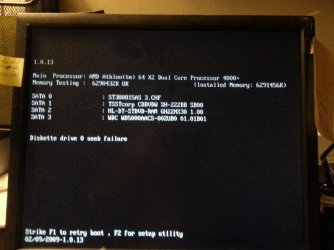
Thanks, to you both (johnhoh & YaMoonSun) for your input but still unable to access command prompt for system via every way I know how to. Without getting to command prompt, as you know, I can't run the utilities you have suggested.

I have been trying what I know for last two days and now ask for your help again. I get the Blue Screen of Death a lot...
Without the operating system disc, it's unlikely that you would be able to run bootrec.exe at all. Have to tried to install grub2 from the Ubuntu disc?
 

My Computer My Computer

At a glance

Windows 7 Ultimate x643rd Generation i58GB GDDR3
Computer type
PC/Desktop
Computer Manufacturer/Model Number
Gateway
OS
Windows 7 Ultimate x64
CPU
3rd Generation i5
Memory
8GB GDDR3
Hard Drives
Samsung 840 Evo 250GB
Antivirus
None
Browser
Firefox Extended Support Release
when you say command prompt, I assume you mean command prompt when booting off your boot drive. But posts #2 and #3 are suggesting you get to the command prompt when booting off the win7 install disk or usb drive, not your boot drive.

Fix the MBR Guide for Windows XP, Vista, 7, 8, 8.1, 10
 

My Computer My Computer

At a glance

Win7 pro x64stock i7 7700kCorsair Vengeance LPX 16GB (2x8GB) DDR4 @ 320...integrated Intel HD 630
Computer type
PC/Desktop
Computer Manufacturer/Model Number
diy
OS
Win7 pro x64
CPU
stock i7 7700k
Motherboard
Gigabyte Z270N-WIFI mini-ITX
Memory
Corsair Vengeance LPX 16GB (2x8GB) DDR4 @ 3200MHz
Graphics Card(s)
integrated Intel HD 630
Sound Card
onboard Realtek ALC1220
Monitor(s) Displays
two vertically mounted samsung 55" 4k un55mu8000
Screen Resolution
1920x1280
Hard Drives
256GB Samsung EVO 960 M.2 pci-e NVMe SSD
PSU
SilverStone Nightjar ST45NF 450Watt Fanless
Case
No case. Motherboard is mounted directly onto power supply
Cooling
Evercool low profile 815EP with Panaflow 12L fan at 7v
Keyboard
Ortek MCK-86 mini
Mouse
Belkin 5-button USB
Internet Speed
spectrum 400mbps
I have tried w7 restore CD and w7 upgrade CDs with no success. I keep getting blue screen of death on all CDs every time.

Last night I downloaded utilities to burn recovery CDs but all these CDs boot to special drives with ram drives and can't get to old :c VISTA or newer :j w7 drive.

I don't know how to access Grub2 or use it. Don't mind learning but are you sure it will help me?

Thanks again for your input.
 

My Computer My Computer

At a glance

Windows 7 Home Premium Home Edition 6.01.7600...AMD Athlon 64 X2 4000+ 2.10 Ghz2048 MB DDR2-SDRAM (1.87 MB usable)NVIDIA GeForce 6150SE nForce 430
Computer type
PC/Desktop
Computer Manufacturer/Model Number
Dell Inspiron 531
OS
Windows 7 Home Premium Home Edition 6.01.7600 (x64)
CPU
AMD Athlon 64 X2 4000+ 2.10 Ghz
Motherboard
Dell 0RY206 using latest version
Memory
2048 MB DDR2-SDRAM (1.87 MB usable)
Graphics Card(s)
NVIDIA GeForce 6150SE nForce 430
Sound Card
nForce 430 (MCP61) High Definition Audio
Monitor(s) Displays
Chuntex Electronic - CTX 18inch CRT
Screen Resolution
1280x1024 pixels at 85 Hz in True Colors (32-bit)
Hard Drives
- WD5000AACS (500 GB), three partitions with W7 on 1st + two data
- ST380815 (80 GB), two partitions with VISA removed from 2nd
Case
Dell (Mini Upright Desktop)
Cooling
GPU Fan - 100%
Keyboard
USB Input Device - Dell SK-8115
Mouse
USB Input Device - Dell M-UANDEL1
Internet Speed
ADSL 1.5mb download
Antivirus
Comodo CIS Freeware
Browser
FireFox, Chrome, IE
Other Info
- W7 upgraded from VISTA
- USB 3.0
- DVD-Rom:HL-DT-ST DVD-RAM GH22NS30 SCSI CdRom
- DVD-Rom:ATAPI DVD D DH16D2S SCSI CdRom
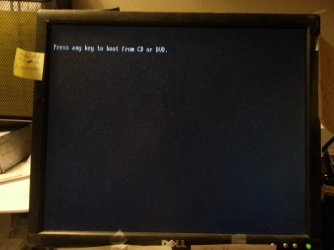
In your initial post it sounded like your system had no hardware problems, and the only problem was that it could not boot from your boot drive, which is a software problem solvable from the command prompt.

But you are now referencing BSOD problems. If you disconnect your hard drives completely, and boot from any of DVDs, for instance Hiren's, is your system completely stable? I am trying to figure out if you have a hardware problem beyond your hard drive booting issue. Because if you have any issues with the hard drives disconnected, you have hardware problems, which take precedence.

Maybe you can describe in step by step detail what is happening when you get a BSOD when booting from the win7 disk
 

My Computer My Computer

At a glance

Win7 pro x64stock i7 7700kCorsair Vengeance LPX 16GB (2x8GB) DDR4 @ 320...integrated Intel HD 630
Computer type
PC/Desktop
Computer Manufacturer/Model Number
diy
OS
Win7 pro x64
CPU
stock i7 7700k
Motherboard
Gigabyte Z270N-WIFI mini-ITX
Memory
Corsair Vengeance LPX 16GB (2x8GB) DDR4 @ 3200MHz
Graphics Card(s)
integrated Intel HD 630
Sound Card
onboard Realtek ALC1220
Monitor(s) Displays
two vertically mounted samsung 55" 4k un55mu8000
Screen Resolution
1920x1280
Hard Drives
256GB Samsung EVO 960 M.2 pci-e NVMe SSD
PSU
SilverStone Nightjar ST45NF 450Watt Fanless
Case
No case. Motherboard is mounted directly onto power supply
Cooling
Evercool low profile 815EP with Panaflow 12L fan at 7v
Keyboard
Ortek MCK-86 mini
Mouse
Belkin 5-button USB
Internet Speed
spectrum 400mbps
BSOD Details

OK JohnHOH,

First thank you for your continued support...

I have attached 7 images, labeled BSOD 1st - BSOD 7th showing how I get to the BSOD.

The Win7-64 Home CD is the 2nd of two I got from Dell to upgrade from VISTA 64 -> W7 64 and all worked well and have used desktop for years. I also get the same exact BSOD procedure using the 1st CD which is used to verify the W7 update is for the proper PC and then it requests using the second CD for actual w7 64 upgrade.

FYI: For past two days I have been trying other Utility CDs to fix or restore my important files/folders.
Using Hiren's Boot CD I then loaded XP-Pro and was able to view all files on both Hard drives and data partitions; and was able to copy my many folders/files to a 2TB usb hard drive. This may say that the hardware is OK - maybe?
 

Attachments

  • BSOD 1st.jpg
    BSOD 1st.jpg
    397.7 KB · Views: 0
  • BSOD 2nd.jpg
    BSOD 2nd.jpg
    480.8 KB · Views: 0
  • BSOD 3rd.jpg
    BSOD 3rd.jpg
    436.5 KB · Views: 0
  • BSOD 4th.jpg
    BSOD 4th.jpg
    627.8 KB · Views: 0
  • BSOD 5th.jpg
    BSOD 5th.jpg
    455 KB · Views: 0
  • BSOD 6th.jpg
    BSOD 6th.jpg
    417.7 KB · Views: 0
  • BSOD  7th.jpg
    BSOD 7th.jpg
    791.5 KB · Views: 0

My Computer My Computer

At a glance

Windows 7 Home Premium Home Edition 6.01.7600...AMD Athlon 64 X2 4000+ 2.10 Ghz2048 MB DDR2-SDRAM (1.87 MB usable)NVIDIA GeForce 6150SE nForce 430
Computer type
PC/Desktop
Computer Manufacturer/Model Number
Dell Inspiron 531
OS
Windows 7 Home Premium Home Edition 6.01.7600 (x64)
CPU
AMD Athlon 64 X2 4000+ 2.10 Ghz
Motherboard
Dell 0RY206 using latest version
Memory
2048 MB DDR2-SDRAM (1.87 MB usable)
Graphics Card(s)
NVIDIA GeForce 6150SE nForce 430
Sound Card
nForce 430 (MCP61) High Definition Audio
Monitor(s) Displays
Chuntex Electronic - CTX 18inch CRT
Screen Resolution
1280x1024 pixels at 85 Hz in True Colors (32-bit)
Hard Drives
- WD5000AACS (500 GB), three partitions with W7 on 1st + two data
- ST380815 (80 GB), two partitions with VISA removed from 2nd
Case
Dell (Mini Upright Desktop)
Cooling
GPU Fan - 100%
Keyboard
USB Input Device - Dell SK-8115
Mouse
USB Input Device - Dell M-UANDEL1
Internet Speed
ADSL 1.5mb download
Antivirus
Comodo CIS Freeware
Browser
FireFox, Chrome, IE
Other Info
- W7 upgraded from VISTA
- USB 3.0
- DVD-Rom:HL-DT-ST DVD-RAM GH22NS30 SCSI CdRom
- DVD-Rom:ATAPI DVD D DH16D2S SCSI CdRom
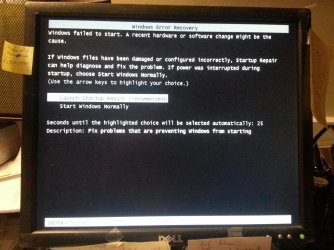
To summarize, you are saying that hiren's boot cd boots fine and is stable, but when you boot from the win7 install cd you get a bsod. You've been trying to rebuild your mbr but with no success because the win7 cd is failing.

I'd try using a different bootable tool than your win7 CD to rebuild your mbr. There is one in the link I posted back in #6, and here is another. FREE Rebuild MBR, repair MBR, fix MBR or MBR recovery with free EaseUS Partition Master, so give that/them a try

I just noticed you said earlier "This PC's OS was upgraded from VISTA-64 on the 2 partition of the 80GB HDD to W7-64 on first partition of 500GB HDD. The boot files are still on the VISTA partition." I am not sure what are the implications of that.
 

My Computer My Computer

At a glance

Win7 pro x64stock i7 7700kCorsair Vengeance LPX 16GB (2x8GB) DDR4 @ 320...integrated Intel HD 630
Computer type
PC/Desktop
Computer Manufacturer/Model Number
diy
OS
Win7 pro x64
CPU
stock i7 7700k
Motherboard
Gigabyte Z270N-WIFI mini-ITX
Memory
Corsair Vengeance LPX 16GB (2x8GB) DDR4 @ 3200MHz
Graphics Card(s)
integrated Intel HD 630
Sound Card
onboard Realtek ALC1220
Monitor(s) Displays
two vertically mounted samsung 55" 4k un55mu8000
Screen Resolution
1920x1280
Hard Drives
256GB Samsung EVO 960 M.2 pci-e NVMe SSD
PSU
SilverStone Nightjar ST45NF 450Watt Fanless
Case
No case. Motherboard is mounted directly onto power supply
Cooling
Evercool low profile 815EP with Panaflow 12L fan at 7v
Keyboard
Ortek MCK-86 mini
Mouse
Belkin 5-button USB
Internet Speed
spectrum 400mbps
Again Thanks, johnhoh,

- Your "To summarize" is correct. Just to be clear(er), BSOD happens for the W7 Repair and both W7 upgrade disks.
- The PC has worked well for years after the W7 upgrade.
- I will give your suggestions a try and report back findings after couple of days.
- Just a thought, since I have been able to recover most of my old personal files, would it be easier to format both Hard Drives and use the the W7 upgrade disk(s) to reload Win7 ? Not sure if W7 upgrade disk would work without seeing Vista.
 

My Computer My Computer

At a glance

Windows 7 Home Premium Home Edition 6.01.7600...AMD Athlon 64 X2 4000+ 2.10 Ghz2048 MB DDR2-SDRAM (1.87 MB usable)NVIDIA GeForce 6150SE nForce 430
Computer type
PC/Desktop
Computer Manufacturer/Model Number
Dell Inspiron 531
OS
Windows 7 Home Premium Home Edition 6.01.7600 (x64)
CPU
AMD Athlon 64 X2 4000+ 2.10 Ghz
Motherboard
Dell 0RY206 using latest version
Memory
2048 MB DDR2-SDRAM (1.87 MB usable)
Graphics Card(s)
NVIDIA GeForce 6150SE nForce 430
Sound Card
nForce 430 (MCP61) High Definition Audio
Monitor(s) Displays
Chuntex Electronic - CTX 18inch CRT
Screen Resolution
1280x1024 pixels at 85 Hz in True Colors (32-bit)
Hard Drives
- WD5000AACS (500 GB), three partitions with W7 on 1st + two data
- ST380815 (80 GB), two partitions with VISA removed from 2nd
Case
Dell (Mini Upright Desktop)
Cooling
GPU Fan - 100%
Keyboard
USB Input Device - Dell SK-8115
Mouse
USB Input Device - Dell M-UANDEL1
Internet Speed
ADSL 1.5mb download
Antivirus
Comodo CIS Freeware
Browser
FireFox, Chrome, IE
Other Info
- W7 upgraded from VISTA
- USB 3.0
- DVD-Rom:HL-DT-ST DVD-RAM GH22NS30 SCSI CdRom
- DVD-Rom:ATAPI DVD D DH16D2S SCSI CdRom
EasyUS & EasyRE Win7 Didn't Help Either

Johnhoh,

Tried your link below and wasn't able to fix my boot issue.

FREE Rebuild MBR, repair MBR, fix MBR or MBR recovery with free EaseUS Partition Master


I was able to download iso's for both easyUS Partition master and Easy Recovery Essentials and burn boot disks with following results:
- EasyUS would not load properly goes BSOD
- EasyRE loads well but doesn't allow me to see the three partitions of larger (500gm) HDD.

With my experience of last two weeks on this issue, Hiren's V15.2 works best since I can look at all three Part's/Big/HDD using Mini XP boot from Hiren's disk. I have copied the data partitions to an external USB 2TB HDD so If no one else has suggestions I will place this thread in "limbo," if that can be done. Maybe down the road my problem can be fixed.

If you don't respond, I thank you for all the advice you have provided; I've learned things and have new UT disks for future.

PS: What's you opinion (or anyone else) on my thought to reformat both or one HDD and try to reinstall W7?


http://www.partition-tool.com/easeus-partition-manager/rebuild-mbr.htm
 

My Computer My Computer

At a glance

Windows 7 Home Premium Home Edition 6.01.7600...AMD Athlon 64 X2 4000+ 2.10 Ghz2048 MB DDR2-SDRAM (1.87 MB usable)NVIDIA GeForce 6150SE nForce 430
Computer type
PC/Desktop
Computer Manufacturer/Model Number
Dell Inspiron 531
OS
Windows 7 Home Premium Home Edition 6.01.7600 (x64)
CPU
AMD Athlon 64 X2 4000+ 2.10 Ghz
Motherboard
Dell 0RY206 using latest version
Memory
2048 MB DDR2-SDRAM (1.87 MB usable)
Graphics Card(s)
NVIDIA GeForce 6150SE nForce 430
Sound Card
nForce 430 (MCP61) High Definition Audio
Monitor(s) Displays
Chuntex Electronic - CTX 18inch CRT
Screen Resolution
1280x1024 pixels at 85 Hz in True Colors (32-bit)
Hard Drives
- WD5000AACS (500 GB), three partitions with W7 on 1st + two data
- ST380815 (80 GB), two partitions with VISA removed from 2nd
Case
Dell (Mini Upright Desktop)
Cooling
GPU Fan - 100%
Keyboard
USB Input Device - Dell SK-8115
Mouse
USB Input Device - Dell M-UANDEL1
Internet Speed
ADSL 1.5mb download
Antivirus
Comodo CIS Freeware
Browser
FireFox, Chrome, IE
Other Info
- W7 upgraded from VISTA
- USB 3.0
- DVD-Rom:HL-DT-ST DVD-RAM GH22NS30 SCSI CdRom
- DVD-Rom:ATAPI DVD D DH16D2S SCSI CdRom
Back
Top