JavaScript is disabled. For a better experience, please enable JavaScript in your browser before proceeding.
You are using an out of date browser. It may not display this or other websites correctly.
You should upgrade or use an
alternative browser .
Solved Strange clock display problem
I have a some strange problem on my Windows 7 Ultimate x86.
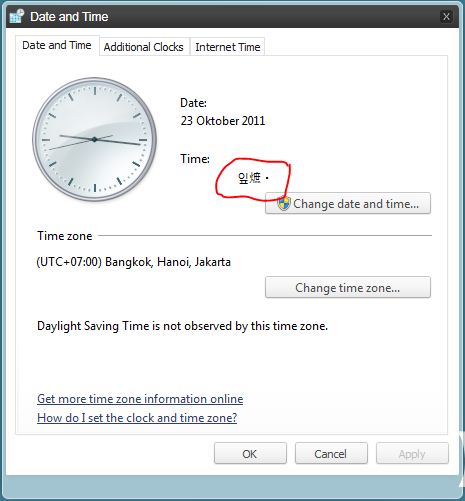
In Date and Time applet, time display control displays some strange characters like below:
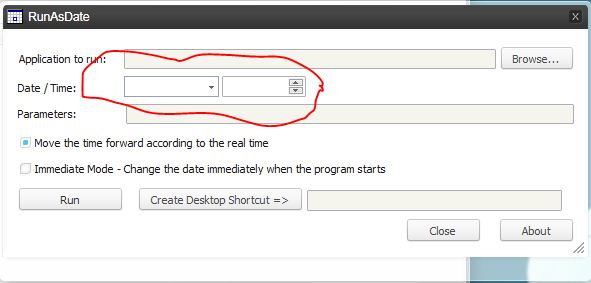
Also in some applications that use Time and Date control it does not work. It displays nothing when I clicked or select a date on it:
Perhaps anyone can give some pointer on how to fix it? Thanks in advance.
Helping Hand
Guru
Gold Member
VIP
Open Region and Language by clicking the Start button , clicking Control Panel, clicking Clock, Language, and Region, and then clicking Region and Language.
Click the Location tab, select your location from the list, and then click OK.
I think you have your region settings wrong. Those are kanji , either chinese or japanese I can't be sure off the top of my head.
Computer Manufacturer/Model Number Insane hobo technologies. ;-) OS Windows 7 x64 CPU Intel i7 2600k Motherboard Asrock z68 extreme 4 gen 3 Memory G.skill Ripjaw 16gigs @ 1866 Graphics Card(s) Nvidia gtx580 (evga) Sound Card Integrated HD audio + hdmi Monitor(s) Displays 24" ASUS widescreen + 42" insignia Screen Resolution 1080p (1920x1080) Hard Drives 128 Samsung 830 PSU 1 kilowatt SLI/Crossfire rated Silverstone modular Case NZXT Phantom + additional 220 fan Cooling Zalmann Keyboard Microsoft wireless 3000 (v2) Mouse MS - wireless 5000 (bluetrack) Internet Speed depends on if you ask me or my provider. Other Info The above information is provided as is, and the author assumes no responsibility for issues it may cause with your sanity or fanboyism.
New member
Thread Starter
Thanks for your answer. Strange characters displayed on time and date applet always change whenever I open it. Sometimes it displays arabic characters, some non-sense characters etc.
But finally I can fix it by changing my time format to English (US). Previously I had Indonesian. Strange glitch, though :\
Oh well, thanks. My problem is now solved