Strange icon in system tray

Rhino1272

New member
Local time
6:15 PM
Messages
5
So this icon -->
6a6azsw
shows up every now and then in my system tray. However, when I go to hover over it, it disappears. Any ideas on what it might be?
 
Last edited by a moderator:

My Computer My Computer

Computer Manufacturer/Model Number
Cyberpower PC
OS
Windows 7
CPU
Intel(R) Core(TM)2 Quad CPU Q9400 @ 2.66 GHz
Memory
8 GB
Graphics Card(s)
ATI Radeon HD 4800 Series
Sound Card
Built in
Monitor(s) Displays
28" Hanns G 2ms refresh rate
Hard Drives
1TB
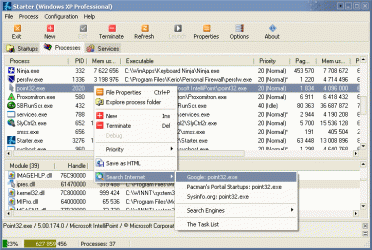
You can use CodeStuff :: Starter - Processes tab.
to see what processes are running on the system, but unlike standard Task Manager,
Codestuff Starter SHOWS ICONS of all programs.
Please determine that process by icon and post results.

Sample image from their website is in attachment.
 

Attachments

  • shot_starter_processes.gif
    shot_starter_processes.gif
    30.1 KB · Views: 17

My Computer My Computer

Computer type
PC/Desktop
OS
Windows 8.1 ; Windows 7 x86 (Dec2008-Jan2013)
Other Info
"The scale icon at the top right of a post or tutorial is how you can give rep to the member."
Downloaded, installed, did not see the icon. Good suggestion though!
 

My Computer My Computer

Computer Manufacturer/Model Number
Cyberpower PC
OS
Windows 7
CPU
Intel(R) Core(TM)2 Quad CPU Q9400 @ 2.66 GHz
Memory
8 GB
Graphics Card(s)
ATI Radeon HD 4800 Series
Sound Card
Built in
Monitor(s) Displays
28" Hanns G 2ms refresh rate
Hard Drives
1TB
In msconfig>Startup uncheck everything except AV and gadgets. Check back after restarts to see if anything has written itself back in and turn it off in its program Preferences or uninstall. Startup Programs - Change

Next in msconfig>Services choose "Hide all MS services" then see what is running without your permission, uncheck all u didn't start yourself, check back that they don't return.

Now you have a clean boot. Nothing should exist in the System tray except AV, Notifications, connection, volume.
 
So this icon -->
6a6azsw
shows up every now and then in my system tray. However, when I go to hover over it, it disappears. Any ideas on what it might be?


That is the Blizzard Downloader. Do you play Starcraft or Word of Warcraft perhaps? It is the patch downloader that runs in the background. You can safely disregard it.

Snarks
:cool:
 

My Computer My Computer

Computer Manufacturer/Model Number
Dell Precision M4400
OS
Windows 7 Ultimate x64 SP1
CPU
Intel Core 2 Duo @ 2.4 ghz
Motherboard
Intel
Memory
4 GB
Graphics Card(s)
Nvidia Quadro 7700x
Sound Card
Onboard
Monitor(s) Displays
Dell LCD
Screen Resolution
1440x900
PSU
Absolutely! How else would this hunk o' junk run?
Solved! Yes I do play WOW on occasion. :D

Thank you so much for solving this for me. I can rest easy now.
 

My Computer My Computer

Computer Manufacturer/Model Number
Cyberpower PC
OS
Windows 7
CPU
Intel(R) Core(TM)2 Quad CPU Q9400 @ 2.66 GHz
Memory
8 GB
Graphics Card(s)
ATI Radeon HD 4800 Series
Sound Card
Built in
Monitor(s) Displays
28" Hanns G 2ms refresh rate
Hard Drives
1TB
Back
Top