Stuck on Starting Windows screen

kk1984

New member
Local time
6:43 AM
Messages
3
Many of the threads I have found on here regarding being stuck on the starting windows screen did not cover my issue. My computer was running very slow yesterday while I was playing a game, and my internet browsing was also slow. I started to shut it down for a quick restart and nothing really wanted to shut down, so I forced it down manually. Ever since then, the computer does not want to move past the starting windows screen.

It prompts me to either run the system repair or start normally. System repair takes me to a black screen, no cursor, and just sits there. Starting normally makes me stay stuck on the starting windows screen. No amount of time makes it move forward. I cannot get into my system to run an OS repair from the disk, I can't access Safe Mode, I can't log in to get administrator rights, I can't do ANYTHING. No amount of time letting it sit unused will make it "cool down" - I thought maybe my fans running a little hot and loud was a problem.

Can someone help?

Wanted to add as well - being as how I'm not very computer savvy when it comes to these things, I can't give you a good idea of what I'm running in the system. I built it through iBuyPower a few years back, and since I can't access anything on my system, I can't do any sort of diagnostic or system analysis to post that kind of information.
 

My Computer

Computer type
PC/Desktop
OS
Windows 7 Home Premium x64
This is a very basic answer but a cure for your problems. If you have backed up your important files e.g. music, videos etc. then use your operating system disk to reinstall the entire system. You had your computer built for you, they would have sent a recovery disk or disks to reinstall the system with the computer (in most cases this is done with custom builds).

Find the first disk in the set (there maybe only one disk) pop it into the disk drive, force the computer to power down (hold the power button in for 5 seconds). Then power on the computer. When the boot screen appears press the key that allows you to choose which device to boot from and choose the disk drive. The boot screen will show the keys to press for just a few seconds. Like F12 for boot device. Not all BIOS versions use the same keys. Just look and note the keys that are referred to your boot screen. It may sneak by you the first time but once you have noted the correct key to press, you'll be all set for the next boot-up.

If you do not have that option then you need to enter BIOS by pressing whatever key will allow you to enter Setup or BIOS. Once you're in the BIOS chip (screen) you can change the boot order so the disk drive (optical drive) is in the first position. When you power on the computer the machine will look at your disk drive first and see the recovery disk. Once the disk information loads you'll be prompted with a few questions. My advise is always perform a new installation.

Hope that helps.
 
Last edited:

My Computer

Computer type
PC/Desktop
Computer Manufacturer/Model Number
Custom Build Feb 2015
OS
Windows 7 64 Bit
CPU
AMD FX 8350 8 Core
Motherboard
Asus M5A97 R2.0
Memory
Corsair Vengeance Pro 16GB 2x8GB DDR3 2400MHz
Graphics Card(s)
EVGA GeForce GTX 970 4GB
Monitor(s) Displays
BenQ RL2455HM 24' 1920x1080 1ms
Screen Resolution
1280 x 1024
Hard Drives
Samsung SSD 250 GB
Secondary: WD HDD 600GB
PSU
Corsair 750
Case
NZXT Phantom 410 Mid Tower USB 3.0 Gaming Case
Cooling
Corsair Hydro H60 Liquid CPU Cooler
Internet Speed
100mbps
Browser
IE, GC and FF
Tweaker~ thanks for the response. I got into the BIOS setup and changed the "first boot device" to cdrom, saved, and it restarted my computer and took me to the Windows Error Recovery page where I can choose to launch the repair or start Windows normally. Either option leads me to a dead end. I don't even hear the Cd drive working. Repair gives me a black screen for 5 minutes followed by a distorted blue Windows screen and a large cursor - sort of how safe mode enlargens icons - and starting normally I get stuck on the Starting Windows screen and the Microsoft Icon stops pulsating. I have no clue what to do now.
 

My Computer

Computer type
PC/Desktop
OS
Windows 7 Home Premium x64
Last edited:

My Computer

Computer type
PC/Desktop
Computer Manufacturer/Model Number
Built them myself, Science Experiments !
OS
Win7 Enterprise, Win7 x86 (Ult 7600), Win7 x64 Ult 7600, TechNet RTM on AMD x64 (2.8Ghz)
CPU
AMD fx8350 4ghz, AMD-32 2400mhz, AMD-64 3200mhz, AMDx64 2.8G
Motherboard
SIS 755, ECS-K8M890M-M (Ult 7600), GigaByte & others
Memory
2gb, 4gb on the Ult 7600, 4gb on Technet RTM, 32gb on FX8350
Graphics Card(s)
Draw my own Graphics, several nVidia cards
Sound Card
on motherboard
Monitor(s) Displays
19" flat scr, 28" I-Inc widescr,22" Emprex Widescr, 23" Acer
Screen Resolution
1280 x 1024, 1440 x 900, 1920 x 1080
Hard Drives
6 pata Ide HD's & 2 Sata HD's
added 80gb external on Ult 7600 computer,
numerous extra 1tb, 2TB, 3Tb SATA HD's
A collection of ext HD Docks w/ HDs
PSU
430w, 550w, 600w, 700, 800, etc
Case
All Generic Full Towers
Cooling
Open Air & a few fans, some w/ colored LEDs
Keyboard
Compaq & Dell recycled from GoodWill
Mouse
Made in China Optical Wired Mouse
Internet Speed
Fast Cable InterNet
Antivirus
AVG Free on 24 different Desktops, NO Problems!
Browser
IE 8 is preferred, but use FireFox sometimes
Other Info
Linksys Routers, switches, & Hubs
Too Many USB Flash Drives to count, Biggest is 64GB !
Eight computers in my home network.
Sixteen computers at my business network.
Linked via TeamViewer !
Lots of old used spare computer parts everywhere!
Do you have a Windows Boot or Recovery Disk?
 

My Computer

Computer type
PC/Desktop
Computer Manufacturer/Model Number
Custom Build Feb 2015
OS
Windows 7 64 Bit
CPU
AMD FX 8350 8 Core
Motherboard
Asus M5A97 R2.0
Memory
Corsair Vengeance Pro 16GB 2x8GB DDR3 2400MHz
Graphics Card(s)
EVGA GeForce GTX 970 4GB
Monitor(s) Displays
BenQ RL2455HM 24' 1920x1080 1ms
Screen Resolution
1280 x 1024
Hard Drives
Samsung SSD 250 GB
Secondary: WD HDD 600GB
PSU
Corsair 750
Case
NZXT Phantom 410 Mid Tower USB 3.0 Gaming Case
Cooling
Corsair Hydro H60 Liquid CPU Cooler
Internet Speed
100mbps
Browser
IE, GC and FF
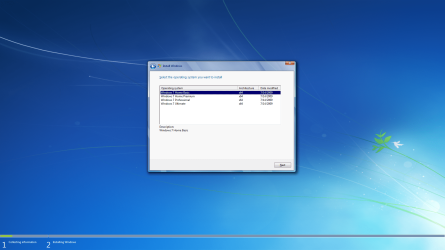
I am using Win7 x64 premium home. I have a Win 7 disk for 64 bit but I don't know that it's the one I got with my computer. My roommate has a Win7 x64 disk floating around too so what I have might be his copy. Don't know if that matters or not.
 

My Computer

Computer type
PC/Desktop
OS
Windows 7 Home Premium x64

My Computer

Computer type
PC/Desktop
Computer Manufacturer/Model Number
Home Built Desktop By DataTech
OS
Windows 7 Ultimate X64 SP1
CPU
Intel i5-2550K, Differing ~4.4-4.8GHz No built in GPU
Motherboard
ASUS P8Z68-V PRO/GEN3
Memory
16GB G.Skill Sniper 1866MHz @ 2133MHz 2x8GB
Graphics Card(s)
ASUS GTX650TIB-DC2OC-2GD5, (650TI Boost)
Sound Card
Onboard Realtek 5-1
Monitor(s) Displays
Samsung P2570HD
Screen Resolution
1920x1080
Hard Drives
Samsung 840 Pro 256GB SSD for OS, 500GB Seagate Constellation (Enterprise drive) for Data
PSU
Corsair HX650W
Case
Inwin Dragon Rider
Cooling
Hyper 212 EVO w/two Noctua fans, push-pull, @1300 RPM
Keyboard
E-Z Eyes, bright yellow keys with large characters
Mouse
steelseries SENSEI Laser Pro Gaming
Internet Speed
48-51Mbs Mbs down, 11 Mbs up Xfinity Cable
Antivirus
Norton Internet Security 2013
Browser
IE 10, Opera, Pale Moon if needed
Other Info
4 case fans, LG BluRay-RE, ASUS DVD-RW, Mr. Fusion power supply, 1.21 gigawatts.

Attachments

  • All_in_One_Win7_DVD_x64bit.png
    All_in_One_Win7_DVD_x64bit.png
    429.2 KB · Views: 4

My Computer

Computer type
PC/Desktop
Computer Manufacturer/Model Number
Built them myself, Science Experiments !
OS
Win7 Enterprise, Win7 x86 (Ult 7600), Win7 x64 Ult 7600, TechNet RTM on AMD x64 (2.8Ghz)
CPU
AMD fx8350 4ghz, AMD-32 2400mhz, AMD-64 3200mhz, AMDx64 2.8G
Motherboard
SIS 755, ECS-K8M890M-M (Ult 7600), GigaByte & others
Memory
2gb, 4gb on the Ult 7600, 4gb on Technet RTM, 32gb on FX8350
Graphics Card(s)
Draw my own Graphics, several nVidia cards
Sound Card
on motherboard
Monitor(s) Displays
19" flat scr, 28" I-Inc widescr,22" Emprex Widescr, 23" Acer
Screen Resolution
1280 x 1024, 1440 x 900, 1920 x 1080
Hard Drives
6 pata Ide HD's & 2 Sata HD's
added 80gb external on Ult 7600 computer,
numerous extra 1tb, 2TB, 3Tb SATA HD's
A collection of ext HD Docks w/ HDs
PSU
430w, 550w, 600w, 700, 800, etc
Case
All Generic Full Towers
Cooling
Open Air & a few fans, some w/ colored LEDs
Keyboard
Compaq & Dell recycled from GoodWill
Mouse
Made in China Optical Wired Mouse
Internet Speed
Fast Cable InterNet
Antivirus
AVG Free on 24 different Desktops, NO Problems!
Browser
IE 8 is preferred, but use FireFox sometimes
Other Info
Linksys Routers, switches, & Hubs
Too Many USB Flash Drives to count, Biggest is 64GB !
Eight computers in my home network.
Sixteen computers at my business network.
Linked via TeamViewer !
Lots of old used spare computer parts everywhere!
Back
Top