OK. I need help.
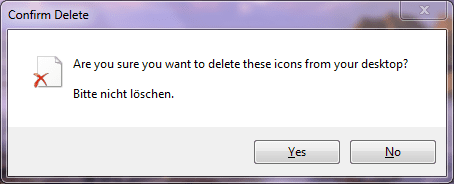
There is an unknown file on the desktop which wont go. If I delete, it comes back if I refresh the desktop. When I right click on this file, there are only 3 options: Cut, Create Shortcut and Delete.

I have scanned my computer with Hitman Pro, MBAM, Windows Defender and Norton 360 V4. None of them detects anything. Any idea what is this and how do I get rid off this file?
Thanks,
Dinesh.
There is an unknown file on the desktop which wont go. If I delete, it comes back if I refresh the desktop. When I right click on this file, there are only 3 options: Cut, Create Shortcut and Delete.
I have scanned my computer with Hitman Pro, MBAM, Windows Defender and Norton 360 V4. None of them detects anything. Any idea what is this and how do I get rid off this file?
Thanks,
Dinesh.
My Computer
- Computer Manufacturer/Model Number
- Samsung NP530U4B-S02IN
- OS
- Windows® 8 Pro (64-bit)
- CPU
- Intel® Core™ i5 Processor 2467M (1.60GHz, 3MB L3 Cache)
- Motherboard
- Samsung Electronics
- Memory
- 6GB DDR3 System Memory at 1,333MHz (on BD 4GB + 2GB x 1)
- Graphics Card(s)
- AMD Radeon™ HD7550M 1GB DDR3 (Ext. Graphic)
- Sound Card
- Realtek High Definition Audio
- Monitor(s) Displays
- 35.56cm (14.0) SuperBright 300nit HD LED Display
- Screen Resolution
- 1366x768
- Hard Drives
- 1TB S-ATA II Hard Drive (5400RPM) with ExpressCache 16GB SSD
- Internet Speed
- sucks
- Antivirus
- Microsoft Security Essentials
- Browser
- Google Chrome (Sync enabled)