
No idea what happened just turned on my laptop and boom, my SVGS suddenly want to be opened by Google Chrome instead of my vector program, Inkscape. I thought, no big deal, even though I didn't change anything, probably just an error, I'll just revert back by using "Choose Default Program".
Yet, the SVG icons still show a big Google Chrome Icon and they refuse to be opened by Inkscape through normal double click means.
Any help is appreciated.
Windows 7 Professional.
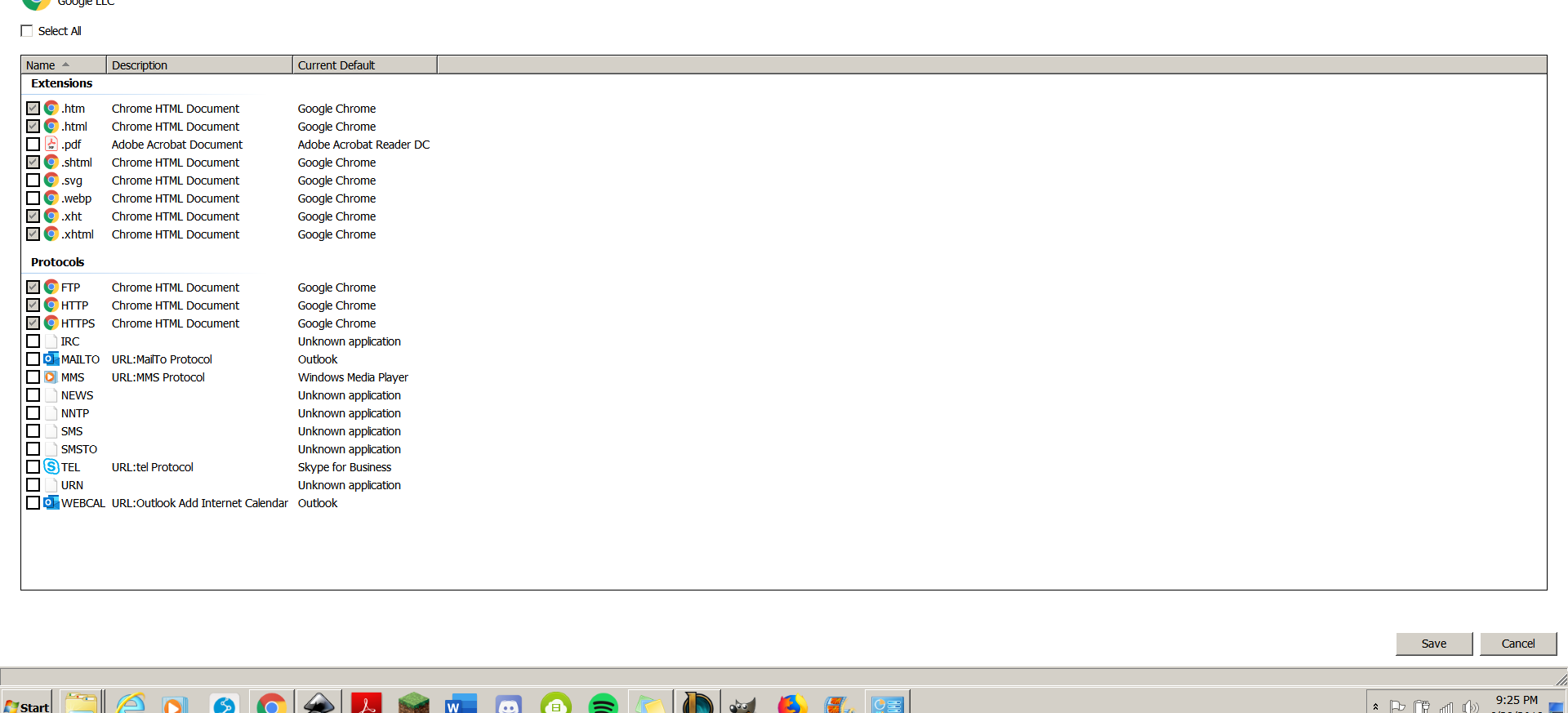
In the picture below it shows Google Chrome isn't set to open SVG files and yet, the SVG thumbnails still show a Google Chrome logo.
Yet, the SVG icons still show a big Google Chrome Icon and they refuse to be opened by Inkscape through normal double click means.
Any help is appreciated.
Windows 7 Professional.
In the picture below it shows Google Chrome isn't set to open SVG files and yet, the SVG thumbnails still show a Google Chrome logo.
My Computer
At a glance
Windows 7 Professional 64 bit
- Computer type
- Laptop
- Computer Manufacturer/Model Number
- HP
- OS
- Windows 7 Professional 64 bit
- Browser
- Google Chrome