Swapping HDD for SSD using System Image Creator

resvo

New member
Local time
4:28 AM
Messages
1
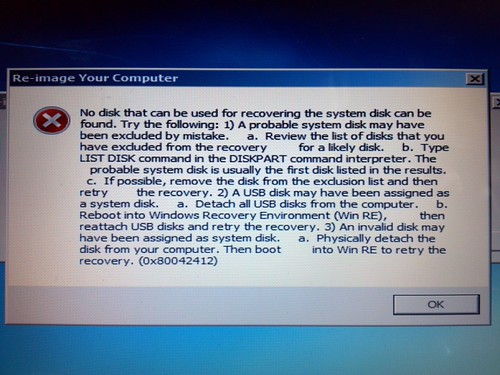
Two weeks ago my laptop harddrive (Toshiba - 500GB) started to fail, so I created a system image and tried replacing the HDD with a SSD (OWC - 240GB) after getting an error I figured out I needed to use a HDD that was 500GB+ even though my system image was only a 115 GB file. So I got a Seagate 500GB drive and restored it with no problems. However, I'd still like to use the SSD so I partitioned the new C: drive down to 150GB and tried to create an system image of just the C: & System. But I'm still getting this error when I try to recover the system image to the SSD. Any thoughts? I'm following the exact steps that I used when I restored it to the Seagate HDD.
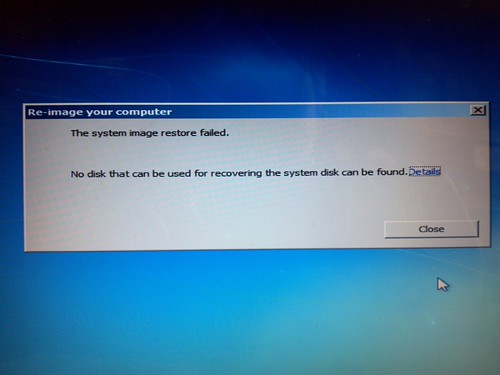
8250940592_cd8cc38c7f.jpg


Details:
8249872573_5abc5cbb59.jpg


Thanks in advance!
 

My Computer My Computer

OS
Windows 7 x64

My Computer My Computer

Computer Manufacturer/Model Number
Customized build from CyberPower
OS
Windows 7 Home Premium 64bit SP 1
CPU
Intel i5 2500k
Motherboard
Asus P8P67 Deluxe
Memory
8 gigabytes Corsair PC3-12800 DDR3
Graphics Card(s)
EVGA GeForce GTX 460 superclocked
Sound Card
Integrated
Monitor(s) Displays
ViewSonic 23" LCD
Screen Resolution
1980 x 1080
Hard Drives
120 Gb Samsung 840 Pro SSD
120 Gb Kingston Hyper X SSD
1 Tb WD Caviar Black HDD
PSU
Coolermaster 1000 watt modular
Case
Coolermaster HAF X full tower
Cooling
Coolermaster Hyper 212 plus
Keyboard
Logitech USB
Mouse
Microsoft 3 button
Internet Speed
download 1.5 Mb/sec upload 300Kb/sec
Back
Top