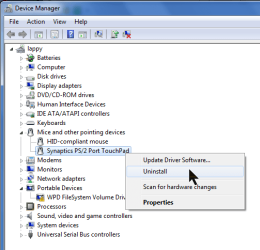
I was recently deleting items I didn't want running from HKEY_LOCAL_MACHINE\SOFTWARE\Microsoft\Windows\CurrentVersion\Run
Since I done this, Scroll on my Synaptics Touchpad does not work on startup unless I go into control panel, click mouse and then it just comes alive. I know it's not the end of the world but its annoying doing this every time I turn my laptop on.
On researching this problem iv'e since discovered msconfig and now realise this is a much easier and less destructive way to turn things off that I don't want running. On this point, there is nothing in msconfig startup for Synaptics for me to enable/disable.
Please help. Iv'e seen a thread on here very similar to this from 2 years ago but after 5 pages it was never solved.
Please someone help.
Thanks
Gary
Since I done this, Scroll on my Synaptics Touchpad does not work on startup unless I go into control panel, click mouse and then it just comes alive. I know it's not the end of the world but its annoying doing this every time I turn my laptop on.
On researching this problem iv'e since discovered msconfig and now realise this is a much easier and less destructive way to turn things off that I don't want running. On this point, there is nothing in msconfig startup for Synaptics for me to enable/disable.
Please help. Iv'e seen a thread on here very similar to this from 2 years ago but after 5 pages it was never solved.
Please someone help.
Thanks
Gary
My Computer
- Computer Manufacturer/Model Number
- samsung RC520-S02UK
- OS
- windows 7 home premium 64 bit
- Keyboard
- STANDARD PS/2 KEYBOARD