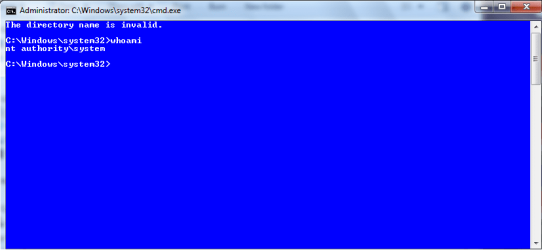
I am trying to make a System level command prompt show up in the Context (right click) menu.
I have used the Ultimate Windows Context Menu Customizer to see if I can open up a System Command Prompt from the right-click menu. Here is my code that I used to make it show up in the context menu:
runas /user:HP\Administrator "C:\Users\____\Downloads\PSTools\psexec -hsi cmd.exe && /L /k pushd %L
If you notice, I use the Psexec tool to start the System Level command prompt. And the reason why I use the Administrator account is because the Psexec tool cannot work with out administrative privilages. And also to add a level of security to it so that only I can start this System CMD. The code sorta works; i.e. It shows up in the context menu. But it only works with folders. I want to see if anyone can edit my code so that it will work for files, such as a picture. To be more specific, I want to see if anyone can make code that will open CMD to the file Directory that the file I right-clicked is in. For example:
Picture A is in Directory C:\Users\User\Pictures\ If I right-click Picture A, and press System command prompt, I want it to open with the directory C:\Users\User\Pictures\
Can anyone Help me out? Thanks
-Brand3n
I have used the Ultimate Windows Context Menu Customizer to see if I can open up a System Command Prompt from the right-click menu. Here is my code that I used to make it show up in the context menu:
runas /user:HP\Administrator "C:\Users\____\Downloads\PSTools\psexec -hsi cmd.exe && /L /k pushd %L
If you notice, I use the Psexec tool to start the System Level command prompt. And the reason why I use the Administrator account is because the Psexec tool cannot work with out administrative privilages. And also to add a level of security to it so that only I can start this System CMD. The code sorta works; i.e. It shows up in the context menu. But it only works with folders. I want to see if anyone can edit my code so that it will work for files, such as a picture. To be more specific, I want to see if anyone can make code that will open CMD to the file Directory that the file I right-clicked is in. For example:
Picture A is in Directory C:\Users\User\Pictures\ If I right-click Picture A, and press System command prompt, I want it to open with the directory C:\Users\User\Pictures\
Can anyone Help me out? Thanks
-Brand3n
My Computer
- Computer type
- PC/Desktop
- Computer Manufacturer/Model Number
- HP
- OS
- Windows 7 Home Premium 64-bit SP1
- CPU
- AMD Athlon II X4 640
- Antivirus
- Microsoft Security Essentials and Spybot