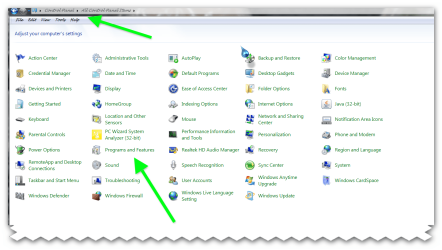
Hello everyone, my problem is that system32 folder opens when it shouldn't and things that should happen won't happen when it opens. I've encountered this problem only in the task bar and start menu so far. I've also tried to restore my PC to the earliest restore point, but it didn't help. I first noticed this problem with Windows Live Messenger. Here are some screenshots that I've edited:

Things that are inside red rectangles do not work when I click them and only open system32 folder.

However, not all of those do that, for example Paint:

Here are some examples from task bar:


Things inside blue rectangles work as intended.
As you can see, some things work well and some not at all.
Finally, here is system32, the folder which opens every time I click one of those things inside red rectangles.

My PC is Acer Aspire X3400 (or AX3400) with Windows 7 Home Premium 64-bit, AMD Phenom II X4 820 quad-core processor, 8GB DDR3 memory, 1TB hard drive and NVIDIA GeForce GT320. I've scanned my PC with McAfee Internet Security Suite which came with the computer already paid for a month or two, avast! Antivirus free and quick scan with Malwarebytes' Anti-Malware.
Is this system32-problem something I should be worried about? How can I fix it?
Thanks in advance, and please let me know if something missed from my post.

Things that are inside red rectangles do not work when I click them and only open system32 folder.

However, not all of those do that, for example Paint:

Here are some examples from task bar:


Things inside blue rectangles work as intended.
As you can see, some things work well and some not at all.
Finally, here is system32, the folder which opens every time I click one of those things inside red rectangles.

My PC is Acer Aspire X3400 (or AX3400) with Windows 7 Home Premium 64-bit, AMD Phenom II X4 820 quad-core processor, 8GB DDR3 memory, 1TB hard drive and NVIDIA GeForce GT320. I've scanned my PC with McAfee Internet Security Suite which came with the computer already paid for a month or two, avast! Antivirus free and quick scan with Malwarebytes' Anti-Malware.
Is this system32-problem something I should be worried about? How can I fix it?
Thanks in advance, and please let me know if something missed from my post.
My Computer
- Computer Manufacturer/Model Number
- Custom
- OS
- Windows 7 Home Premium 64-bit
- CPU
- AMD Phenom II X4 820 quad-core processor
- Memory
- 8GB DDR3
- Graphics Card(s)
- NVIDIA GeForce GTX 560
- Monitor(s) Displays
- Acer X243HQ
- Screen Resolution
- 1920x1080
- Hard Drives
- 1 TB
- PSU
- Antec High Current Gamer 520W
- Case
- Xigmatek Midgard Pure Black
- Keyboard
- Standard
- Mouse
- Standard