Talk slow, and don't use big words

geggabc

New member
Local time
9:48 AM
Messages
1
I have a Toshiba Satellite C670 with Windows 7 home edition. It has been locking up when watching videos. The only way out is to shut down. I notice that it has started locking up while on any page now. If I can get this all typed out, I'll be lucky. When it locks up, the screen becomes distorted. I notice that when I try to open a page, like Yahoo.ca, it will come up, with nothing but the tool bar, and I will have to click the home button in order to finish loading. Same goes for any other window I try to view. I am not computer literate, but I can follow instructions, and have managed to reformat my old PC before. Any help would be awesome. I thought about doing a reformat on this, as it was purchased at a box store as an operating system, but my daughter has pealed the product key off the bottom of the laptop.
 

My Computer My Computer

At a glance

Home Premium
Computer type
Laptop
Computer Manufacturer/Model Number
Toshiba
OS
Home Premium

My Computer My Computer

At a glance

W7 Pro x64 SP1 | W10 Pro IP x64 | W8.1 Pro x6...i7-4790k @ 4GHz (4.4GHz Boost)16GB DDR3 Kingston HyperX Fury @ 1600MHz CL 9...EVGA GTX 980 Classified
Computer type
PC/Desktop
Computer Manufacturer/Model Number
Custom Build
OS
W7 Pro x64 SP1 | W10 Pro IP x64 | W8.1 Pro x64 VM | Linux Mint VM
CPU
i7-4790k @ 4GHz (4.4GHz Boost)
Motherboard
ASUS Sabertooth Z87 (BIOS Rev 2004)
Memory
16GB DDR3 Kingston HyperX Fury @ 1600MHz CL 9-9-9-27
Graphics Card(s)
EVGA GTX 980 Classified
Sound Card
Realtek Onboard
Monitor(s) Displays
Samsung S27D390
Screen Resolution
1920 x 1080
Hard Drives
240GB Intel 520 Series SSD |
Samsung 850 EVO 120GB SSD |
2TB WD Caviar Black |
2TB WD Caviar Green
PSU
Corsair HX850-80 Gold Modular
Case
Cooler Master Silencio 650
Cooling
Corsair H80i w/2 x Corsair SP120 | 2 x 120mm Noctua NF-S12B
Keyboard
Microsoft Sidewinder X4
Mouse
Gigabyte M6900 optical
Internet Speed
152mb
Antivirus
F-Secure
Browser
Firefox 38.0
Other Info
Backup Rig: Win 7 Pro 64-bit | AMD A10-5800k | ASUS F2A85-V Pro | 8GB Samsung DDR3 @1600MHz | 120GB Toshiba SDD | 2TB Seagate HDD | Cooler Master Silencio 550
That laptop should have a recovery partition on it which I think you can get to by booting and pressing the F12 key.
 

My Computer My Computer

At a glance

Windows 10 22H2 ProIntel(R) Xeon W-10885M2x 32 GB DDR4 ECC memory (128 GB max)Intel onboard GPU 1080p - Quadro RTX 5000 Max...
Computer type
Laptop
Computer Manufacturer/Model Number
Dell Precision 15 7550 Workstation
OS
Windows 10 22H2 Pro
CPU
Intel(R) Xeon W-10885M
Motherboard
Dell
Memory
2x 32 GB DDR4 ECC memory (128 GB max)
Graphics Card(s)
Intel onboard GPU 1080p - Quadro RTX 5000 Max-Q GPU 4K
Hard Drives
1TB Samsung 9100 Pro main M2 SSD
2x 2TB Samsung 9100 Pro temp storage M2 SSD (6 TB max)
Mouse
Logitech MX-25 Bluetooth
Internet Speed
slow
Antivirus
MS
Browser
Pale Moon 34.x.x - x64 AVX2 build
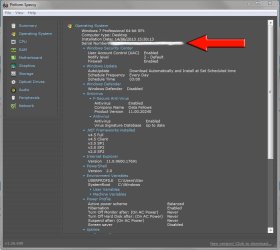
Unless you've already done a Clean Reinstall Windows 7 with the Product Key on the COA sticker, then the Product key which will be audited by a keyfinder like Speccy is the Factory batch key used to activate at factory. This cannot be used to reactivate a reinstall.

To get the PC to function well enough to either continue with it or prepare for recovery, try turning off all of the Toshiba crapware at boot. Type msconfig in Start Search box, on Startup tab uncheck everything, click Apply. Then on Services tab, tick the box to Hide all MS Services, uncheck everything and click Apply then OK. Uninstall your AV and install lightweight Microsoft Security Essentials to compare. Now reboot the PC. Any difference? If so proceed to further Clean Up Factory Bloatware and report back exact remaining problems.

If you still prefer to do a reinstall, how about trying Factory Recovery? Back up your files as shown in the blue link tutorial above so you don't forget anything, create Toshiba Recovery media in case Recovery fails when run from the hard drive: Creating system recovery media using the Toshiba Recovery Media Creator utility

Then hold down the 0 key and power on the PC. After a pause it should start loading the files for recovery and warn you that everything will be wiped out. If it runs correctly you will be back to exactly the condition when it came from factory. How To: Perform system recovery - Windows 7 - TOSHIBA FORUMS

Then what I would do is work through the steps to Clean Up Factory Bloatware so that you regain some performance lost to the factory bloatware, which cripples WIn7 and will never be anywhere near a Clean Reinstall. The biggest relief will be to turn off all Startups and Services (after Hiding MS Services) in msconfig as shown in the tutorial. Then uninstall the bloatware anti-virus and install one of the recommended lightweight ones. By the time you've worked through all steps you should have regained about 70% or better of WIndows native perfect performance.

If problems persist post back for more help and start working through the Troubleshooting Steps for Windows 7 which will go over your PC thoroughly to resolve problems.

Otherwise if Recovery fails you can contact Toshiba to ask for Recovery disks.

 
Laptop is circa 2011, that's a lot of time gone now for a laptop, was routine maintenance/checks performed on it?
[cleaning cookies and internet files, could be clogged with a million files if never was and heavily used 3-4 years, and defragment the hard drive]

Vents clear of dusts/debris? (heat issues)

Was it used with a cooling pad? (heat issues)

What I found researching was that it likely has a low-end Intel CPU (i3-2310M) in it, and if typical, probably has a 5400RPM hard drive. (slower one)

I'd be running CCleaner on it (amongst other things) and checking for viruses/malware too, way before doing a full reinstall, which might get ugly since it was an OEM and probably won't just let you reinstall it.

You go through tutorial for checking the integrity of the windows system files?
 

My Computer My Computer

At a glance

Windows 7 Ultimate Retail Box (64-bit install...AMD FX-8350 CPU v1.15 (or 1.0F) BIOS was requ...8G CAS-7 G-Skill DDR3 @1333 (2 fours) [mobo n...Radeon HD 7950 [3 gigs of GDDR5] MSI Twin Fro...
Computer type
PC/Desktop
Computer Manufacturer/Model Number
Self Built Custom
OS
Windows 7 Ultimate Retail Box (64-bit installed) + Service Pack 1
CPU
AMD FX-8350 CPU v1.15 (or 1.0F) BIOS was required!
Motherboard
MSI 890FXA-GD70
Memory
8G CAS-7 G-Skill DDR3 @1333 (2 fours) [mobo nonOC max rec'd]
Graphics Card(s)
Radeon HD 7950 [3 gigs of GDDR5] MSI Twin Frozr model
Sound Card
Realtek High Definition Audio (onboard mobo, ALC-889 chip)
Monitor(s) Displays
2 WS LED Monitors: One LG One Viewsonic
Screen Resolution
1920 by 1080
Hard Drives
SSD for OS: Samsung 840 Pro
SSD for VM and utilities: Adata SX900
7200 RPM SATA HDs for the rest: Hitachi and Seagate
PSU
Corsair TX850 - 850W max, in service since August 2010.
Case
Thermaltake Armor A90
Cooling
Thermaltake Spin Q CPU Cooler, in service since August 2010
Keyboard
Logitech G11
Mouse
Logitech M310 Wireless
Internet Speed
100 Megabit broadband supposedly upgraded from 50 (Cable)
Antivirus
Bitdefender Internet Security 2014 suite
Browser
Pale Moon 64-bit main, also IceDragon, Opera, and Maxthon.
Other Info
CompTIA A+ certified (220-800 series) in July 2013.
Back
Top