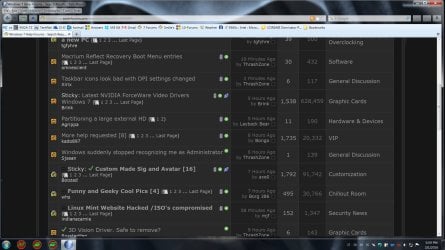
So I'm using a widescreen monitor now after years of a 4:3 one, I have it set to the recommended 1920x1080, and I have the DPI set to medium (125%) since without it everything is way too small for me.
It looks pretty alright for the most part, but taskbar icons, particulary the ones in the bottom right, some look extremely pixelled. I read somewhere that for whatever reason Windows 7 doesn't automatically choose a more appropriate icon size in this case and just goes for a 16x16 and lets the magnifier do the rest, resulting in it looking ugly.
Is there a way to force Windows to use one of the higher quality icons for the taskbar? I don't mind if it's a third party tweaking program as long as it does it.
It looks pretty alright for the most part, but taskbar icons, particulary the ones in the bottom right, some look extremely pixelled. I read somewhere that for whatever reason Windows 7 doesn't automatically choose a more appropriate icon size in this case and just goes for a 16x16 and lets the magnifier do the rest, resulting in it looking ugly.
Is there a way to force Windows to use one of the higher quality icons for the taskbar? I don't mind if it's a third party tweaking program as long as it does it.
My Computer
- Computer type
- PC/Desktop
- Computer Manufacturer/Model Number
- Custom Build
- OS
- Windows 7 Ultimate 64
- CPU
- Intel(R) Core(TM) i5 CPU 750 @ 2.67GHz
- Motherboard
- ASUSTeK Computer INC. P7P55D-E LX
- Memory
- 12.00 GB
- Graphics Card(s)
- ATI Radeon HD 5700 Series (1 gig I think)
- Sound Card
- (1) M-Audio Revolution 5.1 (2) AMD High Definition Audio D
- Monitor(s) Displays
- Asus VE278H 27"
- Screen Resolution
- 1920x1080
- Hard Drives
- (1) MAXTOR STM3250310AS ATA Device (2) ST2000DM001-1CH164 ATA Device (3) ST2000DM001-1ER164 ATA Device (4) WDC WD10EARS-22Y5B1 ATA Device (5) Generic USB SD Reader USB Device
- PSU
- OCZ700