
I upgraded from Vista Home Premium 32bit to Windows 7 Home Premium 32bit today. The install went smoothly (I've installed/upgraded many OS's times in my days), but I'm having a weird issue. Since I've upgraded my laptop, no taskbar buttons appear for open windows - I have to rely on Alt+Tab to navigate. I'm not new to Windows 7, so I'm well aware of the newbie issue of adjusting to the "super" taskbar, and have tried every trick I know. Searching endlessly, I have not come across the exact same issue, and am driving myself crazy.
For reference, I've tried the following:
- Switching to/from combine, don't combine, combine when full on properties
- Restoring to before updates
- Booting off disc and repairing - no issues found
- Checking registry for correct values
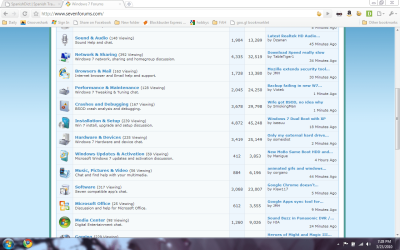
I've included a screen grab (desktop.png) to show what I'm seeing. As you can see, I can pin programs - but they don't expand into a window button when opened, hence the Alt+Tab switching. Any insight would be awesome. Thanks.
In addition, my Vista was a fresh install of only about 1 month - original HDD went south.
EDIT: More information - another thing I've tried...
I used to use Taskbar Repair Tool Plus! for XP, and it fixed problems in the past. Since it's made for XP, I passed-over trying it. However, I tried it this morning, and it had some progress.
In the program I chose "Minimized programs are missing" and it semi-fixed it - not really. Basically, once it restarts the shell, I see the expanded buttons, but no text. Once I close the program window for the tool, only pinned programs that were present prior to running the repair tool minimize/maximize - and as a combined button only. Also, even though I can minimize/restore the window, it only works for one window (i.e. multiple windows of Chrome won't show up).
I've included another screen grab (desktop2.png). It shows that the two pinned programs show in the taskbar, but that the non-pinned does not. BTW, to avoid an obvious question - my CPU shows 100% because I run folding@home.
For reference, I've tried the following:
- Switching to/from combine, don't combine, combine when full on properties
- Restoring to before updates
- Booting off disc and repairing - no issues found
- Checking registry for correct values
I've included a screen grab (desktop.png) to show what I'm seeing. As you can see, I can pin programs - but they don't expand into a window button when opened, hence the Alt+Tab switching. Any insight would be awesome. Thanks.
In addition, my Vista was a fresh install of only about 1 month - original HDD went south.
EDIT: More information - another thing I've tried...
I used to use Taskbar Repair Tool Plus! for XP, and it fixed problems in the past. Since it's made for XP, I passed-over trying it. However, I tried it this morning, and it had some progress.
In the program I chose "Minimized programs are missing" and it semi-fixed it - not really. Basically, once it restarts the shell, I see the expanded buttons, but no text. Once I close the program window for the tool, only pinned programs that were present prior to running the repair tool minimize/maximize - and as a combined button only. Also, even though I can minimize/restore the window, it only works for one window (i.e. multiple windows of Chrome won't show up).
I've included another screen grab (desktop2.png). It shows that the two pinned programs show in the taskbar, but that the non-pinned does not. BTW, to avoid an obvious question - my CPU shows 100% because I run folding@home.
Attachments

Last edited:
My Computer
- Computer Manufacturer/Model Number
- Compaq Presario C762NR
- OS
- Windows 7 Home Premium 32bit
- CPU
- Intel Pentium Dual Core T2370 1.73GHz
- Motherboard
- HP 30D9
- Memory
- 1GB Dual Channel DDR2
- Graphics Card(s)
- Mobile Intel 965 Express 256MB
- Sound Card
- Conexant HD SmartAudio 221
- Monitor(s) Displays
- Laptop LCD
- Screen Resolution
- 1280x800
- Hard Drives
- WD 160GB

 I've only had my new Windows 7 laptop for two wks so not as experienced as other folk here.