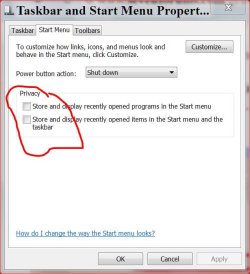
Taskbar: multiple instances of an app are "stacked" despite settings
Just opened two Excel-2010 files.
They are not listed on the Taskbar item popup
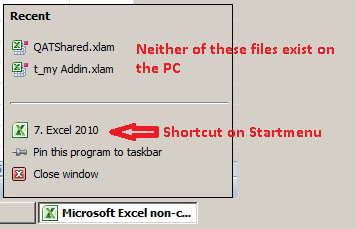
Despite Taskbar settings I cannot conveniently click on file-tab to view each file
(Taskbar only has two items, 1x WinExplorer, 1x Microsoft Excel 2010 for non-commercial use .. latter too long for the taskbar tab)

What am I missing ?
Using the [x] minimize button on each 23 inch window is a mouse-RSI click over there (the data is over here)
Would appreciate any help
------------
SPECS
Custom rig: SSD + HD
Win8 Home Premium 64-bit
Office 2010 32bit
ClassicShell (Start + Explorer)
Just opened two Excel-2010 files.
They are not listed on the Taskbar item popup
Despite Taskbar settings I cannot conveniently click on file-tab to view each file
(Taskbar only has two items, 1x WinExplorer, 1x Microsoft Excel 2010 for non-commercial use .. latter too long for the taskbar tab)
What am I missing ?
Using the [x] minimize button on each 23 inch window is a mouse-RSI click over there (the data is over here)
Would appreciate any help
------------
SPECS
Custom rig: SSD + HD
Win8 Home Premium 64-bit
Office 2010 32bit
ClassicShell (Start + Explorer)
My Computer
At a glance
XP Pro (x86) | 7 HP (x86) & (x64) | 7 Pro (x64)
- Computer type
- PC/Desktop
- Computer Manufacturer/Model Number
- Toshiba, Lenovo (laptops) + 4 rigs
- OS
- XP Pro (x86) | 7 HP (x86) & (x64) | 7 Pro (x64)