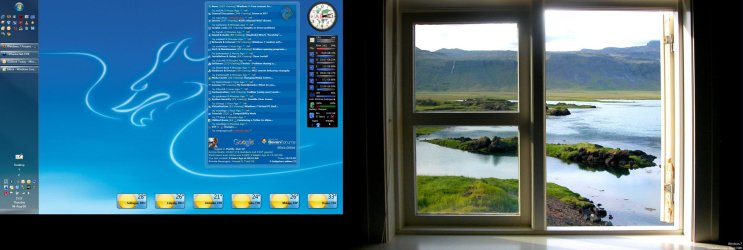
Taskbar (using aero) went crazy!

Kari

An Angry Old Man
Guru
VIP
SF Team
Local time
11:33 PM
Messages
17,473
Location
A Finnish ex-pat in Leipzig, Germany
Can somebody explain this for me? I seem to be unable to fix this issue.

Couple hours back my taskbar "lost" something and is now looking like the image on the left. On the right you can see how it should be.

This happened suddenly, and now it's happening after every reboot. Rebooted now about 10 times to test it. When logging to the Windows it stays normal anything from 2 to 10 minutes and then this happens.

I can still see items on taskbar, no problem. But it looks very ugly and confusing.

Help please!

Kari

What_the_fXXX..PNG Taskbar_full.PNG
 

My Computer

Computer type
Laptop
Computer Manufacturer/Model Number
HP ENVY 17-1150eg
OS
Windows 10 Pro x64 EN-GB
CPU
1.6 GHz Intel Core i7-720QM Processor
Memory
6 GB
Graphics Card(s)
ATI Mobility Radeon HD 5850 Graphics
Sound Card
Beats sound system with integrated subwoofer
Monitor(s) Displays
17" laptop display, 22" LED and 32" Full HD TV through HDMI
Screen Resolution
1600*900 (1), 1920*1080 (2&3)
Hard Drives
Internal: 2 x 500 GB SATA Hard Disk Drive 7200 rpm
External: 2TB for backups, 3TB USB3 network drive for media
Cooling
As Envy runs a bit warm, I have it on a Cooler Master pad
Keyboard
Logitech diNovo Media Desktop Laser (bluetooth)
Mouse
Logitech Performance Mouse MX
Internet Speed
50/10 Mbps VDSL
Antivirus
Windows Defender 4.3.9431.0
Browser
Maxthon 3.5.2., IE11
Can somebody explain this for me? I seem to be unable to fix this issue.

Couple hours back my taskbar "lost" something and is now looking like the image on the left. On the right you can see how it should be.

This happened suddenly, and now it's happening after every reboot. Rebooted now about 10 times to test it. When logging to the Windows it stays normal anything from 2 to 10 minutes and then this happens.

I can still see items on taskbar, no problem. But it looks very ugly and confusing.

Help please!

Kari

Ouch,

Looks to me your internal graphics card is overheating in 2 to 10 minutes.

Better screw open the lappy and clean the fans.
 

My Computer

OS
Win7 Build 7600 x86
CPU
Pentium II 300MHz
Motherboard
Asus
Memory
32mb EDO RAM
Graphics Card(s)
Diamond Viper
Sound Card
Soundblaster 16
Monitor(s) Displays
14" AOC CRT 16K color
Screen Resolution
800x600
Hard Drives
300mb Quantum fireball
PSU
110 Watts
Cooling
Passive
Keyboard
Trust Ergonomic
Mouse
Generic
Internet Speed
256K u 128K d
Just for grins and giggles, have you performed a system restore to see if it helps??
 

My Computer

Computer type
PC/Desktop
Computer Manufacturer/Model Number
LENOVO K450 @3.0GHZ
OS
64-bit Windows 8.1 Pro
CPU
Core(TM) i5 CPU 4330 Haswell @ 3.20GHz
Motherboard
LENOVO
Memory
12.00 GB
Graphics Card(s)
Intel(R) HD Graphics
Sound Card
Intel HD integtrated
Monitor(s) Displays
HP 25' ISP Monitor
Screen Resolution
1900/1020
Hard Drives
(1) ST1000DM003-1CH162 (2) Generic STORAGE DEVICE USB Device (3) Generic STORAGE DEVICE USB Device
Internet Speed
100mb down/10mb up
Ouch,

Looks to me your internal graphics card is overheating in 2 to 10 minutes.

Better screw open the lappy and clean the fans.

I have an extra cooling pad and I clean my laptop bi-monthly. Besides, the only issue is with taskbar. Everything else, all Aero effects etc., showing fine.

Strange.

Just for grins and giggles, have you performed a system restore to see if it helps??

Not yet. Was thinking I wait first a little bit in case some of you gurus find me a fix. Restoring later today if nothing comes up.

Kari
 

My Computer

Computer type
Laptop
Computer Manufacturer/Model Number
HP ENVY 17-1150eg
OS
Windows 10 Pro x64 EN-GB
CPU
1.6 GHz Intel Core i7-720QM Processor
Memory
6 GB
Graphics Card(s)
ATI Mobility Radeon HD 5850 Graphics
Sound Card
Beats sound system with integrated subwoofer
Monitor(s) Displays
17" laptop display, 22" LED and 32" Full HD TV through HDMI
Screen Resolution
1600*900 (1), 1920*1080 (2&3)
Hard Drives
Internal: 2 x 500 GB SATA Hard Disk Drive 7200 rpm
External: 2TB for backups, 3TB USB3 network drive for media
Cooling
As Envy runs a bit warm, I have it on a Cooler Master pad
Keyboard
Logitech diNovo Media Desktop Laser (bluetooth)
Mouse
Logitech Performance Mouse MX
Internet Speed
50/10 Mbps VDSL
Antivirus
Windows Defender 4.3.9431.0
Browser
Maxthon 3.5.2., IE11
kari

Obviously not a driver, or hardware, but feels like a config problem. like an 'ini' file has a bad entry

Have you done any aero "forcing", or tweaking? Have you tried changing to a basic theme and then back? Maybe even try a safe boot then reboot

Ken
 

My Computer

Computer Manufacturer/Model Number
HP Pavillion dv-7 1005 Tx
OS
Win 8 Release candidate 8400
CPU
[email protected]
Memory
4 gigs
Graphics Card(s)
Nvidia 9600M
Sound Card
HD built-in
Monitor(s) Displays
17" Wxga
Screen Resolution
1440x900
Cooling
none
Internet Speed
45Mb down 5Mb up
I have an extra cooling pad and I clean my laptop bi-monthly. Besides, the only issue is with taskbar. Everything else, all Aero effects etc., showing fine.

Kari

Ok, just that I had the same thing on my HTPC, only the taskbar, and saw my graphic temperatures were through the roof.

There was a big fluff of dust on the cooling body.

After cleaning it it went to normal temps again and taskbar was ok.

That's why my first hunch.

But Ken is probably right on this one.
 

My Computer

OS
Win7 Build 7600 x86
CPU
Pentium II 300MHz
Motherboard
Asus
Memory
32mb EDO RAM
Graphics Card(s)
Diamond Viper
Sound Card
Soundblaster 16
Monitor(s) Displays
14" AOC CRT 16K color
Screen Resolution
800x600
Hard Drives
300mb Quantum fireball
PSU
110 Watts
Cooling
Passive
Keyboard
Trust Ergonomic
Mouse
Generic
Internet Speed
256K u 128K d
By the way, the fluff was of cat origin.
 

My Computer

OS
Win7 Build 7600 x86
CPU
Pentium II 300MHz
Motherboard
Asus
Memory
32mb EDO RAM
Graphics Card(s)
Diamond Viper
Sound Card
Soundblaster 16
Monitor(s) Displays
14" AOC CRT 16K color
Screen Resolution
800x600
Hard Drives
300mb Quantum fireball
PSU
110 Watts
Cooling
Passive
Keyboard
Trust Ergonomic
Mouse
Generic
Internet Speed
256K u 128K d
M

Its a catastropy, times 6
K
 

My Computer

Computer Manufacturer/Model Number
HP Pavillion dv-7 1005 Tx
OS
Win 8 Release candidate 8400
CPU
[email protected]
Memory
4 gigs
Graphics Card(s)
Nvidia 9600M
Sound Card
HD built-in
Monitor(s) Displays
17" Wxga
Screen Resolution
1440x900
Cooling
none
Internet Speed
45Mb down 5Mb up

My Computer

Computer Manufacturer/Model Number
MasterB/Custom
OS
Windows 7 Professional x64
CPU
QuadCore AMD Phenom II X4 Black Edition 955 3.2 GHz
Motherboard
Asus M4A785TD-V Evo
Memory
8 GB Crucial DDR3
Graphics Card(s)
SAPPHIRE Radeon HD 4890 1GB HDMI New Edition
Sound Card
VIA VT1708S HD Audio 7.1 onboard/ ATI HDMI video card
Monitor(s) Displays
Acer H233H 23'' LCD HDMI
Screen Resolution
1920x1080
Hard Drives
1x 500GB and 1x 1TB 7200RPM 32MB Cache WD Caviar Black
PSU
CORSAIR CMPSU-620HX 620W
Case
COOLER MASTER Storm Scout SGC-2000
Cooling
2x 140mm and 1x 120mm case fans, Stock CPU fan
Keyboard
Logitech MX 3200
Mouse
Logitech MX 3200
Internet Speed
15 Mbps
Other Info
My first build!
Despite your best efforts to the contrary, cats will do whatever they want ... :roflmao:
 

My Computer

Computer type
PC/Desktop
Computer Manufacturer/Model Number
LENOVO K450 @3.0GHZ
OS
64-bit Windows 8.1 Pro
CPU
Core(TM) i5 CPU 4330 Haswell @ 3.20GHz
Motherboard
LENOVO
Memory
12.00 GB
Graphics Card(s)
Intel(R) HD Graphics
Sound Card
Intel HD integtrated
Monitor(s) Displays
HP 25' ISP Monitor
Screen Resolution
1900/1020
Hard Drives
(1) ST1000DM003-1CH162 (2) Generic STORAGE DEVICE USB Device (3) Generic STORAGE DEVICE USB Device
Internet Speed
100mb down/10mb up
Despite your best efforts to the contrary, cats will do whatever they want ... :roflmao:

john.PNG

Back OT people or move over to Catz thread. :p
:roflmao:
 

My Computer

OS
Win7 Build 7600 x86
CPU
Pentium II 300MHz
Motherboard
Asus
Memory
32mb EDO RAM
Graphics Card(s)
Diamond Viper
Sound Card
Soundblaster 16
Monitor(s) Displays
14" AOC CRT 16K color
Screen Resolution
800x600
Hard Drives
300mb Quantum fireball
PSU
110 Watts
Cooling
Passive
Keyboard
Trust Ergonomic
Mouse
Generic
Internet Speed
256K u 128K d
Getting more and more strange...

It does it everytime I reboot, since this morning. Delay between 2 and 10 minutes. But now after latest reboot I changed theme and then changed it back to my customized theme, and now it was OK almost half an hour. Rebooted and there it was again!

As a young man, why did I study computer sciences WITHOUT extra studies in parapsychology? To really understand these machines I honestly believe you have to understand paranormal stuff.

Kari
 

My Computer

Computer type
Laptop
Computer Manufacturer/Model Number
HP ENVY 17-1150eg
OS
Windows 10 Pro x64 EN-GB
CPU
1.6 GHz Intel Core i7-720QM Processor
Memory
6 GB
Graphics Card(s)
ATI Mobility Radeon HD 5850 Graphics
Sound Card
Beats sound system with integrated subwoofer
Monitor(s) Displays
17" laptop display, 22" LED and 32" Full HD TV through HDMI
Screen Resolution
1600*900 (1), 1920*1080 (2&3)
Hard Drives
Internal: 2 x 500 GB SATA Hard Disk Drive 7200 rpm
External: 2TB for backups, 3TB USB3 network drive for media
Cooling
As Envy runs a bit warm, I have it on a Cooler Master pad
Keyboard
Logitech diNovo Media Desktop Laser (bluetooth)
Mouse
Logitech Performance Mouse MX
Internet Speed
50/10 Mbps VDSL
Antivirus
Windows Defender 4.3.9431.0
Browser
Maxthon 3.5.2., IE11
by "customized theme" do you mean the silly windows "themes" with a background and glass colour, or a full-blown hack your system Visual Style kind of theme?

if it's the latter, did you patch/replace your uxtheme files or are you running one of the new patchers that does everything in memory?
 

My Computer

OS
7600 x86
CPU
Core 2 Duo e7200, 2.53 ghz
Motherboard
Micro-Star MS-7529
Memory
2x DDR2 PC5300 1gb, 667 mhz
Graphics Card(s)
GeForce 9500gt, 512mb
Monitor(s) Displays
22" LG Flatron w2234s
Screen Resolution
1680x1050
Hard Drives
Excelstor SATA-II 250gb 7200rpm, 8mb cache
PSU
CoolerMaster M520
Internet Speed
30/20 mbits
by "customized theme" do you mean the silly windows "themes" with a background and glass colour, or a full-blown hack your system Visual Style kind of theme?

if it's the latter, did you patch/replace your uxtheme files or are you running one of the new patchers that does everything in memory?

"Customized" is maybe too strongly put. Only customization I've done is to change wallpaper and colors on both displays using Display Fusion, then saved this "new theme".

A fast fix seems to be to change the theme. This is one of those not so important, basically meaningless issues that seem to have now reason. In the screenshot you can see everything is OK now, I just changed the theme (took desktop icons away to clarify).

Kari

Desktop_now.jpg
 

My Computer

Computer type
Laptop
Computer Manufacturer/Model Number
HP ENVY 17-1150eg
OS
Windows 10 Pro x64 EN-GB
CPU
1.6 GHz Intel Core i7-720QM Processor
Memory
6 GB
Graphics Card(s)
ATI Mobility Radeon HD 5850 Graphics
Sound Card
Beats sound system with integrated subwoofer
Monitor(s) Displays
17" laptop display, 22" LED and 32" Full HD TV through HDMI
Screen Resolution
1600*900 (1), 1920*1080 (2&3)
Hard Drives
Internal: 2 x 500 GB SATA Hard Disk Drive 7200 rpm
External: 2TB for backups, 3TB USB3 network drive for media
Cooling
As Envy runs a bit warm, I have it on a Cooler Master pad
Keyboard
Logitech diNovo Media Desktop Laser (bluetooth)
Mouse
Logitech Performance Mouse MX
Internet Speed
50/10 Mbps VDSL
Antivirus
Windows Defender 4.3.9431.0
Browser
Maxthon 3.5.2., IE11
Back
Top