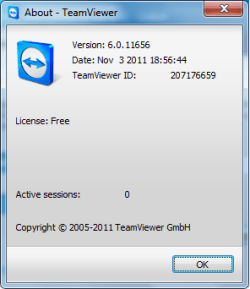
TeamViewer connects to any PC or server around the world within a few seconds. You can remote control your partner's PC as if you were sitting right in front of it.
Changelog:
TeamViewer 7.x
New features: Remote Control
Drag & Drop Even Faster
Simply drag each desired file from and into the remote control window and drop it exactly where you want it.
Enhanced Multi-Monitor Support
Do you and your clients both work with two or more screens? Then simply display multiple remote screens on a 1:1 scale on your own monitors - simultaneously and without toggling.
Save Connection Settings per Computer
You can now store individual connection settings for each computer in your computers & contacts list. Thereby, saving you valuable time for all further connections to the same computers.
Integrated Screenshot Feature
Create a screenshot at any moment during a remote control session. Thus, snapshots of the remote screen are acquired at lightning speed.
AVI Converter
Convert your recorded sessions into AVI format and then edit your videos at will.
Movable TeamViewer Panel
Position your TeamViewer Panel wherever you like on your local monitors so that you can see every important screen area at any time.
Performance Improvement
Especially direct connections and file transfer are now even faster due to optimization of data packets and display settings.
Optimized performance with TeamViewer Manager
Huge speed increases, especially for large databases. Through optimized database requests, TeamViewer Manager is now up to 4x faster.
New features: Meetings and Presentations
Instant Meeting
With just one click, you can start your meeting even before adding any participants - ideal for preparation and testing. Invite your colleagues, business partners or clients on the fly.
Schedule Meetings
Schedule your meetings and send invitations directly from your email client. Use the new "My Meetings" functionality in your TeamViewer account to maintain the perfect overview of all your planned meetings. Transfer your appointments automatically to your Outlook calendar.
Up To 25 Participants
Invite up to 25 participants to your meeting. From marketing presentations with potential new clients in a personal 1:1 scale, to large international meetings, anything is possible.
Mobile Participation On The Road
With the new TeamViewer Apps for iPhone, iPad (coming soon) and Android, participation in meetings is possible at any time from the road. That way, you and your colleagues will never again miss important discussions.
Presenter – Organizer – Participant
Assign different rights to your participants during a meeting. Name one participant the organizer. This person will have expanded rights in order to support you during the meeting. Alternatively you can give another participant the presenter role so that this person can share their screen.
Communication Tools
Now all participants can see and hear each other. During a meeting, they are connected via Voice over IP and Webcam. Additional tools, such as chat, whiteboard or telephone conferences, support the acoustic and visual exchange of ideas. Choose from a variety of communication tools for lively meetings and presentations.
File Box
Would you like to make files available for download during a meeting? Simply copy the desired documents into the shared file box via Drag & Drop and easily and quickly exchange them at will.
Record Presentations
Record your screen presentations and convert your video into the AVI format. This way, you can edit your videos at will.
Movable TeamViewer Panel
When presenting your entire screen, just drag your TeamViewer Panel to each desired position – even, for example, to a second monitor, to have a complete view of all the important screen areas.
Licenses, Updates and Backward Compatibility
TeamViewer 7 users can still establish remote control connections with TeamViewer 3, 4, 5 and 6.
However, for technical and licensing reasons, a connection in the other direction, i.e., from TeamViewer 3, 4, 5 and 6 to TeamViewer 7, is not possible.
The new meeting features are only supported by TeamViewer 7. Due to the large amount of new features, meetings with version 7 are not compatible with any previous versions due to technical reasons.
Download
A Guy
My Computer
- Computer type
- PC/Desktop
- OS
- Windows 10 Home x64
- CPU
- INTEL Core i5-750 Quad-Core 3.37GHz
- Motherboard
- ASUS P7P55D
- Memory
- HyperX Fury Black Series 8GB (2 x 4GB) 1866Mhz
- Graphics Card(s)
- EVGA GeForce GTX 750 Superclocked 1GB 128-Bit GDDR5
- Monitor(s) Displays
- LG 32MA68HY 32" IPS
- Screen Resolution
- 1920 x 1080
- Hard Drives
- Samsung 840 Evo 120GB, SEAGATE 500GB Barracuda® 7200.12, SATA 3 Gb/s, 7200 RPM, 16MB cache
- PSU
- ANTEC TruePower New TP-550, 80 PLUS, 550W
- Case
- ANTEC Three Hundred Illusion
- Cooling
- COOLER MASTER Hyper 212 Plus, 4 x 120mm 1 x 140mm Noctua's
- Internet Speed
- 85 + Mbps
- Antivirus
- Avast
- Browser
- Vivaldi