Solved The Audio Service Is Not Running + No Devices Found

Skunner

New member
Local time
3:56 AM
Messages
11
Location
United Kingdom .
i havent installed nothing updated ect . i dont no why this is happening ive tryed reinstalling ... looked at every solution online no help ... i did sys restore my pc and it worked but my wireless wouldent so im back here now ....

this is what it says
35bfkea.jpg


then i click playback devices in pop up menu

2w6uyy1.jpg


then i click yes and this says this

wiu7sw.jpg


and in my device manager it shows this

ifaexk.jpg


i dont understand why it wont work ive installed drivers over and over and will not work :/ can some one come and teamviewer my pc ?

please get back asap thank
 

My Computer My Computer

At a glance

windows 7 home premium 64-bit900 @ 2.20Ghz 219Ghz2.00Gb
Computer Manufacturer/Model Number
hewlett-packard
OS
windows 7 home premium 64-bit
CPU
900 @ 2.20Ghz 219Ghz
Memory
2.00Gb
i havent installed nothing updated ect . i dont no why this is happening ive tryed reinstalling ... looked at every solution online no help ... i did sys restore my pc and it worked but my wireless wouldent so im back here now ....

this is what it says
35bfkea.jpg


then i click playback devices in pop up menu

2w6uyy1.jpg


then i click yes and this says this

wiu7sw.jpg


and in my device manager it shows this

ifaexk.jpg


i dont understand why it wont work ive installed drivers over and over and will not work :/ can some one come and teamviewer my pc ?

please get back asap thank


Right Click on that last Screen to Enable Hidden Devices.
 

My Computer My Computer

At a glance

Win 7 x64Q9300Mushkin Resline 16 gigTwin ATI 5670
Computer Manufacturer/Model Number
Home Build
OS
Win 7 x64
CPU
Q9300
Motherboard
Gigabyte EP45T-USB3P
Memory
Mushkin Resline 16 gig
Graphics Card(s)
Twin ATI 5670
Sound Card
Realteck
Monitor(s) Displays
AOC 22"
Hard Drives
Seven WD !TB Black
PSU
Ultra 650
Have you tried restarting the audio service in 'services.msc'?
 

My Computer My Computer

At a glance

Windows 7 Ultimate x32
OS
Windows 7 Ultimate x32
Hi, I ran into a similar problem which it turns out I partially created myself.

I replaced my motherboard and as a result did a fresh install of Windows 7 Ultimate upgrading from Windows Vista Home Edition.
I also upgraded my video card to an Asus Geforce GTX550 Ti

Now I was ready to start installing all of my other programs, drivers, updates etc. but the computer kept freezing after 5 minutes or less. To troubleshoot this I disabled my services in msconfig to try to isolate the problem. In doing so I somehow managed to disable my audio services and couldn't get them to start again. There was a red x over the speaker icon on my task bar and I kept getting error messages that my audio services needed to be started (but wouldn't start when I tried) and that no audio devices were installed in spite of the fact that I tried both the onboard audio and an Audigy sound card.

Here is the solution that worked for me.

First: The freezing problem-
I went into control panel/System and Security/Power Options and changed the setting there from Balanced to High Performance. I'm assuming this was necessary due to the high power consumption of the new video card.
This fixed the freezing problem.

Second: The no audio problem-
Open your command prompt by clicking Start button/All Programs/Accessories/Command Prompt
Type in: services.msc
In the list find the item named Power
Right click on it and select Properties
Make sure the startup type is AUTOMATIC then click the start button then ok to close the window.
Reboot your computer.

When it restarts you should have sound again unless you changed other settings in msconfig or made other changes. If you made other changes you may have to undo the mess you've made trying to find the problem which is what got me into trouble. Doing a system restore to an earlier point may help.

I do hope this helps someone. I scoured the internet trying to solve the problem and found clues here and there that brought me to this final conclusion. I hope that this post helps to save someone some time.

Good Luck :)
 

My Computer My Computer

At a glance

Windows 7 32bit
OS
Windows 7 32bit
ThankYou For Your Help But i Found a restore point and it fixed the problem .
 

My Computer My Computer

At a glance

windows 7 home premium 64-bit900 @ 2.20Ghz 219Ghz2.00Gb
Computer Manufacturer/Model Number
hewlett-packard
OS
windows 7 home premium 64-bit
CPU
900 @ 2.20Ghz 219Ghz
Memory
2.00Gb
I know Skunner's problem was solved by a rollback, but I thought I would share my solution as well since Google directed me here. It turns out that my tinkering in msconfig caused my problem.

The service called "Multimedia Class Scheduler" was not running, and simply turning it back on fixed it.

You should be able to turn it back on through start - run - msconfig.exe then services and check it.
or
wallyschmo's advice on getting into services.msc to do the same.
 

My Computer My Computer

At a glance

Windows 7 Ultimate x64i7 2600kG. Skill 4G 1600 x2nVidia Gtx 460
OS
Windows 7 Ultimate x64
CPU
i7 2600k
Motherboard
Biostar TZ68a+
Memory
G. Skill 4G 1600 x2
Graphics Card(s)
nVidia Gtx 460
Monitor(s) Displays
Polyview PT-725A
PSU
OCZ-520
Case
X-Infinity
Cooling
Enermax EST-T40
guyz i've done all the things mentioned above....but nothing seems to workout for me....still no sound plz help:cry::cry:......i have hcl me laptop Windows 7 Home Basic 64-bit ,Intel(R) Core(TM) i5-2450M CPU @ 2.50GHz ....!!!!
 

My Computer My Computer

At a glance

windows 7 home basic 64bitIntel(R) Core(TM) i5-2450M CPU @ 2.50GHz
Computer Manufacturer/Model Number
hcl me
OS
windows 7 home basic 64bit
CPU
Intel(R) Core(TM) i5-2450M CPU @ 2.50GHz
Screen Resolution
1366*768
I wish I could help you hnetam. As far as I have seen, the issues for audio can only be cause by the driver or service. Have you checked settings too? I once found someone's system was set for surround sound when it needed stereo.

So, your sure you have the right drivers? Your sure the service is running?
If it is not, then do run - services.mcs and look for any service that mentions audio. Let us know what you find if it/they will not start.
 

My Computer My Computer

At a glance

Windows 7 Ultimate x64i7 2600kG. Skill 4G 1600 x2nVidia Gtx 460
OS
Windows 7 Ultimate x64
CPU
i7 2600k
Motherboard
Biostar TZ68a+
Memory
G. Skill 4G 1600 x2
Graphics Card(s)
nVidia Gtx 460
Monitor(s) Displays
Polyview PT-725A
PSU
OCZ-520
Case
X-Infinity
Cooling
Enermax EST-T40
services.msc

then scroll down to Windows audio

double click to open the service & press stop

wait for it to stop

then press start


solved
 

My Computer My Computer

At a glance

Windows 7 Home Premium 64bitIntel core i3 380M 253Ghz8GB
Computer Manufacturer/Model Number
Samsung RV511-A07AU
OS
Windows 7 Home Premium 64bit
CPU
Intel core i3 380M 253Ghz
Memory
8GB
Screen Resolution
1366 x 768
Hard Drives
Hitachi HTS545050B9A300 -500GB
Mouse
Logitech M305
Internet Speed
1000Mbs
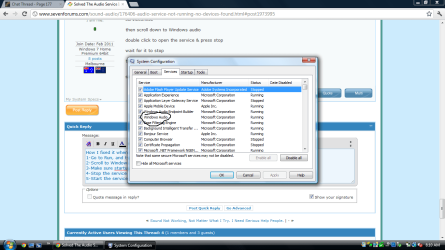
How I fixed it when I installed Vista on my 7 laptop.
1-Go to Run, and type "services.msc" without the quotes.
2-Scroll to Windows Audio and double click it.
3-Make sure startup type is automatic.
4-Stop the service
5-Start the service.
Make sure that Windows Audio is checked in msconfig.exe
 

Attachments

  • waduo.png
    waduo.png
    54.7 KB · Views: 1,332

My Computer My Computer

At a glance

Windows 7 Home Premium 64-BitIntel Core i5-4670K8GB HyperX BLUIntel HD 4600 Graphics
Computer type
PC/Desktop
Computer Manufacturer/Model Number
Custom Build
OS
Windows 7 Home Premium 64-Bit
CPU
Intel Core i5-4670K
Motherboard
Gigabyte GA-Z87MX-D3H
Memory
8GB HyperX BLU
Graphics Card(s)
Intel HD 4600 Graphics
Monitor(s) Displays
Vizta V24Lmh
Screen Resolution
1920x1080x32 @60Hz
Hard Drives
Toshiba 1TB
PSU
Dynex 650W
Case
Antec GX700
Keyboard
Logitech mk270
Mouse
Logitech mk270
Internet Speed
50 mbps down/5 mbps up
Antivirus
MSE
Browser
Chrome
Other Info
First custom build, saving up for a GTX770!
thanx Kyle8910:thumbsup: .......i really appreciate your help , although it couldn't fix my sound prob. .......i have to go to the service center and they fix it.... donno how..... they were saying that my audio files have been corrupted.... n now all thing are at a go....... thanx!!:party:
 

My Computer My Computer

At a glance

windows 7 home basic 64bitIntel(R) Core(TM) i5-2450M CPU @ 2.50GHz
Computer Manufacturer/Model Number
hcl me
OS
windows 7 home basic 64bit
CPU
Intel(R) Core(TM) i5-2450M CPU @ 2.50GHz
Screen Resolution
1366*768
Thanks 714

I had the same problem as you all. 714's fix worked perfectly for me. Thanks heaps:party:
 

My Computer My Computer

At a glance

Win 7 x64
OS
Win 7 x64
714 fixed my problem, thanks a lot. For about 2 days tackling this problem which gives me headache for not sleeping last night, you gave me light. My system is Windows 7 Enterprise x64 and the problem starts when one of the 2 audio card don't have MS generic driver and I mistakenly installed the 32bit audio driver came from its package, even though I download and installed its 64bit driver it didn't solved and now found out the services has stopped.
 

My Computer My Computer

At a glance

Windows 7 Enterprise x64
OS
Windows 7 Enterprise x64
714 fixed my problem, thanks a lot. For about 2 days tackling this problem which gives me headache for not sleeping last night, you gave me light. My system is Windows 7 Enterprise x64 and the problem starts when one of the 2 audio card don't have MS generic driver and I mistakenly installed the 32bit audio driver came from its package, even though I download and installed its 64bit driver it didn't solved and now found out the services has stopped.
So glad that I could help :D
 

My Computer My Computer

At a glance

Windows 7 Home Premium 64-BitIntel Core i5-4670K8GB HyperX BLUIntel HD 4600 Graphics
Computer type
PC/Desktop
Computer Manufacturer/Model Number
Custom Build
OS
Windows 7 Home Premium 64-Bit
CPU
Intel Core i5-4670K
Motherboard
Gigabyte GA-Z87MX-D3H
Memory
8GB HyperX BLU
Graphics Card(s)
Intel HD 4600 Graphics
Monitor(s) Displays
Vizta V24Lmh
Screen Resolution
1920x1080x32 @60Hz
Hard Drives
Toshiba 1TB
PSU
Dynex 650W
Case
Antec GX700
Keyboard
Logitech mk270
Mouse
Logitech mk270
Internet Speed
50 mbps down/5 mbps up
Antivirus
MSE
Browser
Chrome
Other Info
First custom build, saving up for a GTX770!
I was able to play music, hear system sounds, watch YouTube but not able to use Google Chat for voice calls.

I was able to solve this problem on two machines by doing the following:

Open Control Panel
Open Hardware and Sound
Click on Manage audio devices
Right-Click on Speakers/Headphones
Choose Set as Default Communication Device
 

My Computer My Computer

At a glance

Windows 7 32 bit
OS
Windows 7 32 bit
Hey, yeah i just tried to check the Windows Audio in the panel, the status showed that it was automatic, but when i clicked "start" it said, "Windows could not satart the Windows Audio service on Local Computer. Error 2: The system cannot find the file specified" This problem happened to me a few days ago just out of the blue, my computer had this problem before, and the company replaced my motherboard, but now i dont have warranty so im a bit nervous. I use headphones as speakers, but my laptop has speakers built in anyways. Please help if you can, Thanks alot
 

My Computer My Computer

At a glance

Microsoft Windows 7 Home Premium 64-bit 7601 ...Intel(R) Core(TM) i7-2760QM CPU @ 2.40GHzTotal: 8.00 GB Usable: 7.95 GB(1) NVIDIA GeForce GT 555M (2) Intel(R) HD Gr...
Computer type
Laptop
Computer Manufacturer/Model Number
Alienware
OS
Microsoft Windows 7 Home Premium 64-bit 7601 Multiprocessor Free Service Pack 1
CPU
Intel(R) Core(TM) i7-2760QM CPU @ 2.40GHz
Motherboard
Alienware M14xR1
Memory
Total: 8.00 GB Usable: 7.95 GB
Graphics Card(s)
(1) NVIDIA GeForce GT 555M (2) Intel(R) HD Graphics 300
Sound Card
(1) High Definition Audio Device (2) Intel(R) Display Audi
Screen Resolution
1600 x 900 x 32bits
Antivirus
Microsoft Essentials
Browser
Google Chrome
Check your manufactures website and see if there are any sound drivers available.
 

My Computer My Computer

At a glance

Windows 7 Home Premium 64-BitIntel Core i5-4670K8GB HyperX BLUIntel HD 4600 Graphics
Computer type
PC/Desktop
Computer Manufacturer/Model Number
Custom Build
OS
Windows 7 Home Premium 64-Bit
CPU
Intel Core i5-4670K
Motherboard
Gigabyte GA-Z87MX-D3H
Memory
8GB HyperX BLU
Graphics Card(s)
Intel HD 4600 Graphics
Monitor(s) Displays
Vizta V24Lmh
Screen Resolution
1920x1080x32 @60Hz
Hard Drives
Toshiba 1TB
PSU
Dynex 650W
Case
Antec GX700
Keyboard
Logitech mk270
Mouse
Logitech mk270
Internet Speed
50 mbps down/5 mbps up
Antivirus
MSE
Browser
Chrome
Other Info
First custom build, saving up for a GTX770!
Back
Top