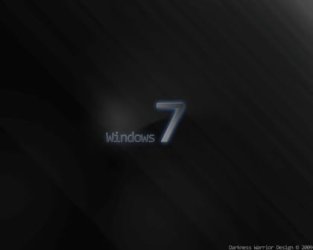
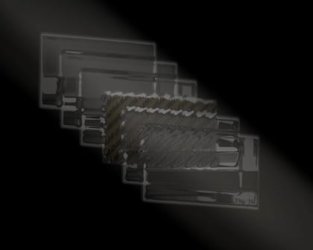
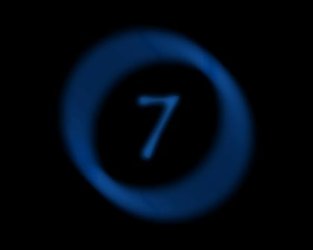
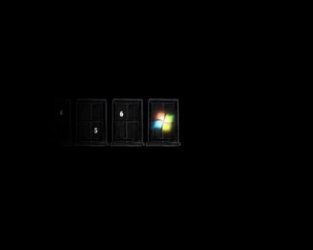
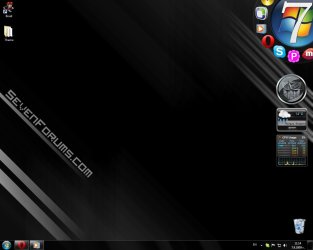
Hi guys I've been working on a dark black-style theme with my own custom Photoshop CS4 wallpapers and I thought I'd share. The theme currently has the following settings:
Cursors - Aero [Extra Large]
ScreenSaver - Mystify
Sounds - Windows 7 Default
Name (lol) - SevenForums' theme
----------------------------------------
The theme consists of five wallpapers. If you are interested in asking me in-depth questions about how I made them, feel free to PM me any time. (Edit: I will add more wallpapers to the theme whenever possible.)
----------------------------------------
Theme download:
View attachment SevenForums.zip
----------------------------------------
Screenshot:
----------------------------------------
I also modded the gadget "ProWeather", changing it's custom skin to something more gray and dark and also making the cadet blue seem more like blue, not purple. Simply extract the .exe to your desktop and install. MAKE SURE TO RUN WITH ADMINISTRATIVE PRIVILEGES.
ProWeather with D.W.96 Theme MOD:
View attachment ProWeather [DW96 Mod].zip
----------------------------------------
Other gadgets recommended with this theme:
One of pauliewog's clocks.
The Black CPU Meter (single core processors only, also showing RAM usage).
Or the Multi-Core Meter (also showing RAM Usage).
----------------------------------------
Other adjustments recommended:
Change start menu orb with sergiogarcia9's tutorial.
Here's an orb I made:
View attachment Orb Project.zip
Install the Circle Dock (top left of screenshot).
----------------------------------------
Hope you enjoy!
-D.W.96
Cursors - Aero [Extra Large]
ScreenSaver - Mystify
Sounds - Windows 7 Default
Name (lol) - SevenForums' theme
----------------------------------------
The theme consists of five wallpapers. If you are interested in asking me in-depth questions about how I made them, feel free to PM me any time. (Edit: I will add more wallpapers to the theme whenever possible.)
----------------------------------------
Theme download:
View attachment SevenForums.zip
----------------------------------------
Screenshot:
----------------------------------------
I also modded the gadget "ProWeather", changing it's custom skin to something more gray and dark and also making the cadet blue seem more like blue, not purple. Simply extract the .exe to your desktop and install. MAKE SURE TO RUN WITH ADMINISTRATIVE PRIVILEGES.
ProWeather with D.W.96 Theme MOD:
View attachment ProWeather [DW96 Mod].zip
----------------------------------------
Other gadgets recommended with this theme:
One of pauliewog's clocks.
The Black CPU Meter (single core processors only, also showing RAM usage).
Or the Multi-Core Meter (also showing RAM Usage).
----------------------------------------
Other adjustments recommended:
Change start menu orb with sergiogarcia9's tutorial.
Here's an orb I made:
View attachment Orb Project.zip
Install the Circle Dock (top left of screenshot).
----------------------------------------
Hope you enjoy!
-D.W.96
My Computer
At a glance
Windows 7 Home Premium [64-Bit]Intel Core 2 Quad CPU Q8200 @ 2.33 GHz4094 MB DDR2SAPPHIRE Radeon HD 6970 (2 GB VRAM)
- Computer type
- PC/Desktop
- Computer Manufacturer/Model Number
- Multirama PC Expert [Bulgaria]
- OS
- Windows 7 Home Premium [64-Bit]
- CPU
- Intel Core 2 Quad CPU Q8200 @ 2.33 GHz
- Motherboard
- GIGABYTE GA-G31M-S2C
- Memory
- 4094 MB DDR2
- Graphics Card(s)
- SAPPHIRE Radeon HD 6970 (2 GB VRAM)
- Sound Card
- Realtek ALC883 @ Intel 82801GB ICH7 - High Definition Audio
- Monitor(s) Displays
- Samsung SyncMaster BX2235 [21.5" LCD with LED Backlight]
- Screen Resolution
- 1920x1080
- Hard Drives
- Hitachi HDT721075SLA360 - 750 GB
- PSU
- Cooler Master GX750 - 750W
- Case
- Multirama (Black / 2010 Revision)
- Cooling
- Stock + Cooler Master
- Keyboard
- Logitech G510 (Gaming Keyboard)
- Mouse
- Razer Lachesis (4000 DPI, Blue Version)
- Internet Speed
- Vivacom Optical [100 Mbps]
- Browser
- Chrome [Windows]