
Hi,
I've found a nice theme I would use, but have some problem.
I copy files in ressouces/theme, edit theme file so all is correct.
I double click on the theme file. It is ok
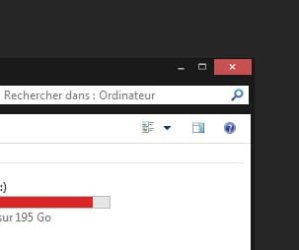
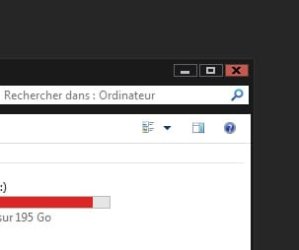
Then, if I reboot or close/reopen my session, the theme is messed, on mn/rest/close buttons and on the frame window I get a grey stroke and buttons size change.
There, If I select standard aero theme, then select back my theme, it works back !Until I reboot ...
When it doesn't work (just after a reboot), if I go into computer paams/advanced/performance, I have no aero peek in the list ! After swichting to aero theme and back to my theme, this option is there but uncheced (all working).
Does anyone have any idea on this ? This probleme isn't related to the theme itself as it does the same with some other such themes.
Cheers
I've found a nice theme I would use, but have some problem.
I copy files in ressouces/theme, edit theme file so all is correct.
I double click on the theme file. It is ok
Then, if I reboot or close/reopen my session, the theme is messed, on mn/rest/close buttons and on the frame window I get a grey stroke and buttons size change.
There, If I select standard aero theme, then select back my theme, it works back !Until I reboot ...
When it doesn't work (just after a reboot), if I go into computer paams/advanced/performance, I have no aero peek in the list ! After swichting to aero theme and back to my theme, this option is there but uncheced (all working).
Does anyone have any idea on this ? This probleme isn't related to the theme itself as it does the same with some other such themes.
Cheers
Attachments
My Computer
At a glance
Win7 pro x64
- Computer type
- PC/Desktop
- OS
- Win7 pro x64


